AI Chatbot for Website Customer Service — Complete Guide for 2026
Discover how an AI chatbot for website customer service answers questions instantly, reduces costs by 30%, and improves satisfaction — 24/7, without extra staff. Free to start with Glanceia.
Introduction
Your website is open 24 hours a day. Your customer service team is not.
Every evening, every weekend, and every public holiday, visitors land on your website with questions — about your pricing, your products, your returns policy, your availability. Most of those questions go unanswered until the next business day. By then, many of those visitors have already made a decision — and it was not in your favour.
Quick responses were a top benefit for 68 percent of users interacting with AI chatbots, while over 40 percent specifically appreciated getting support outside business hours.
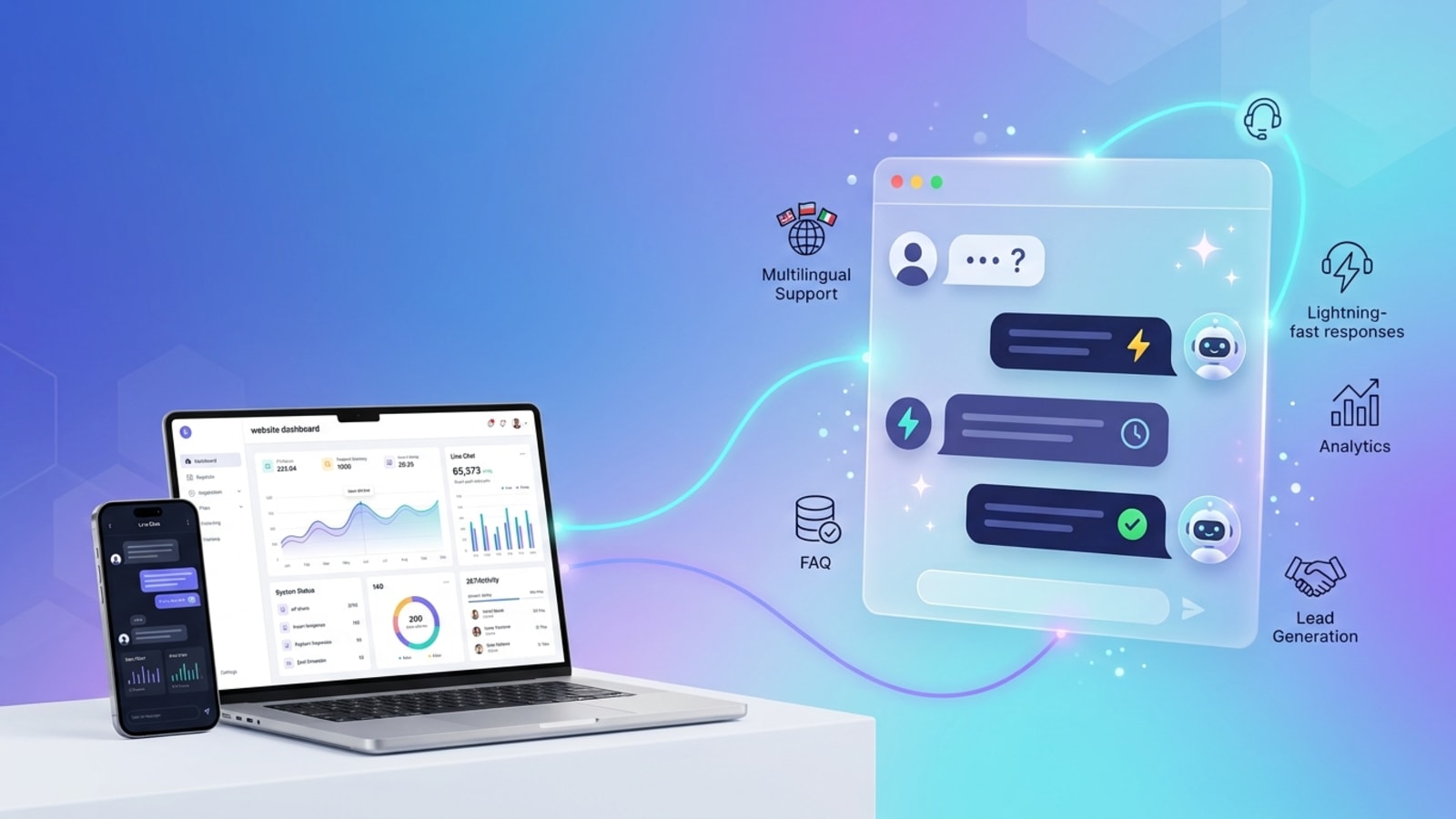
An AI chatbot for website customer service permanently closes this gap. It sits on your website around the clock, answers customer questions instantly and accurately, handles the repetitive support volume that currently consumes your team's time, and escalates complex cases to a human at exactly the right moment.
In 2026, this is not a feature businesses are experimenting with. 80 percent of companies are either using or planning to adopt AI-powered chatbots for customer service. The businesses that have already implemented them are seeing results that make the investment obvious. The ones that have not are losing customers every day to competitors who answer faster.
This guide covers everything you need to know about AI chatbots for website customer service — how they work, what they deliver, what to look for in a platform, and how to set one up in under an hour using Glanceia.
The Real Problem With Traditional Website Customer Service
Most business websites handle customer service through some combination of:
A contact form that visitors fill in and wait 24 to 48 hours for a reply
An email address buried in the footer
A phone number that rings out of hours
A FAQ page visitors have to find, navigate, and search manually
Every one of these methods has the same fundamental flaw: they require either a human to be available or a visitor motivated enough to go searching. Most visitors are neither patient enough to wait nor motivated enough to search.
37 percent of people use a customer service bot to get a quick answer in an emergency — and customer expectations for speed have shifted so dramatically that what used to feel acceptable now feels unacceptably slow.
The math behind this expectation shift is stark for businesses. A visitor who lands on your website with a question and cannot get an instant answer does not wait. They click back to Google and try the next result. That is a lead your website generated — and then failed to convert — because no one was there to answer.
AI chatbots deliver conversion improvements of 20 percent or more, with proactive chat triggering up to a 40 percent lift. The lift comes entirely from closing the response gap — giving visitors the answer they need at the moment they need it, before they leave.
What an AI Chatbot for Website Customer Service Actually Does
Understanding the specific capabilities of a modern AI chatbot for website customer service helps set realistic expectations — both for what it handles automatically and for what still needs a human.
Answers Customer Questions Instantly — From Your Actual Content
Today's chatbots are powered by Generative AI and large language models that can understand context, tone, and intent. They are no longer limited to scripted FAQ responses.
A well-trained AI chatbot reads through your business content — your FAQ documents, your product descriptions, your policies, your pricing — and uses that knowledge to answer visitor questions conversationally and accurately. A visitor asking "what is your refund policy?" gets your actual refund policy, explained clearly, not a link to a page they have to read themselves.
Provides 24/7 Support With Zero Additional Staffing Cost
Customer service costs drop by up to 30 percent when chatbots handle repetitive inquiries.
Every question your AI chatbot answers is a question your support team does not have to handle manually. At $0.50 to $0.70 per chatbot interaction versus $6 to $15 for a human agent interaction, the cost differential compounds quickly at any meaningful support volume. Businesses and consumers will save a combined 2.5 billion hours in 2025 through chatbot adoption — the time savings alone represent significant operational value beyond the direct cost reduction.
Handles the Highest-Volume, Most Repetitive Support Topics
Chatbots can help businesses save on customer service costs by answering up to 80 percent of routine questions.
The questions that account for the vast majority of support volume are the same questions asked repeatedly: shipping times, return policies, product availability, pricing, how to reset a password, how to track an order. A well-trained AI chatbot handles all of these automatically, routing only the genuinely complex cases to your human team.
Captures Leads During Support Conversations
A customer reaching out for support is already engaged with your business. An AI chatbot can capture their name and email as part of the support interaction — turning what would have been an anonymous support exchange into a named contact your team can follow up with for upselling, retention, or feedback.
Escalates Intelligently to Human Agents
The best AI chatbots for website customer service know what they cannot handle and escalate gracefully. By 2029, agentic AI is projected to autonomously resolve 80 percent of common customer service issues without human intervention — but the remaining 20 percent still need humans, and a well-configured chatbot makes that handoff seamless rather than frustrating.
Delivers Consistent, Accurate Answers Every Time
A human support team has variance — different agents give different answers, moods affect tone, and training gaps create inconsistency. An AI chatbot trained on your definitive content gives the same accurate answer to the same question every time, in the same tone, with no bad days.
The Business Impact: Real Numbers From 2026
The data on AI chatbots for website customer service in 2026 is consistent and compelling across every category that matters for business decisions:
Cost reduction: Gartner forecasts that conversational AI will reduce contact center labor costs by $80 billion by 2026. Customer service costs drop by up to 30 percent when chatbots handle repetitive inquiries.
Response time: AI-powered tools reduce resolution times by up to 52 percent and first response times by 37 percent.
Customer satisfaction: 87.6 percent satisfaction rate is recorded for bot-only conversations, proving growing user comfort. 40 percent of customers do not care if they receive support from a chatbot or a human as long as they get the support they need.
Revenue impact: AI chatbots deliver conversion improvements of 20 percent or more. 38 percent of consumers are more likely to make a purchase when chatbot or live chat options are available.
Team productivity: Conversational AI and chatbots have boosted customer service specialist productivity by 94 percent, sped up issue resolution by 92 percent, and reduced agent effort by 87 percent.
Business adoption trajectory: By 2027, 25 percent of organizations will use chatbots as their primary customer service channel. 84 percent of business leaders believe AI chatbots will be increasingly important in customer communication.
What to Look for in an AI Chatbot for Website Customer Service
Not all AI chatbots for website customer service deliver equal results. These are the features that determine whether a chatbot actually improves your customer service or just adds a widget to your site that nobody finds useful.
Trains on Your Specific Business Content
Generic AI that gives generic answers is not useful for customer service. The chatbot needs to know your specific policies, your specific products, your specific processes. Look for a platform that lets you upload your actual documentation — FAQs, product descriptions, policy pages, pricing — and trains the AI on your content.
Natural Language Understanding
Thanks to large language models, chatbots in 2026 can converse almost like humans — understanding nuances and recognising the intent behind complex or emotional statements. A customer asking "how long will my order take?" and a customer asking "when will my stuff arrive?" are asking the same question. The chatbot should recognise this and answer both, not fail on rephrased questions.
Proactive Engagement
Modern chatbots no longer wait for customers to reach out. They can analyse real-time data to predict when a customer might need help and offer it proactively. If a visitor has been on a pricing page for 90 seconds, the chatbot can open with "Would you like help understanding which plan is right for you?" — before the visitor gets frustrated and leaves.
Seamless Human Handoff
When a query exceeds the chatbot's capability, it should escalate immediately and gracefully — providing the human agent with a full conversation summary so the customer does not have to repeat themselves. Dead ends where the chatbot just says "I cannot help with that" are a failure mode that actively damages customer experience.
No-Code Setup and Management
The team managing your website customer service chatbot is your support or marketing team — not a development team. The platform should be fully manageable without code, from initial setup through ongoing content updates.
Transparent, Predictable Pricing
AI chatbot platforms that charge per conversation, per resolution, or through credit systems make budgeting for customer service automation unpredictable. Look for flat monthly pricing with AI included at the base level.
The Best AI Chatbot for Website Customer Service: Glanceia
For small and medium-sized businesses looking for a genuinely useful AI chatbot for website customer service — not enterprise complexity at enterprise pricing — Glanceia is the strongest option in 2026.
Why Glanceia delivers for website customer service:
Trains on your actual support content: Upload your FAQ documents, product guides, policy pages, and any other support content your team currently uses. Glanceia's AI reads everything and answers customer questions accurately from your specific content — not from general AI knowledge that may not reflect your actual policies and processes.
Live on your website in under 30 minutes: No developer required. Upload your content, customise the widget to match your brand, copy one embed script, paste it into your website footer — the chatbot goes live on every page of your site immediately. Works on WordPress, Wix, Webflow, Shopify, Squarespace, or any custom-built site.
Lead capture built into every support conversation: Every customer service interaction is an opportunity to capture a contact. Glanceia collects name and email from every visitor conversation — giving you customer data from your support interactions rather than losing the information after the chat ends.
Flat pricing with AI fully included: Free plan with no credit card required. Paid plans from $9/month with AI included. No per-conversation charges, no credit systems, no AI add-on fees.
Handles your entire front-line support volume: The most common customer service questions — product information, pricing, policies, order queries, how-to guidance — are all handled automatically from your uploaded content, freeing your team for the complex interactions that genuinely need a human.
Try Glanceia free — no credit card needed →
How to Set Up an AI Chatbot for Website Customer Service
Step 1: Map Your Most Common Customer Questions
Before touching any tool, spend 20 minutes listing the questions your support team answers most often. Check your email inbox, your contact form submissions, and ask your team directly. The 20 most frequently asked questions should form the foundation of your chatbot's knowledge base.
Step 2: Create Your Support Knowledge Base
Go to Glanceia, create a free account, and upload your support content:
FAQ document — every common question with specific, complete answers
Product or service descriptions — what you offer, what is included, what is not
Policies — returns, refunds, cancellations, shipping, warranties
Process guidance — how to place an order, how to track a shipment, how to reset a password
Contact information — when to reach a human and how
The quality and specificity of what you upload directly determines the quality of the chatbot's answers. Specific content produces specific, useful responses. Vague content produces vague, unhelpful ones.
Step 3: Write a Customer Service-Specific Welcome Message
Your opening message sets expectations. Examples that work well for customer service:
"Hi! Got a question about your order, our products, or our policies? I can answer right now."
"Hello! Need help with something? Ask me anything — I know the answers."
"Hi there! Questions about pricing, shipping, or returns? I'm here 24/7."
Step 4: Configure Escalation Paths
Set up clear routes to a human for the cases the chatbot cannot handle — your support email address, a link to raise a ticket, or your WhatsApp number. Test these escalation paths before going live.
Step 5: Embed and Publish
Copy the Glanceia embed script and paste it into your website's footer. The chatbot goes live on every page immediately after you publish. Test from an incognito window before considering it fully live.
Step 6: Review and Improve Weekly
Check the conversation logs every week. Questions the chatbot could not answer reveal gaps in your knowledge base to fill. Questions it handled well tell you what your support volume actually looks like and which topics matter most to your customers.
Best Practices for AI Chatbot Customer Service on Your Website
Keep your knowledge base current: One of the key challenges in deploying AI chatbots is maintaining accuracy as products, policies, and processes evolve. Update your uploaded content every time something in your business changes — new product launched, policy updated, pricing revised.
Make the widget visible — especially on mobile: A chatbot no one can find does not improve customer service. The widget should be clearly visible in the bottom right corner of every page, easy to tap on mobile, and prominent enough to catch the eye of a visitor with a question.
Write your FAQ answers for the chatbot, not just for humans: FAQ page answers written for humans to read are often too long, too formal, or too vague for a chatbot to deliver conversationally. Rewrite your key answers to be specific, direct, and complete in 2 to 4 sentences.
Set realistic escalation triggers: The chatbot should not try to handle everything. Define clearly which topics go to a human immediately — billing disputes, legal questions, complaints — and configure the escalation path for those upfront rather than having the chatbot attempt them and fail.
Track customer satisfaction on chatbot conversations: Many platforms including Glanceia allow you to add a simple thumbs up/thumbs down to chatbot responses. Use this data to identify which answers need improvement before customers get frustrated.
Common AI Chatbot Customer Service Mistakes to Avoid
Deploying with insufficient training content: Insufficient or poor-quality training data leads to inaccurate responses that erode customer trust. Upload everything relevant before going live — not just a basic FAQ with 5 questions.
No human escalation path: A chatbot with no clear route to a human when it cannot help is a dead end that frustrates customers. Always configure escalation paths.
Ignoring mobile experience: In 2026, most customer interactions happen on mobile devices. A chatbot that works beautifully on desktop but is hard to use on a phone is not a customer service improvement.
Setting and forgetting: A chatbot that was accurate at launch becomes inaccurate as your business evolves. Review and update the knowledge base at least monthly — and immediately whenever something significant changes.
Measuring only deflection, not satisfaction: A chatbot that deflects 80 percent of queries is not a success if customers are frustrated with the answers. Track satisfaction scores alongside deflection rates.
FAQ — AI Chatbot for Website Customer Service
What is an AI chatbot for website customer service?
An AI chatbot for website customer service is an AI-powered assistant embedded on a business website that automatically answers customer questions, handles support queries, and captures contact information — 24 hours a day, without human agent involvement.
How much does an AI chatbot for website customer service cost?
AI chatbot interactions cost $0.50 to $0.70 each compared to $6 to $15 for human agent interactions. Platform costs range from free (Glanceia's free plan) to $9/month for a fully functional AI customer service chatbot — significantly less than any staffing-based customer service solution.
Can an AI chatbot fully replace a human customer service team?
Chatbots can answer up to 80 percent of routine questions automatically. The remaining 20 percent — complex disputes, sensitive complaints, nuanced decisions — still require human judgment. The right approach is AI handling the volume and humans handling what truly needs them.
How long does it take to set up an AI chatbot for website customer service?
With Glanceia, most businesses are fully live within 30 to 60 minutes. The majority of that time is spent uploading and organising support content, not on technical setup.
Will customers be frustrated talking to a chatbot instead of a human?
87.6 percent satisfaction rate is recorded for bot-only conversations. 40 percent of customers do not care if they receive support from a chatbot or a human as long as they receive the support they need. Satisfaction depends entirely on the quality of the answers — a well-trained chatbot that gives accurate, specific responses earns high satisfaction scores.
Does an AI chatbot for website customer service work on all website platforms?
Glanceia works on WordPress, Wix, Webflow, Shopify, Squarespace, Framer, and any custom-built website via a single embed script.
How do I make sure the chatbot gives accurate answers about my business?
Train it on your specific business content — your actual FAQ answers, real policies, specific product details. The key limitation of early chatbots was relying on generic training data. Modern AI chatbots trained on your own documentation give accurate, business-specific responses that build rather than erode trust.
Final Thoughts
In 2026, AI chatbots for customer service are no longer optional. They have become a core part of digital customer experience strategies across industries. By 2026, businesses could save up to $80 billion annually through the deployment of conversational AI in customer service.
For small and medium-sized businesses, the case is even more direct: an AI chatbot for website customer service answers the questions your team currently fields manually, captures the after-hours leads that currently go cold, and improves customer satisfaction by delivering instant, accurate responses at any hour — at a cost that makes the investment obvious from the first week.
70 percent of mid-sized businesses report a 40 percent or more jump in customer satisfaction within three months of adopting AI. The results arrive faster than most businesses expect.
Ready to upgrade your website customer service with an AI chatbot? Try Glanceia free — no credit card needed →
Published by Laxman- Team Glanceia