How to Write a Knowledge Base an AI Chatbot Can Actually Use
Most chatbot mistakes start in the documents, not the AI. Learn how to write, format and maintain a knowledge base that gives accurate answers, with templates.
Imagine hiring a brilliant new assistant on their first morning and handing them a box. Inside: a brochure from 2023, a price list with three versions, a scanned return policy, a 40-page PDF with the fees buried on page 31, and a Word file called “FINAL_v2_use this one.”
Then you tell them to start answering customers.
That’s roughly what many businesses do when they set up an AI chatbot. And then they’re surprised when it quotes an old price, mixes up two policies or confidently says something nobody wrote anywhere.
The AI usually isn’t the problem. The box is. The good news is that writing a knowledge base an AI can use is a skill you can learn in an afternoon, and most of it is simply clear writing. Here’s how to do it.
First, how a chatbot reads your documents
A short explanation, because it explains every rule that follows.
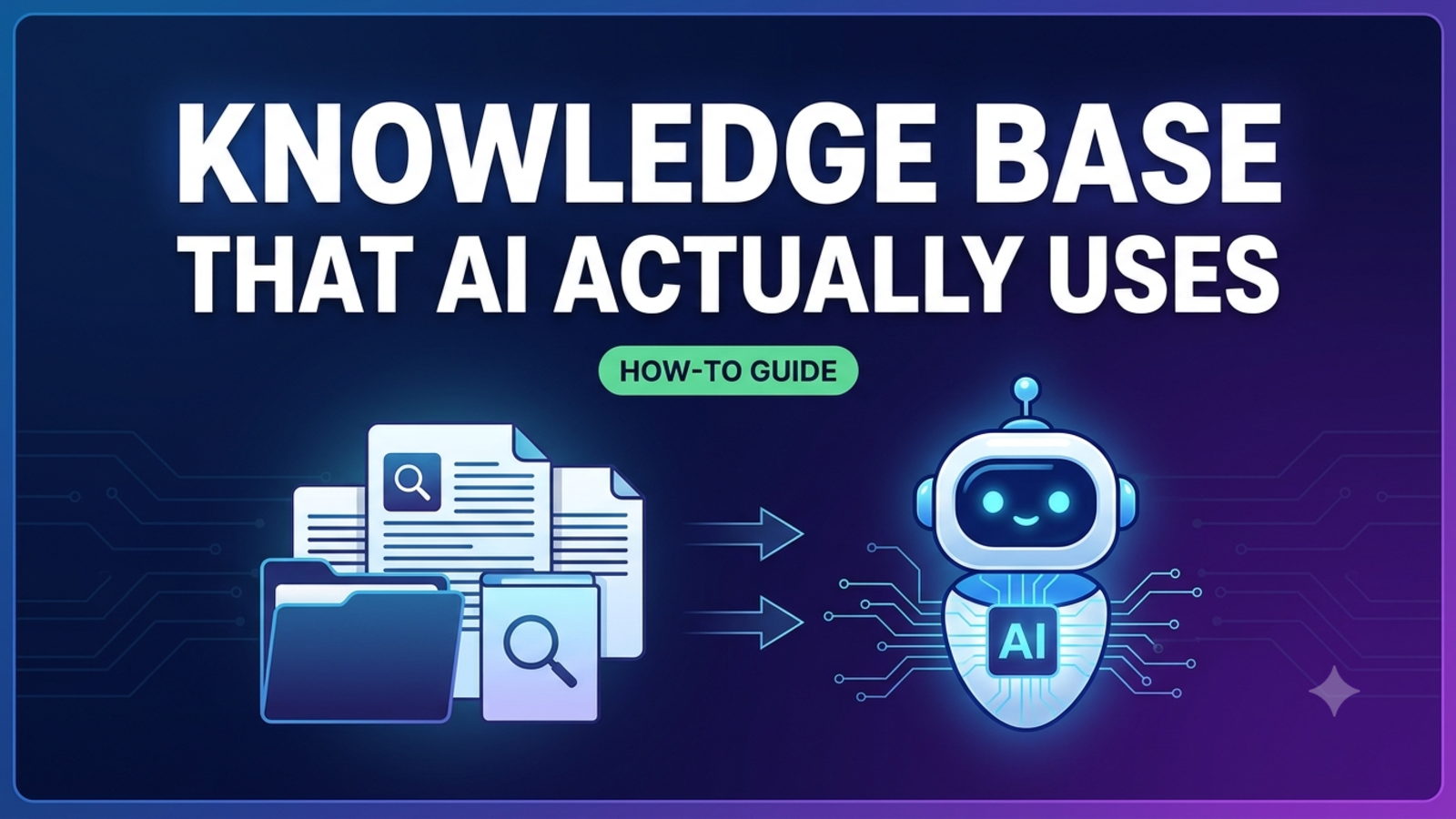
Most chatbots that answer from your own documents don’t “memorise” them. They split your content into smaller pieces, often called chunks, and when a customer asks something, they look for the pieces most relevant to that question and use them to write an answer. Zendesk’s guidance on this, for example, explains that text is ingested and split into smaller chunks, and recommends content that is clear, focused, complete and self-contained.
One honest note: Glanceia’s website doesn’t describe exactly how it splits or searches your content, so we can’t promise specifics about its internals. The practices below come from published guidance for document-grounded chatbots in general, and they’re also just good writing, which helps your human customers too.
The big idea is this: the chatbot often sees only a small piece of your document at a time. If that piece doesn’t make sense on its own, the answer won’t either.
The rule that matters most: write self-contained answers
Imagine someone tore a single paragraph out of your document and handed it to a stranger. Would the stranger understand it?
Weak (depends on context):
As mentioned above, this applies only to the second option. It must be done within the stated period and the amount will be deducted from the total.
Above what? Which option? What period? What amount? A chatbot that retrieves this paragraph alone has nothing to work with.
Better (stands alone):
Refunds for the Premium plan must be requested within 7 days of purchase. The refund is issued to the original payment method within 5 to 7 working days. A processing fee of ₹150 is deducted.
Published guidance says the same thing. One documentation guide notes that if your content depends on surrounding context, individual pieces become meaningless when retrieved alone. In practice, that means:
Name the thing every time. Write “the Premium plan,” not “it.”
Avoid “see above,” “as discussed earlier,” or “the previous section.”
Repeat the key detail where it matters (the period, the price, the condition) instead of pointing elsewhere.
A little repetition is fine. A paragraph that only works if you’ve read the five before it isn’t.
Step 1: Start with what customers actually ask
Don’t start from your brochure. Start from your inbox.
Go through the last month of emails, WhatsApp messages, DMs, contact forms and call notes. Copy each question into one document in the customer’s own words. One guide on chatbot knowledge bases puts it neatly: let customers write your outline, because the questions they actually ask are a better starting point than the ones a business wishes they’d ask.
Sort the questions into groups, for example:
About you (who, where, hours)
Products or services
Pricing and payments
Ordering or booking
Delivery or timelines
Changes, cancellations and refunds
Problems and support
Policies and trust
If Glanceia is already running, its analytics show top questions, which is a ready-made list.
Step 2: Write one answer per question
Give each question its own short entry. Cramming five topics into one long document forces the AI to guess which part you meant.
A simple shape works for almost everything:
Question: Can I cancel my booking?
Answer: Yes. You can cancel free of charge up to 7 days before travel. After that, a 25% fee applies. Cancellations within 48 hours of travel are not refundable.
Exceptions: If the airline cancels the flight, the full amount is refunded.
Next step: To cancel, email bookings@example.com with your booking number.
That’s the direct answer, the key detail, the exception and what to do next, in under 60 words.
A few habits make these entries much stronger:
Lead with the answer. The first sentence should respond to the question. Explanations come second.
Use the customer’s words and the alternatives. People say “refund,” “money back” and “return.” Mention all three where they apply.
Be specific. “Within 24 hours” beats “shortly.” “₹500 flat fee” beats “reasonable charges.”
Say what you don’t offer. “We don’t offer custom sizes” saves the customer’s time and stops the bot from improvising.
Spell out numbers with units. Write “5 to 7 working days,” not “5-7.” Write “₹150,” not “150.”
Describe “it depends” properly. If the answer varies, say what it varies by: “Delivery takes 2 to 3 days in metro cities and 5 to 8 days elsewhere.”
For a deeper look at this, see our guide to writing FAQ answers that make your chatbot smarter.
Step 3: Use headings, and keep them honest
Structure helps both people and machines. Zendesk’s guidance recommends clear headings and subheadings to break content into logical sections.
Good headings describe what’s underneath them:
✅ “Refund policy for the Premium plan”
❌ “Important information”
❌ “More details”
If a heading wouldn’t make sense as a standalone label, rewrite it. Because the AI may see a section on its own, put the topic in the heading and in the first sentence.
Step 4: Choose formats carefully
Glanceia’s site lists support for uploading PDFs, Word documents, CSV and Excel files and plain text, and for adding FAQs and Q&A directly. Not all formats are equally easy for a chatbot to read.
Plain text, Word and typed Q&A are the safest. Published guidance suggests that Markdown, which keeps headings, lists and tables without visual clutter, is ideal for this kind of use, and clean typed text works in a similar way.
PDFs can cause trouble, depending on how they were made.
A scanned PDF is basically a picture. Without text recognition, there may be nothing readable in it for a chatbot to use.
Tables in PDFs often get flattened, so the link between a heading and its value is lost.
Multi-column layouts can get read in the wrong order, mixing the left column into the right.
If you have important information in a PDF, especially a price list, fee table or multi-column brochure, test whether the chatbot answers from it correctly. If it doesn’t, retype the key points into a simple document or add them as FAQ entries.
Avoid decoration. Heavy templates, “related articles” boxes, pop-up text and elements that only appear on screen can make content messier for a chatbot to read.
For tables, add sentences. A fee table is easy for a person to scan but easy for a chatbot to scramble. Add one sentence per row below it:
Standard delivery costs ₹60 for parcels up to 500 grams. Parcels from 500 grams to 2 kilograms cost ₹110.
Step 4b: Keep CSV and spreadsheets simple
If you upload a spreadsheet of products or prices, give every column a clear header, keep one item per row and avoid merged cells, colour-coded meaning and notes scribbled in margins. If a cell’s meaning depends on its colour, write it in words.
Step 5: One source of truth
This is the quiet killer of chatbot accuracy: contradictions.
You upload the 2024 price list and the 2026 price list “just in case.” Or your FAQ says returns take 7 days while your policy document says 10. The chatbot may pick either one, and the customer has no idea which is right.
Published guidance is consistent on this: avoid contradictions across your content, and keep one source of truth for each topic with outdated versions removed.
Before you upload anything:
Delete old versions instead of keeping them “for reference.”
Search for every price, date and policy that appears in more than one place, and make them match.
Put a date on every document (“Last updated: 5 November 2026”).
Name files clearly, such as “Refund-policy-2026-11” rather than “final-v3-new.”
Step 6: Tell the chatbot what to do when it doesn’t know
Some of the best content in a knowledge base isn’t an answer. It’s a boundary.
Write entries for the situations where the right response is “I’m not sure. Let me get a person”:
Question: Can you give me a discount?
Answer: Discounts are handled by our team. Please share your name and phone number, and someone will contact you within one working day.
Question: Is this safe for my medical condition?
Answer: I can’t give medical advice. Please speak to your doctor. If you have questions about ingredients or usage instructions, I can share what’s in our product guide.
Cover complaints, custom quotes, exceptions, legal or medical questions and anything else where a guess could hurt a customer. With Glanceia, you can capture a name, email and phone number during chat and route important conversations to your inbox, so pair these boundary entries with a named person who checks that inbox.
Step 7: Keep private and sensitive material out
Only upload what you’d be comfortable putting on your public website. That means no customer lists, passwords, internal margins, personal documents or anything confidential. A good knowledge base is a public-facing handbook, not a filing cabinet.
Glanceia says that each company’s data is held in an isolated environment and used only for that company’s chatbot, but you should still read the privacy policy and keep sensitive material out.
Step 8: Test it like a customer
Once your content is in, ask the chatbot real questions:
Your top 20 questions, in your own words
The same questions with typos and one-word phrasing
Questions that depend on exceptions
Questions it shouldn’t be able to answer
Anything where two documents might clash
Some tests that catch the most problems:
The wrong-document test. Ask about a price that appears in more than one place. Does it match your current one?
The page-31 test. Ask about something buried deep in a long document. Can it find it?
The table test. Ask about a specific row of a fee table.
The “does it admit ignorance” test. Ask something that isn’t in your content. It should say so and offer a person.
Even well-built systems get things wrong sometimes. One guide notes that retrieval-based chatbots greatly reduce made-up answers but don’t remove them completely, so testing still matters. We cover a full pre-launch checklist in A 30-Question Test to Run Before Your Chatbot Goes Live.
When a test fails, fix the source document, not just the reply. Published guidance from AWS makes the same point: improving the source content is the most direct way to give a chatbot clear context.
Step 9: Maintain it
A knowledge base isn’t a project, it’s a habit. Set aside 20 minutes a week to:
Read the questions the chatbot couldn’t answer well and add answers
Check for anything that changed: prices, hours, policies, holiday dates
Remove anything outdated
Look at top questions and drop-off points in Glanceia’s analytics, and rewrite the entries behind them
Re-test the five questions that failed last time
Before any big event such as a sale, a festival or a price change, update the content first. Glanceia’s site describes keeping the bot up to date, but the updating is still your job.
A starter template you can copy
For every entry, aim for this shape:
TOPIC: [Clear, specific title]
LAST UPDATED: [Date]

QUESTION: [In the customer's own words]
ANSWER: [Direct answer in the first sentence. Then the key detail.]
EXCEPTIONS: [Any limit or special case]
NEXT STEP: [Link, contact or action]
ALSO KNOWN AS: [Other words customers use]
And a starter outline for the whole knowledge base:
About us: who you are, where you are, hours and contact details
Products or services: what each includes, who it’s for, what it isn’t
Pricing and payments: prices, fees, methods, instalments, taxes
Ordering or booking: step by step, what details you need
Delivery or timelines: typical times and exceptions
Changes and cancellations: rules, deadlines, fees
Problems and support: what to do and who handles it
Policies: privacy, warranty, terms in plain words
Hand-off rules: what the bot must never decide
Common mistakes to avoid
Uploading everything you have. More content isn’t better. Clear, current content is.
Keeping old versions. Delete them.
Writing for yourself, not the customer. Internal jargon and abbreviations confuse everyone.
Burying answers in long documents. Short, focused entries are easier to find.
Relying on a table or scan without testing. Check it.
Leaving out the boundaries. The bot needs to know what not to say.
Never updating it. A good knowledge base goes stale quickly.
Skipping the test. You’ll meet the problems either way, so meet them first.
FAQ
What is a chatbot knowledge base?
It’s the collection of documents, FAQs and policies a chatbot draws on to answer questions. Glanceia lets you build one by uploading your own content and adding FAQs.
How should I format documents for an AI chatbot?
Use clear headings, short self-contained answers, one topic per entry and plain, specific wording. Typed text and Q&A entries are the safest formats.
Can a chatbot read PDFs?
Often, yes, but results depend on how the PDF was made. Scanned pages, tables and multi-column layouts can cause trouble, so test the answers that come from them.
How long should each answer be?
Short enough to stand alone, usually a few sentences. Long enough to include the answer, the key detail, any exception and the next step.
What should I put in a knowledge base first?
Your 20 most common customer questions, with clear answers, plus your prices, policies and contact details.
What if two of my documents disagree?
Fix them before uploading. Keep one version and delete the other, since the chatbot may use either.
How often should I update it?
Whenever prices, policies or offers change, and do a quick review at least once a week at first.
Does Glanceia need me to write code?
No. You upload your content, customise the look and tone, and add one line of code to your website.
Does it work in other languages?
Glanceia supports over 95 languages. If you write content in more than one language, test each.
How much does it cost to start?
Glanceia has a free plan with no credit card required. The site lists limits on tokens and context size for the Free plan and a Pro plan marked “Coming Soon,” so see the pricing page for current details.
Write for the reader, human or AI
Good knowledge bases aren’t clever. They’re clear, specific, current and honest about their limits. If a new colleague could pick up one of your entries and answer a customer correctly without asking you anything, an AI probably can too.
Start with your top 20 questions this week. Glanceia is free to start with no credit card required. See the docs to get set up, or contact the team if you’d like help structuring your content.