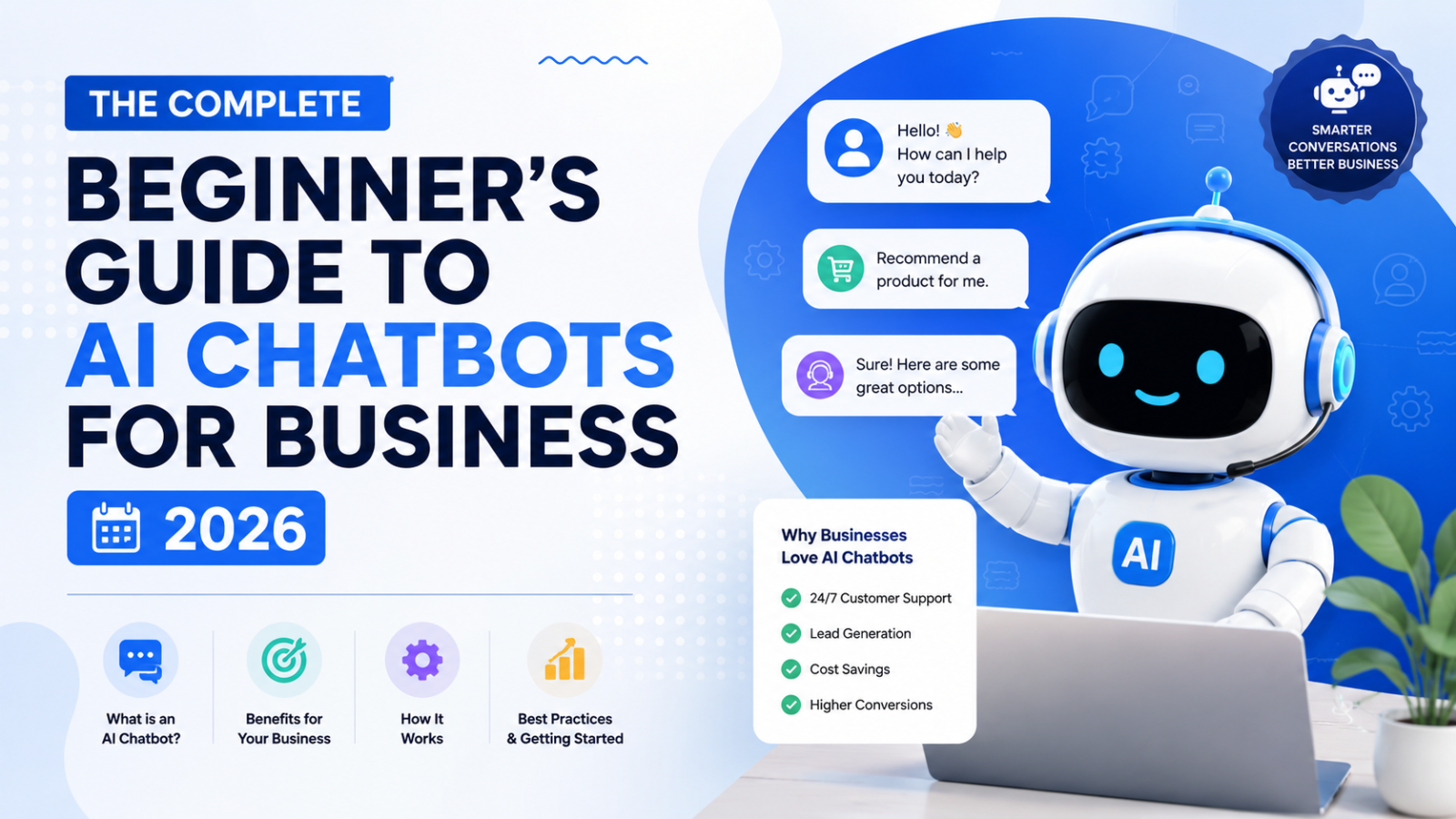
The Complete Beginner's Guide to AI Chatbots for Business 2026
New to AI chatbots? This complete beginner's guide covers everything — what they are, how they work, what they cost, how to choose one, and how to set up your first chatbot free
Introduction
You have heard about AI chatbots. You have probably interacted with one on a website at some point in the last year. And you have most likely wondered whether your own business needs one — and if so, where on earth you would start.
This guide is for you.
No technical jargon. No assumptions about what you already know. Just a clear, practical explanation of what AI chatbots are, how they work, what they cost, which one to choose, and how to get your first one live today — even if you have never touched a chatbot platform before.
By the end of this guide you will understand AI chatbots better than most business owners, know exactly what to look for when choosing one, and have a clear path to setting one up on your website for free.
Part 1: What Is an AI Chatbot?
The Simple Definition
An AI chatbot is a software program that has conversations with people — through text — and uses artificial intelligence to understand what is being asked and respond in a helpful, natural way.
When a visitor lands on a website and a chat window pops up in the corner asking "Hi! How can I help you today?" — that is a chatbot. If the responses feel natural, understand follow-up questions, and give specific answers about the business rather than scripted button menus — that is an AI chatbot.
How Is It Different From a Regular Chatbot?
This distinction matters because not all chatbots are equal.
Old-style rule-based chatbots work like decision trees. A visitor clicks a button, the bot shows more buttons, the visitor clicks again, and eventually reaches a pre-written answer — if their question happens to match one of the paths the bot was programmed to handle. Ask anything outside those paths and the bot fails completely.
AI chatbots are fundamentally different. They read what the visitor types, understand the meaning and intent behind it, and generate a relevant response — even when the question is phrased in a way nobody anticipated. They can handle follow-up questions, shift topics mid-conversation, and answer from a knowledge base of your specific business content rather than from a rigid script.
In 2026, when most people say "chatbot," they mean the AI kind. The rule-based variety is rapidly becoming obsolete.
What Makes an AI Chatbot "Intelligent"?
The intelligence comes from large language models — the same technology that powers ChatGPT, Claude, and Gemini. These models have been trained on vast amounts of text and learned to understand context, intent, and natural language patterns.
When you add a chatbot to your business website, you are not building a language model from scratch. You are using an existing one and giving it your specific business content — your FAQs, pricing, policies, product descriptions — so it answers questions about your business accurately.
Part 2: Why Do Businesses Use AI Chatbots?
The Core Problem They Solve
Most small businesses have the same customer communication problem: visitors arrive on their website at all hours with questions, and there is no one available to answer them instantly.
A potential customer browsing at 10 PM has a question about your pricing. Your team is offline. The visitor fills in a contact form. They wake up the next morning and their question still has not been answered — because your team replied to the form at 9 AM but the visitor is already at work and has moved on to a competitor.
That is a lead your website generated and then lost. An AI chatbot eliminates this pattern entirely.
The Numbers Behind AI Chatbot Adoption
Here is what businesses that have already implemented AI chatbots are reporting:
AI chatbot interactions cost between $0.50 and $0.70 each — compared to $6 to $15 for a human agent handling the same query
Businesses that implement chatbots report average annual savings of $300,000
The average ROI on a chatbot is $8 for every $1 invested
68% of customer queries are now handled end-to-end by AI chatbots without any human involvement
80% of companies are either using or planning to deploy AI chatbots by the end of 2026
Chatbots reduce customer support costs by up to 30%
Websites with chatbots generate 20 to 35 percent more leads than those without
These are not projections. They are real numbers from businesses already running AI chatbots in 2026.
What Businesses Use AI Chatbots For
Customer support — answering FAQs, policy questions, product information, troubleshooting — without the customer waiting for a human reply
Lead generation — capturing visitor name, email, budget, and requirements from website visitors who are not ready to fill in a contact form
Sales assistance — answering pre-purchase questions, recommending the right product or plan, reducing cart abandonment
Booking and appointment management — handling scheduling requests automatically
After-hours coverage — keeping the business responsive 24 hours a day without staffing costs
Lead qualification — filtering serious inquiries from casual browsers so the sales team spends time on the right people
Part 3: How Does an AI Chatbot Actually Work?
Understanding the mechanics helps you set one up properly. Here is the step-by-step of what happens when a visitor interacts with an AI chatbot on your website.
Step 1: The Visitor Sends a Message
A visitor types a question into the chat widget on your website — something like "do you offer a free trial?" or "how long does delivery take?"
Step 2: The AI Reads and Understands the Message
The large language model processes the message. It does not look for exact keyword matches — it understands the meaning and intent behind what was typed, even if it is phrased unusually or contains spelling errors.
Step 3: The AI Searches Your Knowledge Base
This is the most important part that most beginners miss. A general AI chatbot — one with no specific training — would give a generic answer to "do you offer a free trial?" Something like "many businesses offer free trials — it is best to check the company's pricing page."
That is useless. What you need is a chatbot that answers specifically: "Yes — Glanceia offers a fully functional free plan with no credit card required and no time limit. You can sign up at glanceia.com."
The way you get that specific answer is by uploading your business content to the chatbot platform before going live. Your FAQ document, your pricing page, your policy pages, your service descriptions — the AI reads all of it and uses it as the source of truth when answering visitor questions.
Step 4: The AI Generates a Response
Using your specific business content as the source, the AI generates a conversational, accurate response. If the visitor asks a follow-up question, the AI keeps the conversation context and responds to the follow-up without the visitor needing to repeat what they were originally asking about.
Step 5: Lead Capture or Escalation
If the visitor is satisfied, the chatbot can offer to collect their contact details for follow-up. If the query is beyond what the chatbot can handle, it escalates to a human — providing the agent with a full transcript of the conversation so the customer does not need to start over.
Part 4: Types of AI Chatbots for Business
There are four main types of chatbots you will encounter when researching this space. Knowing the difference helps you pick the right one.
Type 1: Website Chatbot
A widget that appears on your business website and handles conversations with visitors. This is the most common type for small businesses and the one this guide focuses on. Goes live on your site via a single embed script.
Best for: Any business with a website that gets visitor traffic — service businesses, ecommerce stores, travel agencies, clinics, real estate agents, SaaS products.
Type 2: WhatsApp / Messenger Chatbot
An AI bot that handles conversations through messaging apps — WhatsApp Business, Facebook Messenger, Instagram DMs. Requires the respective platform's business API and a third-party tool like ManyChat, WATI, or AiSensy.
Best for: Businesses whose customers primarily communicate through social messaging apps rather than via the company website.
Type 3: Customer Support / Ticketing Chatbot
A chatbot integrated with a help desk platform — Zendesk, Freshdesk, Intercom — that handles incoming support tickets, resolves routine queries, and routes complex ones to the right agent.
Best for: Businesses with high support volumes and existing help desk infrastructure — SaaS companies, ecommerce brands, healthcare platforms.
Type 4: Internal / Employee Chatbot
A chatbot used inside a business — answering employee questions about HR policies, IT issues, onboarding processes. Not customer-facing.
Best for: Larger organisations with large employee bases and repetitive internal queries.
For most small businesses reading this guide, Type 1 — a website chatbot — is where to start.
Part 5: What Can an AI Chatbot Do — and What Can It Not Do?
What It Does Well
Answering factual questions about your business Pricing, opening hours, what is included in a service, how to book, cancellation policy, product specifications — anything that has a definite, factual answer from your business content.
Handling multiple conversations simultaneously A single chatbot handles 100 conversations at once as easily as it handles one. No wait times, no queues, no "all agents are busy" messages.
24/7 availability with no additional cost A chatbot costs the same at 3 AM on a Sunday as it does at 2 PM on a Tuesday. There is no overtime, no after-hours surcharge, no staffing problem.
Consistent, accurate responses every time Every visitor asking the same question gets the same accurate answer — no variation based on who is answering, no bad days affecting the quality of the response.
Lead capture across every conversation Collecting visitor name, email, and qualifying information in a natural conversational flow — without the friction of a contact form.
What It Does Not Do Well
Emotionally sensitive situations A customer who is frustrated, upset, or dealing with a serious complaint needs a human who can respond with genuine empathy. An AI chatbot can acknowledge the emotion but cannot replace a human in these moments.
Complex decisions requiring judgment Situations that require weighing multiple factors, making exceptions to policy, or applying nuanced business judgment — these still need a human.
Real-time data without integration A basic AI chatbot answers from its training content — it does not know what is currently in stock, what a specific customer's order status is, or what a live price is, unless you integrate it with those data systems.
Building deep relationships AI can start relationships, but the long-term trust that comes from repeated human interaction still requires a human.
The right model for most businesses is not AI or human — it is AI handling the volume of routine queries so humans can focus entirely on the interactions that genuinely need them.
Part 6: How Much Does an AI Chatbot Cost?
This is where most beginners get confused, because advertised prices often do not reflect real costs.
The Pricing Models You Will Encounter
Flat monthly subscription (most predictable) You pay a fixed amount every month regardless of conversation volume. This is the most budget-friendly model for small businesses. Glanceia's paid plan, for example, starts at $9 per month with AI fully included.
Per-conversation or per-resolution pricing You pay for each conversation or resolved query. Sounds flexible but becomes expensive during busy periods. Intercom charges $0.99 per AI resolution. Zendesk charges $1.50 per resolution.
Per-seat pricing You pay per team member who has access to the platform. Works fine for small teams but scales against you as the team grows.
Credit-based pricing You buy a bundle of credits monthly and each AI response consumes credits. Unpredictable because premium AI models consume more credits per response.
The Hidden Costs to Watch For
The biggest pricing trap in chatbot platforms is AI billed separately from the base subscription. Tidio's base plan starts at $29 per month — but that does not include their AI engine (Lyro). Add AI and the real cost jumps to $68 or more per month.
Always ask: is AI included in this plan, or is it a separate add-on?
What Should You Actually Pay?
For a small business website chatbot with genuine AI capability:
Free: Glanceia's free plan — fully functional, AI included, no time limit
Entry paid: $9 to $32 per month for a small business AI chatbot
Growing business: $50 to $150 per month for higher volume and more features
Enterprise: $500+ per month for large-scale support operations
The ROI makes even a $50 per month chatbot easy to justify. A single additional customer per month from after-hours lead capture pays for several months of subscription.
Part 7: How to Choose the Right AI Chatbot for Your Business
With dozens of platforms available, here is a simple decision framework for beginners.
Question 1: What is your primary goal?
Capture leads from website visitors → website chatbot with strong lead capture
Handle customer support automatically → support chatbot with FAQ training
Automate WhatsApp conversations → WhatsApp-specific tool (ManyChat, WATI)
Reduce support ticket volume → help desk integrated chatbot (Intercom, Zendesk)
Question 2: How technical is your team?
Non-technical, need to go live quickly → Glanceia, Tidio (no code required)
Some technical comfort → Chatbase
Developer team → Botpress, custom build
Question 3: What is your real monthly budget?
Under $10/month with AI → Glanceia ($9/month, AI included)
$15-30/month for social automation → ManyChat Pro
$30-50/month for developer-friendly AI → Chatbase Hobby
$60+/month for ecommerce live chat + AI → Tidio with Lyro
Question 4: Where do your customers find you?
Primarily through Google, landing on your website → website chatbot first
Primarily through Instagram, Facebook, WhatsApp → social chatbot first
Both → start with website chatbot, add social chatbot when ready
For most small businesses, the answer to all four questions points to starting with a website chatbot like Glanceia — affordable, no-code, AI included, live in under 30 minutes.
Part 8: Step-by-Step — Setting Up Your First AI Chatbot
Here is how to go from zero to live chatbot on your website today, using Glanceia.
Step 1: Sign Up Free
Go to Glanceia and create a free account. No credit card required. Takes about 60 seconds.
Step 2: Gather Your Business Content
Before uploading anything, spend 20 minutes collecting the content your chatbot needs:
Your FAQ document Write out the 20 to 30 questions your customers ask most often and answer each one specifically and completely. This is the most important document you will upload. Be specific — "our standard delivery takes 3 to 5 business days within India" is useful. "Delivery times vary" is not.
Your services or product descriptions What you offer, what is included, pricing ranges, and the differences between your options.
Your key policies Returns, cancellations, refunds, booking terms, guarantees — anything a customer might ask before deciding to buy.
Your contact information Business hours, phone number, email, address, WhatsApp — the ways customers can reach a human when needed.
Step 3: Upload Your Content to Glanceia
Inside your Glanceia dashboard, navigate to the training section. Upload your content as PDFs, paste text directly, or link your existing website pages. Glanceia reads everything and trains the AI on it.
The more specific and complete your content, the better the chatbot performs. A chatbot trained on a detailed 40-question FAQ answers more queries accurately than one trained on a 5-question overview.
Step 4: Customise the Widget
Match the chatbot to your brand:
Set the widget color to match your website's primary color
Write a welcome message specific to your business (not a generic "how can I help you?")
Name the chatbot — your business name or a simple label like "Support"
Set position to bottom right — where visitors expect to find it
Good welcome message examples:
"Hi! Questions about our services or pricing? Ask me — I can answer right now."
"Hello! Looking for the right package or want to know how we work? Just ask."
"Hi there! Have a question? I know the answers — what do you need?"
Step 5: Configure Lead Capture
Set the chatbot to collect visitor details automatically:
Name
Email address
Phone number (optional)
Any qualifying information relevant to your business (budget, project type, travel dates)
This turns every chatbot conversation into a potential lead your team can follow up with.
Step 6: Get the Embed Script
Glanceia generates a single line of JavaScript. Copy it.
Step 7: Add to Your Website
WordPress: Install the free WPCode plugin → Settings → Insert Headers and Footers → paste in Footer Scripts → Save
Wix: Settings → Custom Code → Add Custom Code → paste script → All Pages → Body end → Apply → Publish
Webflow: Project Settings → Custom Code → Footer Code → paste script → Save → Publish
Shopify: Online Store → Themes → Edit Code → theme.liquid → paste before </body> → Save
Any website: Paste the script just before the closing </body> tag
Step 8: Test Before Going Live
Open your website in an incognito browser window. Test with real questions — the ones your customers actually ask. Check:
Are answers accurate and specific?
Does the lead capture trigger correctly?
Does it work on mobile?
When it cannot answer, does it offer a useful next step?
Fix any gaps in your knowledge base, then consider it live.
Part 9: Common Beginner Mistakes to Avoid
Mistake 1: Uploading too little content
A chatbot trained on three paragraphs gives three-paragraph-quality answers. Upload everything relevant — your full FAQ, your complete service descriptions, all your policies. The chatbot is only as good as what you give it.
Mistake 2: Writing vague FAQ answers
"Please contact us for more information" is not an answer. Write the actual answer — specifically. Vague content produces vague chatbot responses that frustrate visitors.
Mistake 3: Not testing before going live
The first impression a visitor gets of your chatbot determines whether they use it. Test thoroughly with real questions before publishing.
Mistake 4: Not updating after business changes
New pricing, new services, updated policies — update the chatbot's training content at the same time. An outdated chatbot quoting wrong information damages trust.
Mistake 5: No human escalation path
Always give the chatbot a clear route to a human for queries it cannot handle — your email, WhatsApp number, or a link to book a call. Never leave a visitor with a dead end.
Mistake 6: Ignoring the conversation data
Your chatbot's conversation logs are the most direct feedback your business has on what visitors want to know. Review them weekly and use them to improve both the chatbot and your website.
Part 10: What Results Should You Expect?
Setting realistic expectations matters. Here is what most small businesses experience in the first 90 days of running an AI chatbot.
Week 1 to 2: Setup and calibration The chatbot goes live and starts having real conversations. You will notice some gaps in your knowledge base from questions it cannot answer well. Fill those gaps and the quality improves immediately.
Week 3 to 4: First measurable results You will start seeing leads captured from visitors who previously bounced anonymously. After-hours inquiries that used to go unanswered are now getting instant responses. Your contact form submissions may decrease as more visitors engage directly with the chatbot instead.
Month 2 to 3: Compound improvement As you keep updating the knowledge base based on real conversation data, the chatbot handles a higher and higher percentage of inquiries without human involvement. Support emails and calls from repetitive questions decrease. Your team's time shifts toward higher-value work.
Most businesses that implement an AI chatbot correctly report seeing meaningful results — additional leads, reduced support load, improved response times — within the first 30 days.
Frequently Asked Questions From Beginners
Do I need to know how to code to set up an AI chatbot? No. With a no-code platform like Glanceia, the most technical thing you do is paste one line of code into your website settings. Everything else is done through a simple dashboard.
Will a chatbot make my business seem less personal? No — it makes your business seem more responsive. A visitor who gets an instant, accurate answer at 11 PM feels better served than one who waits 18 hours for an email reply. The chatbot handles the volume so your team can be more personal where it actually matters.
What if the chatbot gives a wrong answer? This is controlled entirely by what content you upload. If the chatbot gives a wrong answer, it usually means the relevant content was not uploaded or was written vaguely. Fix the content and the answer improves immediately.
Can I use an AI chatbot if I am not a tech-savvy person? Yes — this is exactly who no-code platforms like Glanceia are built for. If you can use Google Docs and copy-paste text, you can set up and manage an AI chatbot.
How long does it take before the chatbot starts delivering results? Most businesses see the first leads captured and the first after-hours inquiries answered within 24 to 48 hours of going live. Meaningful measurable improvement in support load and lead volume typically shows within 30 days.
Is a free chatbot good enough to start with? Yes — Glanceia's free plan is a genuine, production-ready AI chatbot, not a demo. It includes AI trained on your content, lead capture, and a customisable widget with no time limit. Start free, upgrade when your volume grows.
Final Thoughts
AI chatbots in 2026 are one of the most accessible, affordable, and high-impact tools available to small business owners. The technology that used to require a development team and a five-figure budget now takes 30 minutes and costs nothing to start.
The businesses that benefit most are not the ones that wait until they fully understand every technical detail. They are the ones that start with a free account, upload their FAQ document, embed a single script, and see for themselves what a difference instant, 24/7 customer communication makes.
You now know everything a beginner needs to get started. The rest is just doing it.
Ready to set up your first AI chatbot for free? Try Glanceia — no credit card needed →
Published by Laxman- Team Glanceia