30 Chatbot Questions to Qualify Website Leads (With Examples)
Discover 30 chatbot questions to qualify website leads, understand customer needs, identify buying intent and capture better enquiries using AI chatbots.
Getting visitors to your website is one thing. Turning those visitors into potential customers is another.
Imagine someone visiting your website because they are interested in your services. They open your chatbot and ask a few questions about pricing, availability or how your business works.
Your chatbot answers their questions, but then the conversation stops.
You have received a website interaction, but you still don't know much about the person behind it.
Are they genuinely interested in purchasing? Are they comparing different providers? Do they have a specific project in mind? Or are they simply researching their options?
This is where lead qualification questions become important.
Instead of immediately asking every visitor for their email address or phone number, a well-designed AI chatbot can ask relevant questions to understand their needs, preferences and buying intentions.
It can help your business identify which enquiries deserve follow-up, what potential customers are looking for and how your team should approach the next conversation.
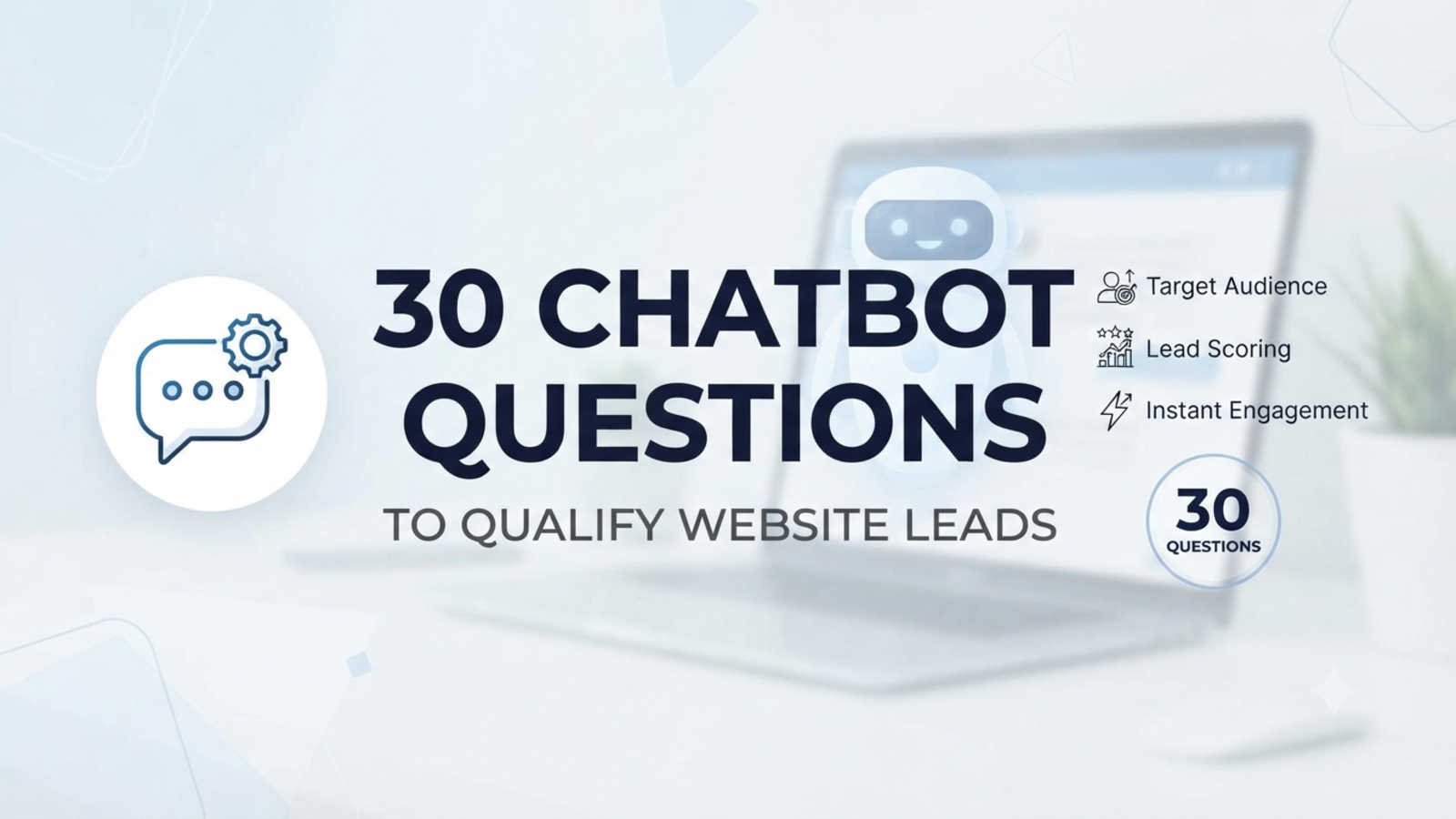
In this guide, we'll explore 30 chatbot questions you can use to qualify website leads, understand customer requirements and create more meaningful conversations.
We'll also explain how businesses can use an AI chatbot like Glanceia to put these questions into practice.
What Is Lead Qualification and Why Does It Matter?
Lead qualification is the process of understanding whether a potential customer is a good fit for your business.
Not every person who visits your website is ready to purchase something.
Some visitors are exploring their options. Others are comparing prices, researching a particular product or trying to understand whether your services solve their problems.
For example, imagine you own a digital marketing agency.
Three people visit your website on the same day:
Visitor A wants to understand what SEO means.
Visitor B is comparing digital marketing agencies.
Visitor C has a business website, a monthly marketing budget and wants to start an SEO campaign next week.
All three visitors may be interested in your content, but their requirements and buying intentions are very different.
Lead qualification helps you understand these differences.
A website chatbot can ask a few relevant questions, gather useful information and help your team decide which enquiries need immediate attention.
Why Should Businesses Qualify Website Leads?
There are several reasons why lead qualification is valuable.
Better understanding of customer needs: You learn what visitors are looking for before your sales team contacts them.
More relevant follow-ups: Your team can tailor conversations based on the visitor's requirements instead of sending the same generic message to everyone.
Less time spent on unsuitable enquiries: Qualification helps identify whether a potential customer fits your products, services or target audience.
Improved customer experience: Visitors can receive information and guidance before being asked to make a purchase decision.
More organized lead management: Instead of receiving only a name and email address, your business can also understand the purpose behind the enquiry.
The goal is not to ask as many questions as possible. It is to ask the right questions at the right moment.
30 Chatbot Questions to Qualify Website Leads
Not every business needs the same lead qualification process.
An ecommerce store may want to understand what products someone is interested in, while a software company may need to know about team size, existing tools and business requirements.
Here are 30 useful chatbot questions organized into six categories.
1. Questions to Understand Customer Needs
Before discussing pricing or collecting contact information, understand why the visitor has come to your website.
These questions help identify the visitor's main problem and what they hope to achieve.
1. What brings you to our website today?
This is a simple way to start a conversation.
It allows visitors to explain what they are looking for without feeling pressured.
Example chatbot message:
"Hi! Welcome to our website. Are you exploring our services, looking for pricing information or trying to solve a particular problem?"
What it helps you understand: The visitor's initial intention and reason for engaging with your business.
2. What problem are you trying to solve?
People often search for businesses because they have a specific problem.
For example, someone visiting an accounting service website may need help with tax filing, bookkeeping or financial reporting.
Understanding the problem helps your team recommend a relevant solution.
Example chatbot message:
"Could you tell me a little about the challenge you're facing? I'll help you find the most relevant information."
What it helps you understand: The visitor's main pain point and whether your business can address it.
3. Which product or service are you interested in?
When a business offers multiple services, this question helps narrow down the enquiry.
For example, a web development agency might offer:
Website development
Ecommerce development
Website maintenance
SEO services
Custom software development
The chatbot can use the visitor's selection to guide the next part of the conversation.
What it helps you understand: Which part of your business is most relevant to the visitor.
4. What are you hoping to achieve?
Knowing what someone wants to accomplish can reveal more than simply knowing which service they selected.
A business owner looking for SEO might want more website traffic, better Google rankings or more enquiries.
Example chatbot message:
"What would you most like to improve: website traffic, customer enquiries, online sales or something else?"
What it helps you understand: The visitor's expected outcome and the value they are looking for.
5. Have you tried solving this problem before?
This question helps you understand the visitor's previous experience.
Someone who has already worked with another provider may have specific expectations or concerns.
For example, a customer looking for a new website development company may have experienced delays or poor communication with a previous agency.
What it helps you understand: Previous solutions, potential frustrations and areas where your business may offer a better experience.
2. Questions to Understand Project Requirements
Once you understand the visitor's basic needs, ask questions that help determine whether your product or service is suitable.
These questions are particularly useful for consultants, software companies, agencies and businesses offering customized services.
6. Could you briefly describe your project or requirement?
Give the visitor an opportunity to explain their situation in their own words.
Avoid making the question too complicated.
Example chatbot message:
"Tell me a little about what you're planning. For example, are you looking for a new website, an existing website improvement or a completely different solution?"
What it helps you understand: The overall scope of the enquiry.
7. Is this for personal use or your business?
This is useful for businesses that serve both individual customers and organizations.
For example, a software company may offer different solutions for freelancers, small businesses and larger teams.
What it helps you understand: The type of customer and potentially the most appropriate product or service.
8. What size is your business or team?
For B2B businesses, the size of an organization can influence the type of solution it needs.
A small company may need a straightforward service, while a larger organization might require additional customization or support.
Example chatbot message:
"Approximately how many people are on your team?"
You can offer simple options such as:
Just me
2–10 people
11–50 people
51–200 people
More than 200 people
What it helps you understand: The scale of the business and potential requirements.
9. Which features or services are most important to you?
This question helps visitors identify their priorities.
For example, someone searching for a website chatbot might be interested in automated customer support, lead capture, multilingual responses or custom knowledge-base training.
What it helps you understand: Which features matter most to the potential customer.
10. Are there any specific requirements we should know about?
Not every customer's needs fit into predefined options.
An open-ended question lets visitors mention additional requirements that might be important when preparing a proposal or recommendation.
What it helps you understand: Special requirements, technical considerations and details your team might otherwise overlook.
3. Questions to Understand Budget and Purchase Readiness
Budget is an important consideration for many businesses, particularly those offering customized products or professional services.
However, asking about money too early can make a conversation uncomfortable.
First provide useful information. Then ask about budget when it genuinely helps recommend an appropriate option.
11. Have you already set a budget for this project?
This question helps you understand whether the visitor has financial expectations in mind.
For example:
"Have you planned a budget for your website development project, or are you still exploring the available options?"
This gives visitors room to answer honestly.
What it helps you understand: Whether the visitor has a defined budget or is still researching.
12. What price range are you comfortable with?
If your business offers multiple pricing options, asking about a preferred range can help narrow down suitable recommendations.
For example, a software company could offer predefined ranges based on its actual pricing.
Avoid suggesting price ranges that do not match your products or services.
What it helps you understand: Whether the visitor's expectations align with your offering.
13. Are you looking for a one-time service or ongoing support?
This is useful for businesses offering both project-based and subscription-based services.
A customer looking for a one-time website redesign has different requirements from someone searching for ongoing website maintenance.
What it helps you understand: The type of commercial relationship the visitor is considering.
14. Are you currently comparing different providers or solutions?
Many potential customers research multiple businesses before making a decision.
This question can help you understand where the visitor is in the buying process.
Example chatbot message:
"Are you currently comparing different providers, or have you started looking for a company to work with?"
What it helps you understand: Whether the visitor is researching, evaluating or actively selecting a provider.
15. Would you like a personalized quote or pricing recommendation?
This question creates a natural transition from general information to a more specific enquiry.
It also gives the visitor control over whether they want to discuss pricing further.
What it helps you understand: Whether the visitor is interested in taking the next step towards a purchase.
4. Questions to Understand Timeline and Urgency
Not every potential customer wants to purchase immediately.
Some people are planning a project for next month, while others need a solution within a few days.
Understanding the timeline helps your team prioritize follow-ups and set realistic expectations.
16. When are you planning to get started?
This is one of the simplest ways to understand purchase readiness.
Possible responses could include:
Immediately
Within the next seven days
Within the next month
In the next three months
Just researching for now
What it helps you understand: How close the visitor is to making a decision.
17. Is there a particular deadline for your project?
Sometimes a project has a fixed launch date, event or business requirement.
For example, someone building an ecommerce website may need it ready before a seasonal sale.
What it helps you understand: Whether the visitor has a specific deadline that your team needs to consider.
18. Is finding a solution urgent, or are you planning ahead?
This gives visitors an opportunity to explain how quickly they need assistance.
It can also help your team distinguish between immediate requirements and long-term research.
What it helps you understand: The urgency of the enquiry.
19. Have you already started working on this project?
A person who has already invested time and resources in a project may have more specific requirements than someone who is starting from scratch.
For example, a business looking for website maintenance probably already has an existing website.
What it helps you understand: The current stage of the project and the kind of assistance required.
20. What is stopping you from moving forward right now?
This is a particularly useful question when a visitor appears interested but has not made a decision.
Their answer could reveal concerns about:
Pricing
Features
Trust
Implementation
Technical requirements
Approval from other people
What it helps you understand: Potential objections that your team may need to address before the visitor becomes a customer.
5. Questions to Understand Decision-Making and Buying Intent
In business-to-business sales, the person chatting with your website may not be the only person involved in the purchasing decision.
A company employee might be researching solutions before presenting options to a manager.
Understanding this process can help your sales team approach the enquiry more effectively.
21. Are you the person making the final decision?
This question helps you understand whether the visitor can directly approve a purchase.
However, ask it naturally rather than making visitors feel like they need special authority to receive assistance.
What it helps you understand: Whether the visitor is a decision-maker, researcher or someone involved in the buying process.
22. Will anyone else be involved in choosing a solution?
Larger purchases often involve multiple people.
For example, selecting a new business software platform may require approval from an owner, manager or IT department.
What it helps you understand: Whether additional stakeholders may need to participate in future discussions.
23. What matters most when choosing a provider?
Different customers prioritize different things.
Some focus on price, while others care more about experience, customization, support or implementation time.
Example chatbot message:
"When comparing providers, what matters most to you: pricing, experience, features, customer support or something else?"
What it helps you understand: The visitor's decision-making priorities.
24. Are there any concerns you would like us to address?
Sometimes visitors are interested but still have doubts.
This question provides an opportunity to discuss those concerns before asking for an enquiry or consultation.
What it helps you understand: Objections, unanswered questions and factors affecting the purchase decision.
25. What would help you feel confident moving forward?
This question goes one step further than simply asking about concerns.
A visitor might need a product demonstration, detailed pricing, case studies or a conversation with a specialist.
What it helps you understand: What the business needs to provide before the visitor is comfortable taking the next step.
6. Questions to Capture Leads and Plan Follow-Ups
Once the chatbot has answered relevant questions and understood the visitor's requirements, it can offer a suitable next step.
This is where lead capture becomes important.
Remember, collecting contact details should feel like a continuation of the conversation, not an unexpected demand.
26. Would you like someone from our team to contact you?
This is a natural way to move from an automated conversation to personal assistance.
It also allows visitors to decide whether they want a follow-up.
What it helps you understand: Whether the visitor is interested in speaking with a real person.
27. What is the best way to reach you?
Some people prefer email, while others prefer a phone call.
Asking about their preferred contact method can help make follow-ups more convenient.
What it helps you understand: The visitor's communication preference.
28. May I have your name so we can personalize our conversation?
A name helps your team communicate more naturally when following up.
Instead of sending a generic message, they can address the person directly.
What it helps you understand: The visitor's identity for follow-up purposes.
29. Which email address should we use to send the details?
If the visitor requests a quotation, proposal, service details or consultation information, email may be a convenient follow-up channel.
Make sure visitors understand why you are collecting their information and how it will be used.
What it helps you understand: Where your team can send the requested information.
30. Is there anything else our team should know before contacting you?
Sometimes a visitor has an important detail that was not covered by the earlier questions.
For example, they might mention a specific product requirement, preferred meeting time or additional project consideration.
What it helps you understand: Any final context that could make the follow-up more useful.
How to Choose the Right Questions for Your Business
You now have 30 chatbot questions, but that does not mean your chatbot should ask all 30 during every conversation.
In fact, doing so can make visitors feel like they are completing a lengthy application instead of receiving assistance.
The better approach is to select questions based on your business and the kind of lead you want to generate.
Example: How a Website Chatbot Can Qualify a Lead
Let's understand how these questions work together through a practical example.
Imagine a digital marketing agency that wants to generate enquiries from small business owners.
A visitor opens the website chatbot and starts a conversation.
Chatbot: Hi! Welcome to our website. Are you looking for help with SEO, paid advertising or something else?
Visitor: I need help with SEO.
Chatbot: Absolutely. Are you trying to improve your existing website's Google rankings, or are you starting SEO for the first time?
Visitor: I already have a website, but it isn't getting enough traffic.
Chatbot: Understood. Have you worked with an SEO agency before, or are you managing everything yourself?
Visitor: I tried doing it myself, but I don't have enough time.
Chatbot: That makes sense. Are you hoping to start working on SEO immediately, or are you still exploring your options?
Visitor: I want to start next month.
Chatbot: Great. Would you like someone from our team to review your requirements and discuss a suitable SEO strategy?
Visitor: Yes.
Chatbot: Perfect. May I have your name and email address so our team can follow up?
At this point, the business has learned several useful things:
The visitor needs SEO services.
They already have an existing website.
They have previously tried managing SEO themselves.
They want to start next month.
They are interested in speaking with the team.
Compare this with a contact form that only collects a name, email address and generic message.
The chatbot conversation provides additional context that can help the agency prepare for the follow-up.
This is the real value of lead qualification.
5 Mistakes to Avoid When Qualifying Website Leads With a Chatbot
A chatbot can ask the right questions and still create a poor customer experience if the conversation is designed badly.
Here are five common mistakes businesses should avoid.
1. Asking Too Many Questions at Once
Visitors do not want to answer a long list of questions before receiving basic information.
Avoid presenting ten questions in the opening message.
Ask one relevant question, understand the response and continue naturally.
2. Asking for Contact Details Too Early
Imagine opening a chatbot and immediately seeing:
"Enter your name, email, phone number and company details to continue."
Many visitors may simply close the chat.
Provide useful information first. Ask for contact details when there is a reasonable reason for follow-up.
3. Making Every Question Mandatory
Some visitors may not know their budget or exact timeline.
Others may be researching on behalf of a company.
Allow them to skip questions that are not relevant or that they are not comfortable answering.
4. Using the Same Questions for Every Industry
A travel agency does not need the same qualification flow as a software development company.
Use questions that reflect your products, services and actual customer requirements.
5. Capturing Leads Without a Follow-Up Plan
Collecting contact details is only the beginning.
Decide who will receive the enquiry, how quickly your team will respond and what information they need to continue the conversation.
Also, do not promise a callback within a particular timeframe unless your team can consistently meet that commitment.
How to Build a Lead Qualification Chatbot With Glanceia
Choosing the right questions is important, but businesses also need a convenient way to put them into practice.
This is where Glanceia can help.
Glanceia is an AI chatbot builder designed to help businesses answer website questions, automate customer support and capture potential leads.
Instead of building an AI chatbot from scratch, you can create an assistant, provide it with business information, customize its appearance and add it to your website using a simple embed script.
Here is how you can get started.
Step 1: Create Your Glanceia Account
Visit Glanceia.com and create your account.
You can start with the free plan without needing a credit card.
Once you enter the dashboard, create a new chatbot for your business.
Give it a name that reflects its purpose, such as:
Sales Assistant
Lead Generation Assistant
Customer Support Assistant
Business Enquiry Assistant
Step 2: Add Your Business Knowledge
Before asking visitors questions, your chatbot needs to understand what your business actually offers.
Add useful information about your products, services, pricing, policies and frequently asked questions.
Glanceia supports knowledge-base content through website information, FAQs and supported documents such as PDFs, Word documents and CSV files.
For example, a digital marketing agency could provide:
SEO service descriptions
Pricing information
Previous project details
Available packages
Service delivery timelines
Frequently asked questions
This helps the AI assistant answer questions using information relevant to your business.
Step 3: Customize Your Chatbot Welcome Message
Your welcome message is the beginning of the conversation.
Avoid generic messages that do not explain what your assistant can help with.
For example:
"Hi! Looking to grow your business online? I can help you understand our SEO, advertising and website development services. What are you looking for today?"
A travel agency might use:
"Welcome! Planning your next holiday? Tell me your preferred destination, travel dates or budget, and I'll help you explore relevant options."
Glanceia allows you to customize your chatbot's first message and appearance to better match your business.
Step 4: Decide Which Questions to Ask
Use the 30 questions in this article to design a conversation that fits your business.
For most small businesses, a simple qualification flow could look like this:
First: Understand what the visitor needs.
"What service are you interested in?"
Second: Understand the requirement.
"Could you briefly describe what you're looking for?"
Third: Understand the timeline.
"When are you planning to get started?"
Fourth: Offer the next step.
"Would you like someone from our team to discuss your requirements?"
Fifth: Capture contact information.
"What name and email address should we use to follow up?"
You do not need to ask every question. Keep the conversation focused on the information your team will actually use.
Step 5: Configure Lead Capture
Once the visitor has shown interest, your chatbot can collect relevant contact information.
Glanceia supports capturing details such as:
Name
Email address
Phone number
You can use these details to help your team follow up with interested visitors.
The important part is to ask for information naturally and explain why it is needed.
Step 6: Connect Your Chatbot to Your Website
Once your chatbot is ready, copy its JavaScript embed code from your Glanceia dashboard.
Add the code to your website using the integration method suitable for your platform.
Glanceia can be integrated into different types of websites, including WordPress, Shopify and custom-coded websites.
After publishing, open your website and test the chatbot like a regular visitor.
Step 7: Review Conversations and Improve Your Questions
Your lead qualification process should improve over time.
Review chatbot conversations and identify:
Which questions visitors answer most often.
Where visitors stop responding.
Which questions generate useful enquiries.
What customers frequently ask.
Which enquiries need human assistance.
Use these observations to update your chatbot's questions and knowledge base.
A chatbot that is reviewed and improved regularly can become a much more useful part of your website's lead-generation process.
How to Know Whether Your Chatbot Is Qualifying Leads Successfully
The number of conversations your chatbot receives is not the only thing that matters.
A chatbot might have hundreds of conversations but generate very few relevant enquiries.
That is why businesses should measure both engagement and lead quality.
Here are some useful metrics.
1. Conversation-to-Lead Rate
Measure how many conversations result in a captured lead.
Formula:
Conversation-to-Lead Rate = (Captured Leads ÷ Total Chatbot Conversations) × 100
For example, if your chatbot has 200 conversations and captures 30 leads, the conversation-to-lead rate is 15%.
2. Qualified Lead Percentage
Not every captured lead will be a suitable customer.
Calculate how many leads actually match your business requirements.
Qualified Lead Percentage = (Qualified Leads ÷ Total Captured Leads) × 100
This helps you understand whether your chatbot is attracting the right audience.
3. Question Drop-Off Rate
Check how many visitors stop responding at particular questions.
For example, if many people leave when the chatbot asks about budget, consider whether the question is too personal or being asked too early.
4. Human Follow-Up Conversion
Track how many chatbot-generated leads eventually become consultations, proposals or customers.
This is important because the ultimate purpose of lead qualification is to help your business develop meaningful customer relationships.
5. Unanswered Questions
Review questions that the chatbot cannot answer accurately.
These may reveal missing information in your business knowledge base.
Improving that information can make future conversations more useful.
Final Thoughts
Lead generation is not just about collecting email addresses and phone numbers.
It is about understanding what potential customers need and giving them a convenient way to take the next step.
The right chatbot questions can help businesses understand customer requirements, identify purchase intentions and prepare more relevant follow-ups.
But remember, more questions do not automatically mean better-qualified leads.
A simple conversation that asks three useful questions can be more valuable than a chatbot that asks twenty questions without providing any meaningful assistance.
Start by understanding your customers. Choose questions that match their needs, give helpful answers before requesting personal information and make sure your team follows up with interested visitors.
With Glanceia, you can create an AI chatbot, train it using your own business information, customize its welcome message and capture contact details directly through website conversations.
Ready to turn website visitors into meaningful business enquiries?
Create your free AI chatbot with Glanceia and give your website visitors a more helpful way to connect with your business.
Frequently Asked Questions (FAQs)
1. What are lead qualification questions in a chatbot?
Lead qualification questions are questions an AI chatbot asks to understand a visitor's requirements, interests, budget, timeline and purchase intentions. They help businesses identify which enquiries are worth following up on.
2. How many questions should a chatbot ask to qualify a lead?
There is no fixed number. For most businesses, three to five relevant questions are a good starting point. Ask more only when additional information is genuinely necessary.
3. What is the most important question to ask a potential customer?
A useful starting question is: "What are you looking to achieve?" It helps you understand the visitor's goals before recommending a product or service.
4. Can an AI chatbot qualify leads automatically?
Yes. An AI chatbot can ask relevant questions, understand visitors' responses, gather contact information and help identify enquiries that match predefined business requirements. Human review is still valuable for complex or high-value leads.
5. Should a chatbot ask for an email address immediately?
Usually, it is better to provide useful information before requesting an email address. When visitors understand the value of sharing their details, they may feel more comfortable providing them.
6. What is the difference between lead generation and lead qualification?
Lead generation focuses on attracting potential customers and collecting enquiries. Lead qualification focuses on understanding whether those potential customers are a suitable fit for your products or services.
7. Can chatbots qualify B2B leads?
Yes. B2B chatbots can ask about company size, business requirements, budget, implementation timelines, existing tools and decision-making processes. These details can help sales teams understand organizational requirements.
8. Can a website chatbot collect customer phone numbers?
Yes. Chatbot platforms such as Glanceia support collecting contact information, including names, email addresses and phone numbers, during website conversations.
9. How can I improve my chatbot lead qualification process?
Review actual conversations, identify questions visitors struggle to answer, remove unnecessary questions, improve your chatbot's knowledge base and refine the conversation based on the quality of enquiries received.
10. Is Glanceia suitable for lead generation?
Glanceia is designed to help businesses answer website questions, engage visitors and capture potential leads through AI-powered chatbot conversations. Businesses can train their chatbot using their own information, customize its appearance and integrate it into their websites using an embed script.