Website Chatbot vs Contact Form: Which Generates More Leads?
Website chatbot vs contact form: discover the differences, benefits and limitations of each, and learn which approach can help your business capture more website leads.
Imagine someone visiting your website after finding your business on Google. They are interested in your services, but they have one question before deciding whether to contact you.
They look around, visit a few pages and eventually find your contact form.
The form asks for their name, email address, phone number and a message describing what they need. They consider filling it out, but decide to come back later.
Later never happens.
This situation is more common than many business owners realize. Getting visitors to a website is only one part of generating leads. Giving those visitors a convenient way to ask questions and express interest is just as important.
For years, contact forms have been the standard way to collect website enquiries. But with the growth of AI-powered website chatbots, businesses now have another option.
A chatbot can answer questions, guide visitors through a conversation and collect contact information when someone is interested in a product or service.
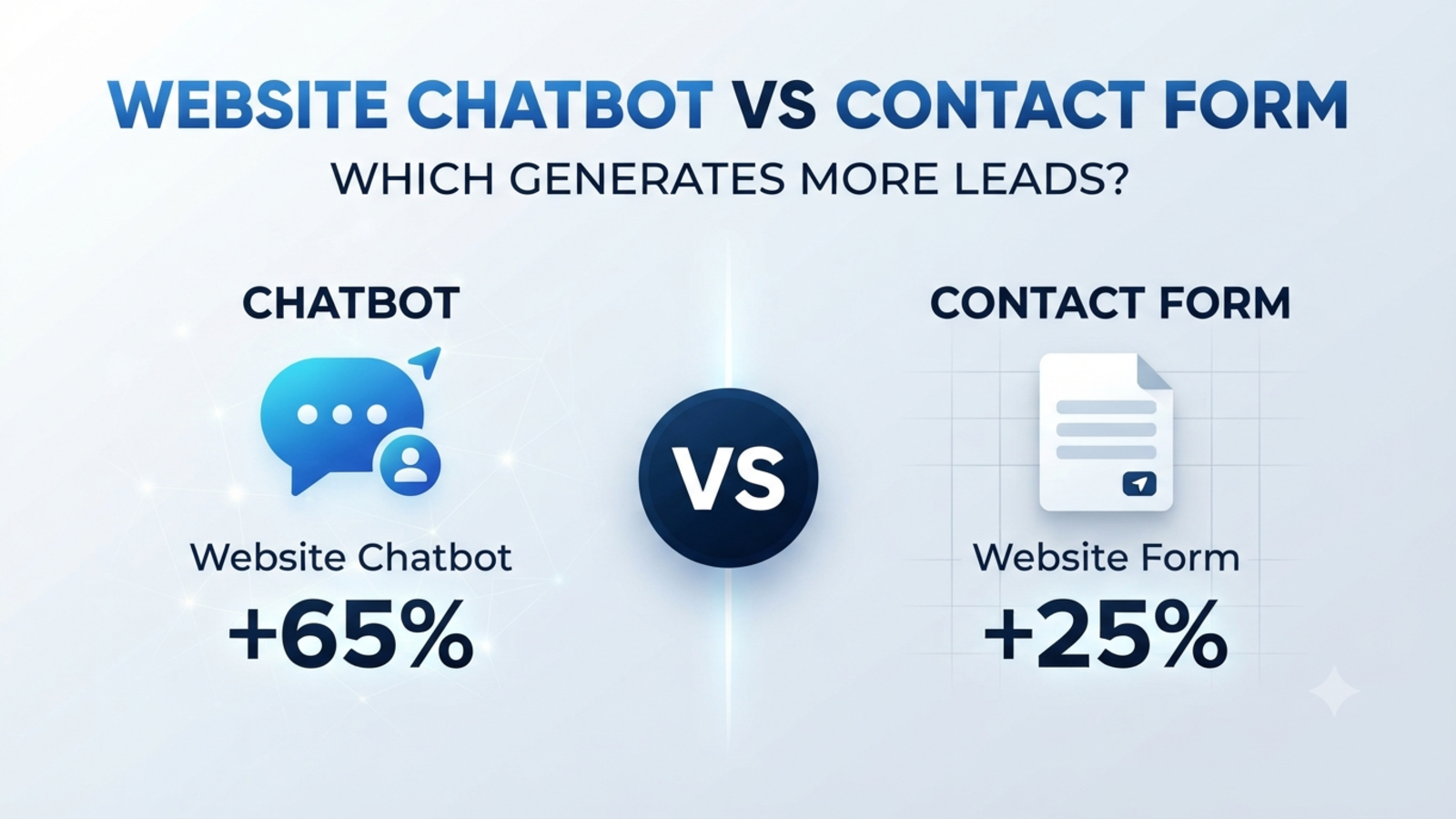
So, website chatbot vs contact form: which one generates more leads?
The answer depends on your audience, business model and the type of interaction you want to offer. Both tools have advantages, and choosing the right one can make a difference in how visitors interact with your website.
Let's compare them and understand where each works best.
What Is a Website Contact Form?
A website contact form is a section of a website that allows visitors to submit an enquiry by entering their information into predefined fields.
You have probably seen contact forms on business websites. They commonly ask for:
Name
Email address
Phone number
Subject or enquiry type
Message
Once someone submits the form, their information is usually sent to the business through email or stored in a connected system.
For example, a digital marketing agency might include a contact form with the following fields:
Request a Free Consultation
Name: [Enter your name]
Email: [Enter your email]
Website: [Enter your website]
Message: [Tell us about your project]
Visitors complete the fields, click Submit and wait for someone from the company to respond.
Benefits of Contact Forms
Contact forms are popular for several reasons.
Simple to implement: Most website builders and CMS platforms offer contact form functionality, so businesses can add one without developing a custom system.
Collect structured information: You decide which fields visitors need to complete. This makes it easier to collect specific details from potential customers.
Useful for detailed enquiries: Someone requesting a custom website, professional consultation or business proposal may need space to explain their requirements.
Works without live availability: Visitors can submit enquiries at any time, even when your employees are unavailable.
Familiar to customers: Most internet users understand how contact forms work, so there is usually no learning curve.
Where Contact Forms Can Fall Short
Despite their advantages, contact forms have some limitations.
The biggest issue is that they require visitors to take the initiative.
A visitor may have several questions before deciding whether to submit an enquiry. A traditional contact form generally does not answer those questions.
For example, someone visiting a website development company's pricing page might want to know whether the business builds ecommerce websites.
The contact form can collect their details, but it cannot automatically explain the company's services unless someone responds separately.
Other potential problems include:
Too many form fields can discourage submissions.
Visitors may not know what information to provide.
There is usually no immediate conversation.
Some enquiries may remain incomplete.
Visitors cannot easily explore follow-up questions within the form itself.
This does not mean contact forms are ineffective. It simply means they serve a different purpose from conversational tools.
What Is a Website Chatbot?
A website chatbot is an interactive messaging tool that allows visitors to communicate with an automated assistant directly from a website.
Instead of searching through multiple pages or submitting a form immediately, visitors can open the chat widget and ask questions.
Modern AI chatbots can use information about a business to provide relevant answers about its products, services, policies and other frequently asked questions.
For example, imagine someone visiting a travel agency website.
They open the chatbot and ask:
"Do you offer holiday packages to Italy?"
The chatbot can respond using the information available in the agency's knowledge base.
The visitor might then ask about package prices, destinations or booking requirements.
If the visitor wants someone from the agency to contact them, the chatbot can collect relevant details such as their name, email address and phone number.
This creates a more conversational way to generate enquiries.
Benefits of Website Chatbots
1. Visitors can ask questions immediately
A chatbot gives visitors a way to ask questions without searching for a contact form or waiting for an email response.
2. More conversational interactions
Instead of presenting a list of fields, the chatbot can guide visitors through a natural conversation.
3. Automated answers to common questions
A chatbot trained on your business information can handle many routine enquiries about products, services, pricing and policies.
4. Lead capture during conversations
When a visitor expresses interest, the chatbot can ask for contact information and help turn the conversation into an enquiry.
5. Support outside business hours
A properly configured chatbot can respond to supported questions even when your employees are unavailable.
6. Insights into customer questions
Chatbot conversation histories can help businesses understand what visitors want to know, where they need assistance and which information might be missing from the website.
Where Website Chatbots Can Fall Short
A chatbot is not automatically better just because it uses AI.
A poorly configured chatbot can create frustration rather than improve the experience.
Some common limitations include:
Incorrect or incomplete answers when business information is missing.
Generic conversations that do not address the visitor's actual question.
Poorly designed welcome messages that visitors ignore.
Repetitive questions that make conversations feel unnatural.
Difficulty handling complex requests without human assistance.
A chatbot also needs ongoing attention. Businesses should review its conversations, update its knowledge and make sure visitors have a way to reach a human when necessary.
The technology is useful, but the quality of the experience depends on how well it is configured.
Which Generates More Leads: A Website Chatbot or a Contact Form?
This is the question most business owners actually want answered.
A website chatbot can create additional opportunities to capture leads because it allows visitors to ask questions before deciding whether to contact the business.
A contact form, on the other hand, works well for people who already know what they need and are ready to submit an enquiry.
Let's understand this through a practical example.
Scenario 1: A Visitor Uses a Contact Form
Imagine a person visiting a web design agency's website.
They want to build a business website but are unsure about:
The estimated project cost.
Whether the agency offers ecommerce development.
How long the project takes.
Whether website maintenance is included.
They find the contact form and enter their details.
But before submitting it, they decide they need more information.
They leave the website without completing the enquiry.
The business loses an opportunity to start a conversation.
Scenario 2: The Same Visitor Uses a Website Chatbot
Now imagine the same website has an AI chatbot.
The visitor asks:
"How much does it cost to build a business website?"
The chatbot provides relevant pricing information if it has been configured with accurate pricing details.
The visitor then asks:
"Do you also build ecommerce websites?"
The chatbot explains the available services using the agency's business information.
After a few questions, the visitor says they are interested in discussing a project.
The chatbot asks whether they would like the team to contact them and collects their contact details.
This time, the business has an enquiry along with useful context about what the visitor needs.
The difference is not simply the presence of a chatbot. It is the opportunity to answer questions before asking someone to become a lead.
However, this does not mean every chatbot conversation will become a lead. Some visitors only want information, and some will still prefer a traditional contact form.
The real advantage of a chatbot is that it can create another route for interested visitors to engage with your business.
Why Visitors Sometimes Leave Without Filling Out Contact Forms
Before deciding which tool to use, it helps to understand why website visitors may avoid submitting a contact form.
Here are some common reasons.
1. They Still Have Questions
A visitor might be interested in your service but uncertain about pricing, availability or what is included.
If they cannot find the information they need, they may postpone contacting you.
2. The Form Asks for Too Much Information
A simple enquiry should not always require ten different fields.
Requesting unnecessary personal or business information can make a form feel like extra work.
3. They Are Comparing Multiple Businesses
People often visit several websites before selecting a provider.
If another business answers their questions more conveniently, they may decide to continue their research elsewhere.
4. They Want an Answer Before Sharing Their Details
Some visitors are comfortable asking a question but do not want to provide their email address or phone number immediately.
A chatbot can allow them to get initial information before deciding whether to share their contact details.
5. They Are Visiting Outside Business Hours
A visitor browsing at night may have an urgent question about a product or service.
A contact form can record their enquiry, but the visitor may prefer an immediate answer to a common question.
This is one reason why automated website assistance can be valuable.
When Should Your Business Use a Contact Form?
Despite the growing popularity of AI chatbots, contact forms are still important.
There are situations where a traditional form may be the better option.
1. Detailed Project Enquiries
If customers need to provide project specifications, budgets, preferred timelines or technical requirements, a structured form can make the process easier.
2. Quote Requests
Businesses offering customized services may need specific information before preparing a quotation.
A quote request form lets visitors submit those details in an organized format.
3. Formal Applications
Forms are useful for job applications, registrations, detailed service requests and other interactions that require consistent information.
4. Customers Who Prefer Written Enquiries
Not every visitor wants to use a chat widget.
Some people prefer filling out a form because they can explain their requirements in their own words without having a conversation.
For these situations, keep your contact form accessible.
When Should Your Business Use a Website Chatbot?
A chatbot is especially useful when visitors need help before deciding whether to contact your company.
Consider adding one in these situations.
1. Your Website Receives Repetitive Questions
If your business frequently receives questions about pricing, products, delivery, services or policies, a chatbot can answer many of them automatically using your business knowledge.
2. Your Visitors Need Help Choosing a Product or Service
A chatbot can ask relevant questions and guide visitors towards information that matches their requirements.
3. You Want to Capture More Meaningful Enquiries
Instead of collecting contact details without understanding the visitor's needs, a chatbot can gather context during the conversation.
4. Your Business Receives Visitors From Different Time Zones
A chatbot can make business information accessible outside normal working hours.
This is particularly useful for travel agencies, online stores and companies serving international customers.
5. Your Customer Support Team Handles Repetitive Requests
A chatbot can help answer common questions, allowing your team to focus on requests that require more personal attention.
The Best Strategy: Use a Website Chatbot and Contact Form Together
For many businesses, this is where things become interesting.
You do not necessarily need to choose between a chatbot and a contact form.
Both can work together to create a more complete lead-generation process.
Think of your contact form as a direct enquiry channel and your chatbot as a conversational assistant.
Here is one way to combine them.
Step 1: Welcome the visitor
A website chatbot greets visitors and offers help with common questions.
Example:
"Hi! Looking for information about our services? I can help you explore what we offer or answer your questions."
Step 2: Understand what the visitor needs
The chatbot asks a simple question.
Example:
"What are you interested in: website development, ecommerce development or website maintenance?"
Step 3: Answer their questions
The chatbot provides relevant information based on the company's knowledge base.
This gives visitors an opportunity to understand the service before taking the next step.
Step 4: Offer an enquiry option
When someone shows genuine interest, the chatbot can ask:
"Would you like our team to contact you and discuss your requirements?"
Step 5: Capture contact information
The visitor can provide their name, email address and phone number.
The chatbot can also retain the context of the conversation so the team understands what the visitor was looking for.
Step 6: Keep the contact form available
For visitors who prefer a traditional enquiry process, keep a contact page or quote request form on your website.
This approach gives customers more than one way to reach your business.
Which Types of Businesses Can Benefit From Website Chatbots?
Chatbots are not limited to technology companies or large ecommerce stores.
Several types of businesses can use them to improve website interactions.
Ecommerce Businesses
Online stores can use chatbots to answer questions about product specifications, payment options, shipping details and return policies.
Travel Agencies
Travel businesses can help visitors explore destinations, ask about holiday packages and understand booking requirements.
A chatbot can also collect initial travel preferences so a consultant has useful context when following up.
Real Estate Agencies
Property websites often receive questions about available properties, locations, prices and viewing arrangements.
A chatbot can collect visitor preferences and help guide interested buyers or renters towards relevant information.
Education and Coaching Institutes
Educational websites can use chatbots to answer questions about courses, class schedules, fees, admission procedures and study resources.
SaaS Companies
Software businesses can use chatbots to explain features, pricing, integrations and product capabilities to potential customers.
Service-Based Businesses
Consultants, agencies, plumbers, electricians and other service providers can use chatbots to answer common questions and collect enquiries from visitors.
The suitability depends on the business's questions, the quality of its knowledge base and the level of interaction its customers expect.
How to Measure Which Lead Generation Method Works Better
Instead of guessing whether a chatbot or contact form is performing better, track the results.
The best option is the one that generates useful, relevant enquiries for your business at a reasonable cost.
Here are some metrics worth monitoring.
1. Lead Conversion Rate
Measure how many website visitors become leads.
Formula:
Lead Conversion Rate = (Number of Leads ÷ Total Website Visitors) × 100
For example, if a website receives 1,000 visitors and generates 30 leads, its lead conversion rate is 3%.
You can calculate this separately for contact forms and chatbot-generated leads, provided you can attribute each lead to its source.
2. Form Completion Rate
Measure how many people who start filling out a form actually submit it.
A low completion rate may indicate that the form is too long, confusing or asking for unnecessary information.
3. Chatbot Engagement Rate
Measure how many website visitors start a chatbot conversation.
This helps you understand whether your welcome message, placement and chatbot visibility encourage interaction.
4. Lead Capture Rate
Measure how many chatbot conversations result in a captured lead.
Not every conversation should become a lead. Someone asking a simple question may be perfectly satisfied without sharing contact information.
Focus on whether you are capturing relevant enquiries rather than collecting as many details as possible.
5. Lead Quality
A high number of enquiries does not necessarily mean better business results.
Track whether leads match your target audience, have genuine interest and eventually progress towards a sale or consultation.
6. Response and Follow-Up Time
A captured lead is not valuable if nobody follows up.
Measure how quickly your team responds to enquiries received through both channels.
Also consider whether the chatbot answered questions successfully or whether visitors still needed human support.
A practical tip: Compare chatbot and contact form performance over the same period, with similar traffic sources and landing pages where possible. This will give you a more meaningful comparison than looking at raw enquiry counts alone.
How Glanceia Helps Businesses Capture Website Leads Through AI Chatbots
If your website already receives visitors but struggles to turn their questions into enquiries, adding a chatbot could be worth exploring.
This is where Glanceia comes in.
Glanceia is an AI chatbot builder designed to help businesses create website assistants without developing their own conversational AI system.
You can create a chatbot, provide it with information about your business, customize its appearance and connect it to your website using a simple embed script.
Here are some ways businesses can use Glanceia for lead generation.
1. Answer Questions Before Asking for Contact Details
Visitors can ask questions about your products, services and business policies.
By providing useful information first, your chatbot can help visitors understand what your business offers before inviting them to enquire.
2. Capture Interested Website Visitors
When someone wants further assistance, Glanceia can collect contact information such as their name, email address and phone number.
This creates another opportunity to follow up with potential customers.
3. Train Your Chatbot Using Your Business Information
You can provide your chatbot with website content, FAQs and supported documents such as PDFs, Word documents and CSV files.
For example, a travel agency can provide its holiday packages, destination information and booking policies.
An ecommerce store can add product descriptions, shipping details and return policies.
This helps the AI assistant respond using information relevant to the business.
4. Offer Support Beyond Business Hours
Your team may not always be available to answer questions.
Glanceia can help visitors access supported business information through an automated chatbot, even when employees are offline.
5. Customize the Chatbot to Match Your Brand
A chatbot should look like it belongs on your website.
Glanceia provides customization options for chatbot appearance, including colors, branding, welcome messages and widget positioning.
6. Review Conversations and Understand Visitor Needs
Conversation history and analytics can help you understand the questions visitors ask and identify areas where your website or knowledge base needs improvement.
You can also use human handoff and admin replies to handle conversations that require personal attention.
7. Get Started Without a Complicated Development Process
You do not need to build your own chatbot infrastructure.
Create your assistant in Glanceia, configure its knowledge, customize it and copy the JavaScript embed code into your website.
Glanceia offers a free starting plan, making it possible for small businesses to explore website chatbot functionality without immediately committing to a paid tool.
You can learn more at Glanceia.com.
So, Which One Should You Choose?
Let's return to the original question: website chatbot vs contact form, which generates more leads?
There is no universal winner.
If your business receives detailed project enquiries, quote requests or formal submissions, a contact form remains an excellent option.
If visitors regularly have questions before contacting you, a chatbot can make that process easier by providing immediate answers and guiding them towards the next step.
For many businesses, the strongest approach is to use both.
Keep your contact form available for visitors who know exactly what they need, and introduce a chatbot for those who need information, guidance or assistance before submitting an enquiry.
The goal is not to force every visitor into one conversion channel.
It is to make contacting your business as convenient as possible.
Ready to turn more website conversations into potential customer enquiries?
Explore Glanceia and create your free AI chatbot. Train it with your business information, customize its appearance and give your website visitors another way to connect with your business.
Because getting traffic to your website is only part of the journey. Helping the right visitors take the next step is what matters.
Frequently Asked Questions
1. Is a website chatbot better than a contact form?
A website chatbot can be more useful when visitors need immediate answers, product guidance or help before making an enquiry. A contact form is better suited to structured submissions and detailed requests. Many businesses benefit from offering both.
2. Do chatbots generate more leads than contact forms?
They can create additional lead-generation opportunities by engaging visitors who might otherwise leave without submitting a form. However, results depend on chatbot quality, website traffic, customer intent and the lead capture process. There is no guaranteed conversion advantage.
3. Can a chatbot replace a contact form?
A chatbot can handle some enquiry processes, but it does not need to replace every form. Contact forms remain useful for detailed requests, applications and visitors who prefer submitting information directly.
4. How does an AI chatbot capture website leads?
An AI chatbot can answer questions, understand what a visitor needs and ask for contact information when the visitor expresses interest or requests follow-up assistance. The captured details can help the business contact potential customers.
5. Are website chatbots useful for small businesses?
Yes. Small businesses can use chatbots to answer common questions, provide information outside business hours and collect enquiries without needing employees to respond to every routine message.
6. Can a chatbot answer questions about my specific business?
Yes, provided it has access to accurate business information. Platforms like Glanceia allow businesses to provide website content, FAQs and supported documents so the chatbot can generate responses relevant to their products and services.
7. Should I put a chatbot on my homepage or every page?
It depends on your website structure and customer journey. A chatbot available across your website can provide consistent assistance, while page-specific greetings can make interactions more relevant. Avoid placing widgets where they interfere with important content or navigation.
8. What information should a chatbot collect from potential customers?
Start with information that helps your team follow up, such as a visitor's name and email address. A phone number or details about their requirements may also be useful when relevant. Avoid collecting unnecessary personal information.
9. Can a website chatbot work when my business is closed?
Yes. A properly configured AI chatbot can answer supported questions outside normal business hours. For enquiries requiring personal attention, it can explain when or how visitors can contact your team.
10. How can I compare chatbot leads with contact form leads?
Track the number of leads generated through each channel, their relevance, conversion rates and eventual sales outcomes. Use clear source attribution and compare similar periods so you can understand which channel brings the most valuable enquiries.