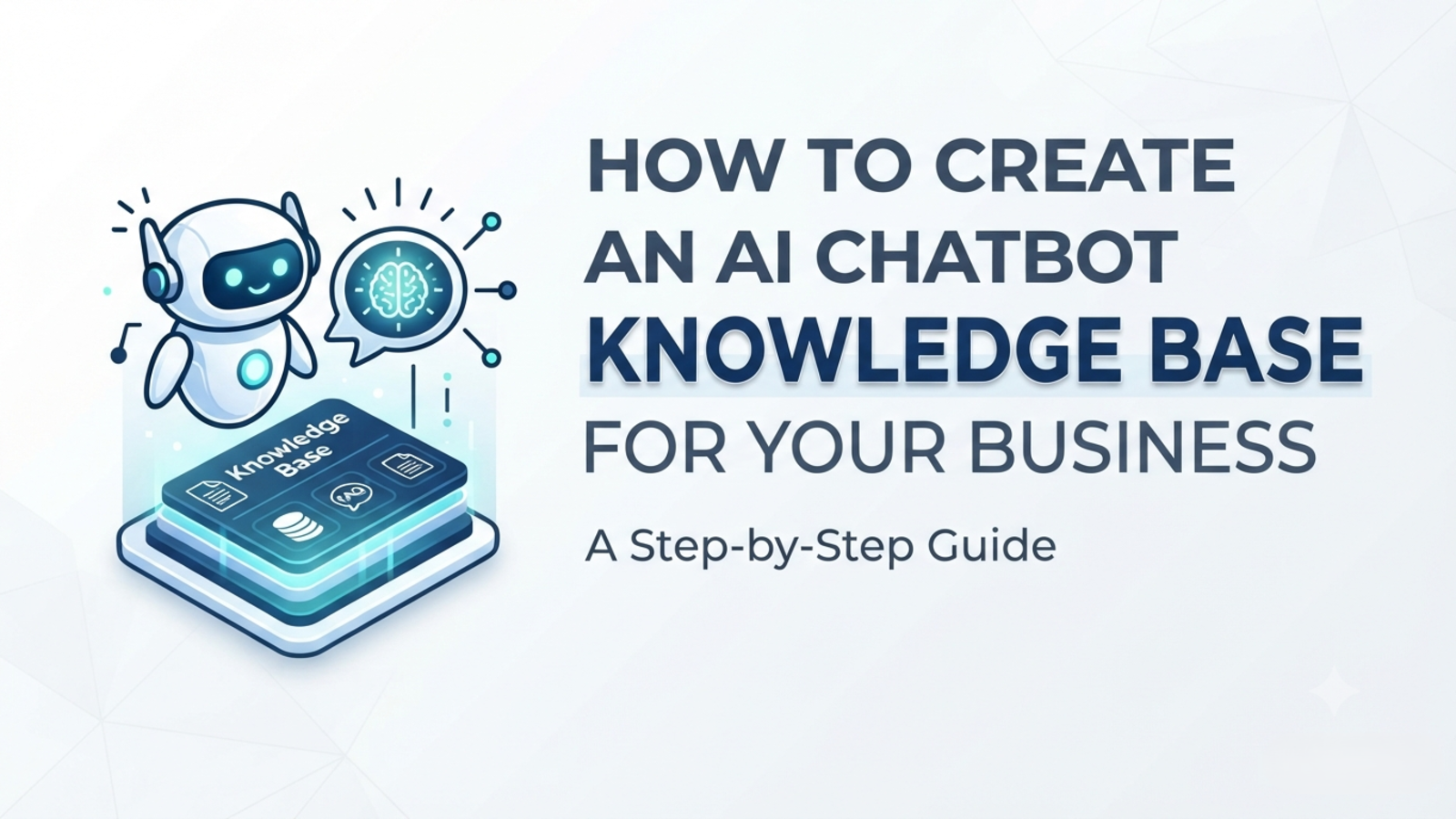
How to Create an AI Chatbot Knowledge Base for Your Business
Learn how to create an AI chatbot knowledge base for your business. Discover what information to include, how to organize documents and improve chatbot answers.
Imagine a customer visiting your website at 11 PM. They are interested in your services and want to know about pricing, payment options or how your business works.
They open your AI chatbot and ask a simple question:
"How much does your service cost?"
The chatbot responds with a generic answer that has nothing to do with your actual pricing.
The visitor asks another question, hoping for something more useful. Unfortunately, the chatbot still cannot provide the right information.
Eventually, they close the chat and leave your website.
The problem might not be the AI itself. It could be that the chatbot does not have enough accurate information about your business.
This is why creating a proper AI chatbot knowledge base is so important.
An AI chatbot can understand and generate natural-sounding responses, but it needs reliable business information to answer company-specific questions. Without that information, even an advanced chatbot may struggle to provide useful support.
A well-organized knowledge base gives your chatbot access to the information customers actually need, including product details, service descriptions, pricing, policies, frequently asked questions and other important business information.
In this guide, we will explain how to create an AI chatbot knowledge base for your business, what documents you should include, how to organize the information and how to use a platform like Glanceia to make your chatbot more helpful.
What Is an AI Chatbot Knowledge Base?
An AI chatbot knowledge base is a collection of information that an AI assistant uses to answer questions about a particular business, product or service.
Think of it as a reference library for your chatbot.
It contains the information your business wants customers to access when they interact with your website assistant.
For example, an ecommerce business might create a knowledge base containing:
Product descriptions and specifications.
Shipping and delivery information.
Return and refund policies.
Payment methods.
Order-related instructions.
Frequently asked questions.
Customer support information.
When a visitor asks about delivery charges or product specifications, the chatbot can use the information provided in its knowledge base to generate a relevant response.
Without a business-specific knowledge base, a general-purpose AI model may not know your company's current pricing, policies or services.
This is the difference between a chatbot that simply responds to general questions and one that can provide useful information about your actual business.
Why Does Your Business Need an AI Chatbot Knowledge Base?
Many businesses install AI chatbots because they want to automate customer support and answer website enquiries.
However, simply adding a chatbot widget to your website does not automatically make it knowledgeable about your company.
Imagine hiring a new customer support employee.
You would not expect that person to answer every customer question correctly on their first day without explaining your products, pricing, policies and business processes.
An AI chatbot needs similar preparation.
Here are some reasons why a knowledge base matters.
1. Give Customers More Relevant Answers
A general AI chatbot may know a lot about the world, but it does not automatically know the details of your business.
Your knowledge base provides information about the products and services you actually offer.
For example, a hotel chatbot should be able to answer questions about room categories, check-in times, hotel facilities, cancellation policies and available packages.
These details need to come from reliable business information rather than assumptions.
2. Reduce Repetitive Customer Support Questions
Most businesses receive similar enquiries repeatedly.
Customers might ask:
What are your business hours?
Do you offer free delivery?
What payment methods do you accept?
How can I book an appointment?
Where can I find your pricing?
What is your refund policy?
A properly configured chatbot can answer many routine questions using its knowledge base.
This can reduce the amount of repetitive work your support team handles manually.
3. Make Your Website More Useful Outside Business Hours
Your employees may not be available throughout the day, but visitors can access your website at any time.
A chatbot connected to a business knowledge base can answer supported questions even when your team is offline.
For example, someone researching a travel package late at night could ask about destinations, hotel facilities or booking requirements.
The chatbot can provide relevant information without requiring an immediate human response.
4. Help Potential Customers Make Decisions
Customers often need additional information before purchasing.
A visitor might be interested in your product but unsure about its features, compatibility or pricing.
A knowledge-based chatbot can explain these details and help the visitor understand what your business offers.
This makes the chatbot useful not only for customer support but also for guiding potential customers towards an enquiry.
5. Maintain Consistent Business Information
When different employees answer customer questions, the explanations may vary.
A centralized knowledge base can provide a common source of approved information for chatbot responses.
This is especially useful when a business offers several products, services or pricing plans.
However, consistency depends on keeping the information accurate and removing outdated versions.
What Information Should You Include in an AI Chatbot Knowledge Base?
Before creating a chatbot knowledge base, think about the questions your customers regularly ask.
You do not need to upload every document your company owns.
Start with information that directly helps customers understand your business.
Here are the most useful content categories.
1. Business Information
Begin with the basics.
Your chatbot should understand who you are, what your company does and how customers can reach you.
Include:
Business name.
Short company description.
Products and services offered.
Business location.
Operating hours.
Contact details.
Official website and relevant page links.
For example:
Business Name: BrightWeb Solutions
About: BrightWeb Solutions is a web development agency that helps small businesses build professional websites and ecommerce stores.
Services: Website development, ecommerce development, website maintenance and custom web applications.
This information helps your chatbot introduce the company accurately.
2. Product and Service Information
If your business offers multiple products or services, create clear descriptions for each one.
Avoid simply uploading a general company brochure and expecting the chatbot to understand every detail.
For each product or service, include:
Name.
Description.
Important features.
Intended customers.
Benefits.
Available options.
Limitations.
Related information.
For example, a software company could explain the features included in its Free, Starter and Business plans.
The chatbot can then use this information when visitors ask about available features or plan differences.
3. Pricing and Payment Information
Pricing is one of the most common reasons people contact businesses.
Make sure your knowledge base includes accurate information about:
Product or service prices.
Available packages.
Subscription plans.
Additional charges.
Accepted payment methods.
Taxes and applicable fees.
Billing and renewal conditions.
Avoid using multiple documents containing different versions of the same price.
If prices change, update the relevant information and remove old versions from the knowledge base.
Your chatbot should never have to guess which price is current.
4. Frequently Asked Questions
FAQs should be one of the first things you prepare.
Look through your customer emails, support conversations, contact forms and social media messages.
Identify questions that appear repeatedly.
For example, an online store might receive questions such as:
Question: How long does delivery take?
Answer: Standard delivery usually takes three to five business days, depending on the delivery location.
Question: Can I return a product?
Answer: Products can be returned within the return period described in our return policy, provided they meet the applicable conditions.
Question: Which payment methods do you accept?
Answer: Customers can use the payment methods currently supported at checkout.
Keep answers specific. If your business has exceptions or conditions, include those as well.
5. Policies and Terms
Customers often want to understand what happens when something goes wrong.
Include important business policies such as:
Refund policy.
Cancellation policy.
Privacy policy.
Warranty information.
Shipping policy.
Booking conditions.
Terms of service.
Write these policies in clear language.
For example, if a business allows free cancellations up to a certain date but applies a fee afterward, explain both situations.
Do not leave important exceptions buried inside long documents.
6. Booking and Service Procedures
If your business accepts bookings or service requests, explain how the process works.
Include:
How customers can book.
What information is required.
Available appointment types.
Booking conditions.
Cancellation procedures.
Expected timelines.
What happens after a booking request.
A travel agency, for example, might provide information about destination selection, travel dates, package details and the booking enquiry process.
The chatbot can use this information to guide visitors through the initial stages of an enquiry.
7. Troubleshooting and Customer Support
If your business offers a technical product or service, prepare answers for common problems.
For example, a software company might include:
How to create an account.
How to reset a password.
How to update billing details.
How to resolve common setup problems.
Where to find product documentation.
How to contact technical support.
Make sure the chatbot knows when a problem requires human assistance.
A knowledge base should not encourage the chatbot to invent solutions when the available information is incomplete.
How to Create an AI Chatbot Knowledge Base for Your Business
Now that you understand what information to include, let's walk through the process of creating a knowledge base from scratch.
You do not need to be an AI expert to organize your business information.
A little planning can make the entire process easier.
Step 1: Understand What Your Customers Actually Ask
Start by collecting the questions your business receives regularly.
Do not begin by uploading every available document.
Instead, review the last few weeks or months of customer interactions.
Look at:
Customer support emails.
WhatsApp enquiries.
Contact form submissions.
Sales conversations.
Phone support notes.
Social media messages.
Existing website FAQs.
Write down the questions in the language customers actually use.
For example, an online store might find that customers repeatedly ask:
"How much is shipping?"
"Can I return this item?"
"Do you deliver outside the city?"
"How long will my order take?"
These real questions provide a much better starting point than creating a knowledge base based only on what the business thinks customers might ask.
Group similar questions together so you can identify the most important topics.
Step 2: Organize Your Business Information Into Categories
Once you understand what customers ask, organize your information into logical sections.
A simple business knowledge base could have the following structure:
01. About the Business
Company information, location, operating hours and contact details.
02. Products and Services
Product descriptions, service details, features and available options.
03. Pricing and Payments
Prices, packages, subscriptions, payment methods and additional charges.
04. Customer Support
Frequently asked questions, troubleshooting and support procedures.
05. Policies
Refunds, cancellations, shipping, privacy and warranty information.
06. Orders and Bookings
Ordering procedures, booking instructions, delivery timelines and appointment details.
This structure makes it easier for your team to manage information and locate the right content when something needs updating.
Step 3: Prepare Your Documents
After organizing the information, prepare it in formats supported by your chatbot platform.
Useful knowledge-base sources include:
PDF documents.
Word documents.
Plain text files.
FAQ documents.
Question-and-answer collections.
CSV files containing structured information.
For example, a hotel business could prepare separate files for room descriptions, restaurant facilities, booking policies and frequently asked questions.
A SaaS company could create documents for pricing, product features, setup instructions and troubleshooting.
Try to keep each document focused on a particular subject.
Instead of maintaining one enormous file containing every company detail, separate the information into smaller, clearly named documents.
For additional guidance on document structure, read our guide: How to Write a Knowledge Base an AI Chatbot Can Actually Use.
Step 4: Write Clear and Accurate Answers
The quality of your knowledge base depends heavily on how the information is written.
Consider these two examples.
Poor answer:
"Our services are affordable and suitable for different types of customers. Contact us for more information."
Better answer:
"Our website development service starts at ₹15,000 for a basic business website. The final cost depends on the number of pages, required functionality and design requirements."
The second example provides specific information that helps the visitor understand the service.
Here are a few writing practices worth following:
Use simple and understandable language.
Keep each section focused on one subject.
Explain technical terms when necessary.
Include important conditions and exceptions.
Avoid vague statements.
Make sure information is current.
Use clear headings for different topics.
Most importantly, do not include information that your business cannot confidently verify.
Step 5: Choose an AI Chatbot Platform
Once your information is ready, you need a platform that can use your business content to answer customer questions.
Some businesses try building everything from scratch, but this can involve significant development work, AI integrations, document processing and ongoing maintenance.
For many small and medium-sized businesses, an existing chatbot builder is a simpler starting point.
Look for a platform that supports:
Business-specific knowledge bases.
Document and FAQ uploads.
Custom chatbot responses.
Conversation history.
Lead capture.
Website integration.
Chatbot appearance customization.
Human support options.
Glanceia is one option designed for businesses that want to create an AI chatbot using their own information without building an entire chatbot system themselves.
Step 6: Upload Your Business Knowledge to Glanceia
After creating your Glanceia account, you can prepare your chatbot's knowledge using your business information.
The platform's website lists support for document uploads, including PDFs, Word documents and plain text, along with FAQs, Q&A and CSV-based knowledge.
For example, an ecommerce business could upload:
Product information.
Shipping policies.
Return and refund instructions.
Frequently asked questions.
Payment information.
A travel agency might provide:
Holiday package information.
Destination details.
Hotel descriptions.
Travel policies.
Booking instructions.
The idea is simple: provide the chatbot with the information it needs to answer questions about your particular business.
Step 7: Customize Your Chatbot's Personality
A knowledge base determines what information your chatbot can use. Its personality and communication style determine how it presents that information.
A chatbot should communicate in a way that matches your brand.
For example:
A professional consulting company may prefer a formal and direct tone.
An ecommerce store targeting younger customers may prefer a more conversational style.
A travel agency may want a welcoming and helpful assistant that encourages visitors to explore destinations.
With Glanceia, you can customize chatbot settings such as its persona, tone of voice, welcome message, colors and appearance.
You can also personalize the opening message.
For example:
"Hi! Welcome to BrightWeb Solutions. Looking for help with your business website? I can help you explore our services, pricing and development process."
A relevant welcome message gives visitors a clearer reason to start a conversation.
Step 8: Test Your Knowledge Base With Real Customer Questions
Uploading documents does not automatically mean your chatbot will answer everything correctly.
You need to test it.
Think about the questions customers are most likely to ask and try them directly in your chatbot.
For example:
What services does your business provide?
How much does your service cost?
What payment methods do you accept?
How long does delivery take?
Can customers request a refund?
How can I contact your support team?
Try asking the same question in different ways.
For example:
"What is your delivery time?"
"How long does shipping take?"
"When will my order arrive?"
The chatbot should provide consistent information when the questions have the same meaning.
Also test questions for which you have not provided an answer.
A reliable chatbot should acknowledge when it does not have enough information rather than inventing a company policy or making an unsupported promise.
Step 9: Add the Chatbot to Your Website
Once your knowledge base and chatbot are ready, connect the assistant to your website.
Glanceia provides a JavaScript embed integration, allowing you to add the chatbot to compatible website platforms.
The general process is:
Open your Glanceia dashboard.
Find your chatbot's deployment or integration option.
Copy its unique embed code.
Open your website's custom code or integration settings.
Add the complete script snippet.
Save and publish your website.
Open the live website and test the chatbot.
You do not have to build the chat interface yourself.
The embedded chatbot becomes an additional way for visitors to ask questions about your business.
Step 10: Keep Your Knowledge Base Updated
Creating a chatbot knowledge base is not a one-time task.
Businesses change their services, prices, policies and operating hours.
If your chatbot continues using outdated information, customers may receive incorrect answers.
For example, imagine an online store changes its return policy but forgets to update its chatbot documents.
A customer might receive information about an older policy and become frustrated when the actual process is different.
To avoid this, establish a regular maintenance routine.
Review your knowledge base whenever:
Product prices change.
New services are introduced.
Business policies are updated.
Operating hours change.
New FAQs appear.
Promotions or seasonal offers begin.
The chatbot repeatedly struggles with a particular question.
Remove outdated information instead of keeping several conflicting versions.
Real-World AI Chatbot Knowledge Base Examples
The best way to understand a business knowledge base is to look at how different industries can use one.
A knowledge base should reflect the actual questions, products and processes of the business.
1. Ecommerce Business Knowledge Base
An online store may receive hundreds of questions related to products, orders and delivery.
Its knowledge base could include:
Product Information: Names, descriptions, specifications, sizes and available variations.
Shipping Information: Delivery charges, estimated timelines and service areas.
Payment Information: Accepted payment methods and billing instructions.
Return Policies: Return eligibility, time limits and refund procedures.
Customer Support: Order issues, product problems and support contact details.
This allows the chatbot to answer common shopping questions without requiring a support employee to respond manually every time.
2. Travel Agency Knowledge Base
Travel agencies often handle questions about destinations, accommodation, packages and booking procedures.
Their knowledge base could include:
Destination Information: Popular destinations, travel seasons and important travel details.
Holiday Packages: Package inclusions, prices, itineraries and available options.
Hotel Information: Room types, facilities, locations and important policies.
Booking Information: Reservation procedures, payment terms and cancellation conditions.
Travel FAQs: Common customer questions about trip planning and packages.
For example, a visitor might ask:
"Do you have a Dubai holiday package for five days?"
The chatbot can use the uploaded package information to explain the available options, provided the relevant information is included and current.
It can then guide the visitor towards making an enquiry.
3. SaaS Business Knowledge Base
Software companies need to explain their products clearly, especially when customers are evaluating different solutions.
A SaaS knowledge base could include:
Product features.
Subscription plans.
Account setup instructions.
Integrations.
Billing information.
Troubleshooting guides.
Security and privacy documentation.
Frequently asked questions.
This can help visitors understand whether the software fits their requirements before signing up.
4. Educational Institute Knowledge Base
Schools, coaching centres and online learning platforms can use AI chatbots to answer common student and parent enquiries.
Their knowledge base may include:
Available courses.
Course fees.
Admission requirements.
Class schedules.
Faculty information.
Study materials.
Examination details.
Contact information.
A student could ask about a particular course and receive information without waiting for an administrative employee to respond.
5. Real Estate Business Knowledge Base
Real estate websites often contain information about multiple properties, locations and services.
Their chatbot knowledge base could include:
Property descriptions.
Locations and nearby facilities.
Available property types.
Rental or sale information.
Property viewing procedures.
Agency information.
Frequently asked questions.
The chatbot can help visitors explore relevant property information and guide interested buyers or renters towards an enquiry.
For information that changes frequently, such as property availability and prices, the business needs an effective process for keeping the knowledge base current.
Common Mistakes to Avoid When Creating an AI Chatbot Knowledge Base
Many businesses focus on uploading as much information as possible.
But a larger knowledge base does not automatically create a better chatbot.
The quality, accuracy and organization of your information matter just as much.
Here are some mistakes worth avoiding.
1. Uploading Every Document Without Reviewing It
Your company may have dozens of old brochures, presentations and internal documents.
Uploading everything without checking it can introduce outdated or conflicting information.
Start with relevant, approved customer-facing information.
2. Using Outdated Pricing and Policies
Old pricing information can create confusion and damage customer trust.
Keep one authoritative version of each important document and remove superseded files.
3. Writing Vague Answers
An answer such as "We provide flexible services at competitive prices" does not help a visitor understand much.
Use specific information wherever possible.
4. Ignoring Real Customer Questions
A knowledge base should not be written only from the company's perspective.
Include the actual questions people ask before purchasing or requesting support.
5. Combining Unrelated Information Into One Large File
When different subjects are mixed together, it becomes harder to maintain the content and identify missing information.
Use clear headings and separate documents for major topics.
6. Forgetting Important Exceptions
A refund policy may have different rules for different products.
A service may have location-specific conditions.
Include these exceptions so the chatbot does not present a general rule as though it applies in every situation.
7. Never Testing the Chatbot
Even carefully prepared documents may not produce the responses you expect.
Test common questions, unusual wording and questions that are not covered by your knowledge base.
Fix the source information when possible rather than relying only on instructions to the chatbot.
8. Including Confidential Business Information
A customer-facing knowledge base should contain information intended for the chatbot to use in customer conversations.
Avoid uploading passwords, private customer lists, payment credentials, confidential employee information or internal documents that should not be exposed through customer interactions.
Only upload information that your business has approved for this purpose.
How to Know Whether Your AI Chatbot Knowledge Base Is Working
Once your chatbot is live, you need to understand whether its knowledge is actually helping visitors.
Do not evaluate it only by counting how many questions it answers.
Look at the quality of those interactions.
Here are some useful things to monitor.
1. Unanswered Questions
Review questions that the chatbot cannot answer properly.
Repeated unanswered questions may indicate missing information in your knowledge base.
For example, if multiple visitors ask about installation costs, consider adding a clear explanation of your pricing.
2. Incorrect or Incomplete Answers
Test important business information regularly.
Pay particular attention to pricing, policies, operating hours and service conditions.
If you discover an incorrect answer, identify whether the source information is missing, outdated or unclear.
3. Frequently Asked Topics
Look for patterns in customer conversations.
If visitors repeatedly ask about a particular service, payment method or product feature, consider improving the corresponding knowledge-base section.
4. Customer Engagement
Review whether visitors start conversations, ask follow-up questions and continue exploring your offerings.
This can help you understand whether the chatbot is making your website experience more useful.
5. Lead Capture
For businesses using chatbots for lead generation, review how many conversations result in relevant enquiries.
More importantly, check whether the captured leads match your target customers.
A smaller number of relevant enquiries can be more valuable than a large number of unrelated submissions.
6. Human Support Requirements
Pay attention to questions that repeatedly need human assistance.
These may reveal gaps in your knowledge base or situations where automated support should hand over to a team member.
How Glanceia Helps You Create a Business-Specific AI Chatbot Knowledge Base
Preparing a knowledge base is only one part of the process.
You also need a platform that can connect your business information to a chatbot and make it accessible to website visitors.
This is where Glanceia can help.
Glanceia is an AI chatbot builder designed to help businesses create website assistants that answer customer questions, automate common support interactions and capture potential leads.
Instead of developing an entire chatbot system from scratch, businesses can create an assistant, provide their own information, customize its appearance and connect it to their website.
Here are some ways Glanceia supports this process.
1. Upload Your Own Business Information
Every business has different products, services and customer requirements.
Glanceia allows you to build a custom knowledge base using supported documents and business information.
According to its current website, supported knowledge sources include:
PDF documents.
Word documents.
Plain text files.
FAQs and question-and-answer content.
CSV-based knowledge.
This makes it easier to prepare information from existing business documents instead of manually developing an AI chatbot from the beginning.
2. Create a Chatbot That Understands Your Business
Generic chatbot responses may not be sufficient for businesses that need to answer company-specific questions.
Glanceia is designed to use your provided business knowledge to generate relevant responses about your products, services and policies.
This helps create an assistant that is more closely aligned with your business.
The accuracy of its responses still depends on the quality and completeness of the information you provide.
3. Customize the Chatbot's Tone and Appearance
Different businesses communicate differently.
Glanceia provides customization options for your chatbot's persona, tone of voice, brand colors, avatar and widget appearance.
You can also create personalized welcome messages to encourage visitors to begin a conversation.
This makes it easier to integrate the chatbot into your existing website experience.
4. Capture Potential Customer Leads
A chatbot should not only answer questions. It can also help interested visitors take the next step.
Glanceia supports lead capture for information such as:
Customer name.
Email address.
Phone number.
For example, after answering questions about a service, the chatbot can offer to help the visitor share their details for a follow-up.
This creates another opportunity for businesses to turn website interactions into potential enquiries.
5. Provide Support Beyond Business Hours
Your employees may not always be available to respond to website enquiries.
Glanceia can provide automated responses to supported questions around the clock using the information you have supplied.
This is useful for businesses receiving enquiries from customers in different locations or time zones.
6. Review Conversations and Improve Your Knowledge Base
Customer questions can reveal what information your website is missing.
Glanceia offers conversation history and analytics features that can help businesses understand visitor interactions and identify common questions.
Use these insights to improve your documents, update FAQs and add information that your customers regularly request.
7. Connect the Chatbot to Your Website
After configuring your assistant, you can deploy it using Glanceia's JavaScript embed integration.
Copy the chatbot's embed code and add it to your website using the appropriate integration method.
This allows visitors to interact with your business assistant directly from your website.
Glanceia offers a free starting plan, so you can explore its chatbot-building capabilities before deciding whether you need a paid plan.
Ready to build a chatbot around your own business knowledge?
Visit Glanceia.com and create your AI chatbot without building everything from scratch.
Final Thoughts: Your AI Chatbot Is Only as Useful as the Knowledge Behind It
Adding an AI chatbot to your website can make customer support more accessible, but the real value comes from giving it the right information.
A chatbot needs to understand your business, know what you offer and have access to accurate answers to common customer questions.
Start with the information your customers ask for most often.
Organize your documents, write clear answers, include important policies and test your chatbot before making it available to visitors.
Remember that a knowledge base is not something you create once and forget. As your business changes, your information should change with it.
With a platform like Glanceia, businesses can turn their existing knowledge into an AI-powered website assistant that answers questions, guides visitors and helps capture potential leads.
Start building your business-specific AI chatbot with Glanceia.
Give your website visitors useful answers, even when your support team is unavailable.
Frequently Asked Questions About AI Chatbot Knowledge Bases
1. What is an AI chatbot knowledge base?
An AI chatbot knowledge base is a collection of documents, FAQs, policies, product information and other business content that an AI assistant uses to answer customer questions. It helps the chatbot provide responses that are relevant to a particular company.
2. How do I create a knowledge base for an AI chatbot?
Start by collecting your most common customer questions and organizing your business information into categories such as products, services, pricing, policies and support. Prepare clear documents, upload them to a compatible chatbot platform, test the responses and update the information regularly.
3. What documents can I use to train an AI chatbot?
Depending on the chatbot platform, you can use PDF documents, Word documents, text files, FAQs, question-and-answer collections and CSV files. Glanceia's website lists these types of knowledge sources among its supported options.
4. Can I train an AI chatbot using my website content?
Some chatbot platforms support website content as a knowledge source. You can also prepare information from your website's product pages, service descriptions and FAQs in supported document formats. The available integration methods depend on the platform.
5. How much information should I add to my chatbot knowledge base?
There is no fixed word count or document limit that works for every business. Start with information that answers common customer questions and supports your main business processes. Add more content as you identify missing information.
6. How often should I update my AI chatbot knowledge base?
Update it whenever your business changes important information, such as pricing, products, policies, operating hours or service details. It is also useful to review customer conversations regularly to identify missing or outdated answers.
7. Can an AI chatbot answer questions using my company's private information?
An AI chatbot can use business information that you provide through supported knowledge sources. However, only upload information that is approved for customer-facing use. Avoid adding passwords, confidential records or unnecessary personal information.
8. Why does my AI chatbot sometimes give incorrect answers?
Incorrect answers can occur when business information is incomplete, outdated, conflicting or unclear. Improve the source documents, remove duplicate information and test important customer questions regularly. A chatbot should also be configured to acknowledge when it does not have enough information.
9. Can small businesses create their own AI chatbot knowledge base?
Yes. Small businesses can start with a relatively simple collection of company information, product details, FAQs and customer support policies. They do not need an enormous database to provide useful answers to common questions.
10. Can Glanceia create an AI chatbot using my own business data?
Yes. Glanceia allows businesses to create custom website chatbots using supported documents and knowledge sources. You can configure the assistant, customize its appearance, add it to your website and use it to answer customer questions and capture potential leads.