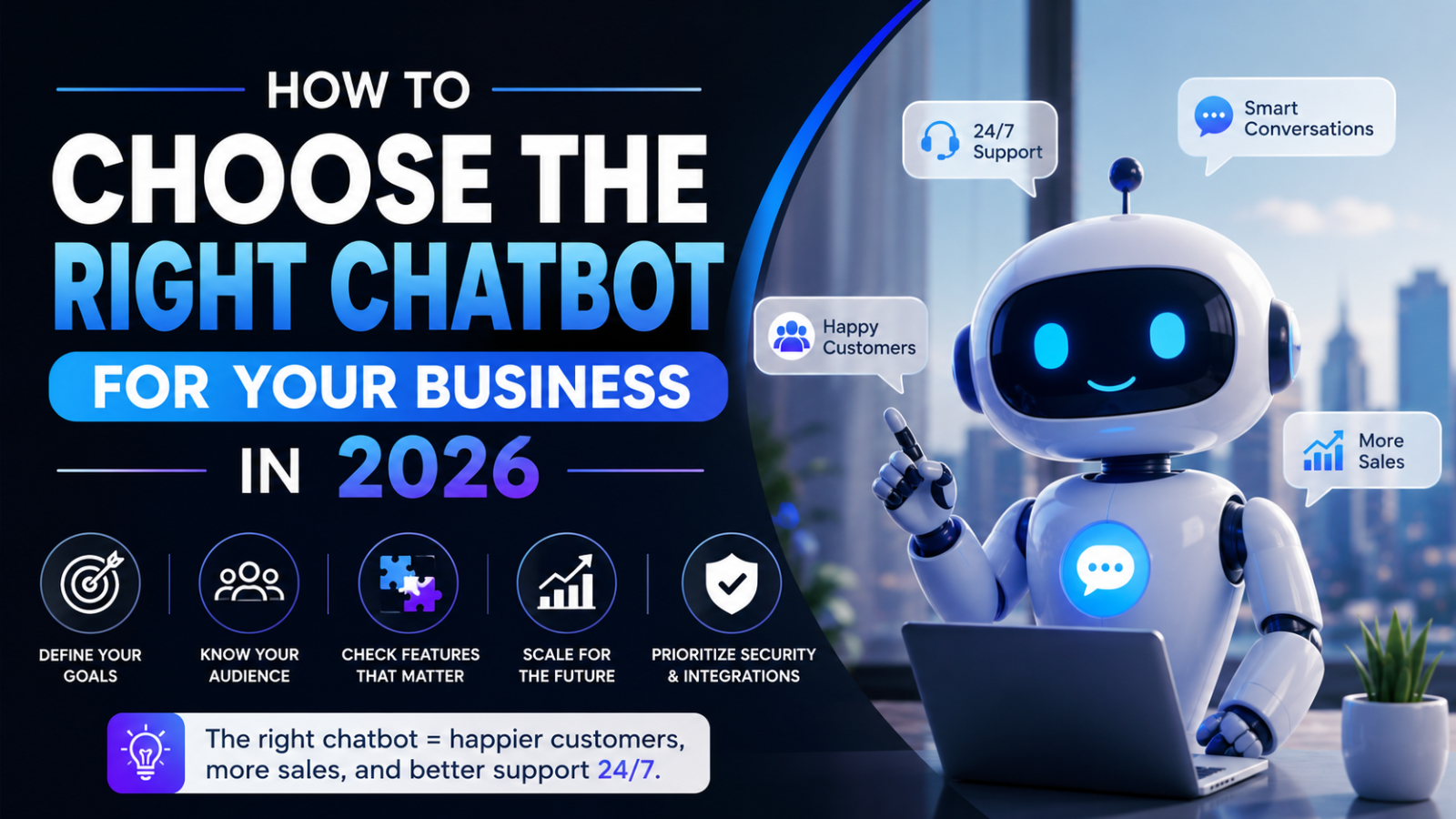
How to Choose the Right Chatbot for Your Business in 2026
Confused about which chatbot to choose for your business? This complete guide walks you through every factor — features, pricing, use case, and platform — so you choose right the first time
Introduction
Choosing a chatbot for your business sounds straightforward until you start researching. Suddenly you are looking at dozens of platforms, each claiming to be the best, each with a different pricing model, a different set of features, and a different definition of what "AI" actually means.
Most businesses make one of two mistakes at this point. They either pick the most recognisable brand name without checking whether it fits their use case — and end up paying enterprise prices for features they do not need. Or they pick the cheapest option without understanding its limitations — and end up with a tool that is technically free but practically useless for their specific situation.
This guide helps you avoid both mistakes. It gives you a structured, step-by-step framework for choosing the right chatbot for your business in 2026 — based on your actual needs, your channel, your team's technical capability, and your real budget — not on which company has the largest marketing budget.
Why Most Businesses Choose the Wrong Chatbot
Before getting into the decision framework, it is worth understanding why so many businesses land on the wrong tool.
They shop on price, not fit A chatbot platform's advertised entry price is almost never the real cost once AI features, branding removal, per-seat charges, and volume limits are factored in. Businesses that start with price end up choosing a tool that looks cheap but delivers a different experience than they expected.
They do not identify their primary channel first A chatbot built for Instagram automation is the wrong tool for a business whose customers primarily find them through Google. A website chatbot is the wrong tool for a business whose leads come from WhatsApp campaigns. The channel your customers use to reach you should determine the platform you choose — before features, before price.
They overestimate their technical capability Enterprise chatbot platforms with developer APIs and complex integration requirements are not appropriate for a small business owner who needs to go from signup to live chatbot in under an hour. Technical fit matters as much as feature fit.
They do not account for the total cost of ownership The monthly subscription is one cost. The time to set up and maintain the chatbot is another. The cost of developer involvement for platforms that require it is another. The cost of missed opportunities when a platform has tight conversation limits is another. Total cost of ownership is the right metric — not the plan page price.
Step 1: Define Your Primary Goal
The first and most important step is being precise about what you actually need the chatbot to do. Most businesses need a chatbot for one of five primary goals — and the right platform differs meaningfully depending on which one applies to you.
Goal 1: Capture More Leads From Your Website
You have website traffic arriving from Google, social media, or ads. Most of those visitors leave without making contact. You want a chatbot that engages them in conversation, answers their questions, and captures their name and email before they leave.
What to prioritise: Website-first platform, strong lead capture configuration, 24/7 availability, proactive engagement triggers.
Best fit: Glanceia, Landbot, Tidio (for ecommerce).
Goal 2: Reduce Customer Support Ticket Volume
Your team is spending significant time answering the same questions repeatedly — pricing, policies, order status, FAQs. You want a chatbot that handles those questions automatically so your team can focus on complex issues.
What to prioritise: AI trained on your specific documentation, accurate FAQ answering, seamless human handoff for escalations, conversation volume capacity.
Best fit: Glanceia, Chatbase, Intercom (for SaaS teams with higher budgets).
Goal 3: Automate WhatsApp or Social Media Conversations
Your customers primarily reach you through WhatsApp, Instagram DMs, or Facebook Messenger. You want to automate responses on those channels, qualify leads through social conversations, and run broadcast campaigns.
What to prioritise: Official Meta Business Solution Provider status (for WhatsApp), Instagram DM automation, broadcast capability, social CRM integration.
Best fit: ManyChat, WATI, AiSensy (for Indian businesses specifically).
Goal 4: Book More Appointments or Consultations
You run a service business — a clinic, a salon, a consultancy, a travel agency — and you want the chatbot to handle appointment requests, availability queries, and booking confirmations automatically.
What to prioritise: Booking flow automation, calendar integration, reminder messaging, lead capture within booking conversations.
Best fit: Glanceia (for website), Tidio (for ecommerce service businesses), ManyChat (for social-first businesses).
Goal 5: Qualify B2B Leads Before Sales Contact
You are a B2B business with a longer sales cycle. You want a chatbot that identifies high-intent visitors, asks qualifying questions about company size, budget, and timeline, and routes warm leads directly to a sales rep.
What to prioritise: Intent scoring, account-based targeting, CRM routing, sophisticated qualification flows, seamless human handoff.
Best fit: HubSpot Chatbot (for HubSpot CRM users), Drift (for enterprise ABM), Intercom Fin (for SaaS companies).
Step 2: Identify Your Primary Customer Channel
Once you are clear on your primary goal, identify the channel through which your customers most commonly find and contact you. This single decision narrows the platform choice more than any other factor.
Your customers find you primarily through Google search and land on your website
You need a website chatbot. This is the most common scenario for service businesses, travel agencies, real estate agents, local shops, healthcare providers, and SaaS products that rely on inbound marketing.
The chatbot needs to be embeddable on your website via a simple script, work across every page, and be capable of training on your specific business content to give accurate answers to visitors who know nothing about your business yet.
Right platforms: Glanceia, Landbot, Chatbase, Tidio, HubSpot.
Your customers find you through Instagram, Facebook, or WhatsApp
You need a social chatbot. This applies to businesses that run paid social campaigns, have large Instagram or Facebook followings, or operate in markets where WhatsApp is the dominant communication channel.
The chatbot needs Meta API access, strong automation flows for DM conversations, and broadcast capability for follow-up campaigns.
Right platforms: ManyChat, WATI, AiSensy, Respond.io.
Your customers use both channels
Most mature businesses have customers coming from multiple sources. In this case, the right approach is a website chatbot for new visitors discovering you through Google, combined with a social chatbot for existing contacts and social media audiences.
Right combination: Glanceia for website, ManyChat or WATI for WhatsApp and social.
Your customers contact you through a help desk or support ticket system
You need a chatbot integrated with your existing support infrastructure — not a standalone website widget. The chatbot should deflect common support tickets and route complex ones to the right agent within your existing help desk.
Right platforms: Intercom, Zendesk, Freshchat, Tidio (for ecommerce support).
Step 3: Assess Your Team's Technical Capability
One of the most commonly overlooked factors in chatbot selection is how much technical knowledge your team actually has — and how much time they can invest in setup and ongoing management.
Non-Technical Team — Needs to Be Live in Under 1 Hour
If your team is made up of business owners, marketers, and customer service staff with no developer experience, you need a completely no-code platform where the setup process involves uploading documents and customising a widget — nothing more technical than that.
Platforms that fit: Glanceia, Tidio, ManyChat, Freshchat.
Platforms to avoid: Botpress (visual flow builder with a steep learning curve), custom API builds, Drift (requires implementation support), Respond.io (better suited to teams with some technical experience).
Some Technical Capability — Comfortable With APIs and Integrations
If your team includes a developer or technically comfortable marketer who can navigate API connections, configure webhooks, and manage integration settings, you have more platform options available.
Platforms that fit: Chatbase, Botpress, Respond.io, HubSpot (for complex workflow configuration).
Developer Team — Wants Full Control
If you have an in-house developer who wants to build custom conversation flows, connect to proprietary systems, and have full control over the chatbot's behaviour and appearance, consider platforms with robust developer APIs.
Platforms that fit: Botpress, Chatbase API, custom builds on OpenAI or Anthropic APIs.
Step 4: Calculate Your Real Monthly Budget
This is where most guides stop at the advertised price and leave you with an inaccurate budget. Below is the real monthly cost calculation you need to do before committing to any platform.
The Real Cost Formula
Real monthly cost = Base plan + AI add-on + Per-seat charges + Branding removal + Expected overage
Work through this formula for every platform you are seriously considering. The results are often very different from what the pricing page implies.
Platform-by-Platform Real Cost in 2026
Glanceia Base plan: $9 per month | AI add-on: None — AI included | Per-seat: None | Branding removal: Included on paid plans | Overage: Predictable — flat pricing Real monthly cost: $9 — the most affordable all-in price for a genuine AI chatbot
Tidio Base plan: $29 per month | AI add-on: Lyro from $39 per month extra | Per-seat: None on base plans | Branding removal: Requires upgrade | Overage: Per AI conversation tiers Real monthly cost with AI: $68 minimum — significantly higher than the advertised entry price
Chatbase Base plan: $32 per month (Hobby) | AI add-on: Included — credit-based | Per-seat: None | Branding removal: Significant additional cost | Overage: Credits consumed faster with premium AI models Real monthly cost: $32 to $120 — variable based on AI model choice and credit consumption
HubSpot Chatbot Base plan: Free with HubSpot CRM | AI on chatbot: Requires paid HubSpot tier | Per-seat: HubSpot seat pricing | Branding removal: Included on paid plans Real monthly cost: Free if you already pay for HubSpot — expensive if you are buying HubSpot just for the chatbot
ManyChat Base plan: $15 per month Pro | AI add-on: $29 per month GPT add-on | Per-seat: None | WhatsApp API fees: Meta charges per conversation separately Real monthly cost with AI: $44 plus Meta conversation fees
Intercom Base plan: $39 per seat per month | AI add-on: $0.99 per AI resolution | Per-seat: Multiplies with team size | Branding removal: Included Real monthly cost: $39 per seat plus resolution fees — easily $300 to $1,000+ per month for a small team
What Budget Range to Plan For
Business StageRecommended BudgetRight PlatformSolo / startup$0 — $9/monthGlanceia free or paid planSmall business (under 10 staff)$9 — $50/monthGlanceia, ManyChat ProGrowing SMB (10 to 50 staff)$50 — $200/monthLandbot, Chatbase Standard, Tidio GrowthMid-market$200 — $1,000/monthHubSpot paid, IntercomEnterprise$1,000+/monthDrift, Intercom Enterprise, custom build
Step 5: Evaluate These 8 Features Before Committing
Once you have narrowed down platforms based on goal, channel, technical fit, and budget — evaluate the remaining options on these eight specific features before making a final decision.
Feature 1: AI Quality — Does It Train on Your Content?
The most important feature distinction in 2026. A chatbot that trains on your specific business content — your FAQs, pricing, service descriptions, policies — gives accurate, specific answers. One that relies on general AI gives generic answers that do not build trust or convert visitors.
Before choosing any platform, confirm: can I upload my FAQ document and service descriptions, and will the chatbot answer questions specifically from that content?
Feature 2: Lead Capture Configuration
Can you configure what information the chatbot collects and when? The best platforms let you set exactly which fields to capture — name, email, phone, budget, project type — and trigger the capture at a specific point in the conversation flow, not just at the beginning or end.
Feature 3: Proactive Engagement
Does the chatbot open automatically based on visitor behaviour — time on page, scroll depth, page type, exit intent — or does it sit passively in the corner waiting to be clicked?
Proactive engagement significantly increases the number of visitors who actually use the chatbot, which directly increases lead capture volume. Platforms without proactive triggers miss a meaningful proportion of potential conversations.
Feature 4: Human Handoff
When the chatbot cannot answer a query, or when a visitor shows high purchase intent, how does it escalate to a human agent? The handoff should be seamless — the human receives the full conversation transcript so the visitor does not need to repeat themselves.
A chatbot with no clear human handoff path frustrates visitors who need real help and actively damages your brand.
Feature 5: CRM and Email Marketing Integration
Does the platform connect to the tools you already use? Check specifically whether the integration is native (built into the platform) or requires Zapier as an intermediary. Native integrations are more reliable and typically faster — Zapier integrations work well but add a layer of dependency.
Feature 6: Conversation Analytics
Can you see what visitors are asking, where conversations drop off, which questions the chatbot could not answer, and how many leads were captured? These analytics are essential for ongoing optimisation and should be available without needing the most expensive plan tier.
Feature 7: Mobile Experience
A significant proportion of your website visitors are on mobile devices. The chatbot widget must be clearly visible, easy to tap, and comfortable to use on a small screen. Test any platform on a mobile device before committing.
Feature 8: Platform Compatibility
Does the chatbot embed cleanly on the specific platform your website is built on? Most reputable chatbots work on WordPress, Wix, Webflow, Shopify, and Squarespace via a standard embed script. Confirm compatibility with your specific setup before investing time in a platform that creates friction at the embed stage.
Step 6: Run a Free Trial Before Committing
Almost every major chatbot platform offers either a free plan or a free trial. Before paying for anything, run a live test on your actual website with real visitor traffic.
Here is what to test during your trial period:
Accuracy test: Ask the chatbot the 10 most common questions your customers ask. Are the answers accurate and specific? If the chatbot gives vague or wrong answers during the trial, the paid plan will not fix this — the issue is the content you uploaded, and that applies regardless of plan level.
Lead capture test: Complete a full conversation as a visitor would and check whether your details arrive correctly in the dashboard. Then test whether the integration with your CRM or email tool works as expected.
Mobile test: Open your website on a phone and test the entire chatbot experience on a small screen. Check visibility, tap targets, text readability, and conversation flow.
Edge case test: Ask something the chatbot was not trained to answer. Does it acknowledge the limit gracefully and offer a next step — your email or phone number — or does it give a confident-sounding wrong answer or dead end?
Volume test: If your website receives significant traffic during a particular time of day or week, check whether the free plan's conversation limit will be reached before the end of your trial period. If it is, factor the upgrade cost into your decision.
Step 7: Make the Decision Using This Final Checklist
Before signing up for a paid plan or committing to a platform long-term, confirm all of the following:
Goal alignment ☐ The platform is designed for my primary goal — lead generation, customer support, appointment booking, or WhatsApp automation
Channel fit ☐ The platform works on the channel my customers use — website, WhatsApp, or social media
AI quality confirmed ☐ I have tested the chatbot's accuracy by uploading my actual content and asking real questions
Real cost calculated ☐ I have calculated the total monthly cost including base plan, AI add-on, per-seat fees, and any overage — not just the advertised price
Technical fit ☐ My team can set up and maintain this platform without developer involvement (or I have confirmed developer resources)
Integration confirmed ☐ The platform connects to my CRM or email marketing tool either natively or via Zapier
Free trial completed ☐ I have tested the chatbot live on my website with real visitor questions
Upgrade path understood ☐ I know what the next plan tier costs and what it adds, so I am not surprised when I need to scale
The Right Chatbot for Common Business Types
To make this practical, here is a direct recommendation for the most common small business scenarios:
Local service business (plumber, electrician, landscaper, cleaner) Glanceia — trains on your service list and pricing, captures leads after hours, embeds on any website in 30 minutes, $9 per month.
Travel agency or tour operator Glanceia — trains on your package brochures and visa information, captures lead details including travel dates and destination preference, works 24/7 for after-hours browsers.
Real estate agent or agency Glanceia — trains on your property listings and FAQ, qualifies buyers by budget and property type, captures after-hours inquiries that would otherwise go to competitors.
Healthcare clinic or wellness provider Glanceia — trains on your services, pricing, and booking process, handles appointment inquiries after hours, reduces front desk call volume.
Ecommerce store on Shopify Tidio — if live chat is your priority and you want a human-staffed option for peak hours with AI for after-hours. Budget $68 minimum per month with Lyro AI. Alternatively, Glanceia at $9 per month for AI-only automated support.
SaaS company or tech startup Glanceia for website lead capture, HubSpot Chatbot if your team is already inside HubSpot, or Chatbase if you have a large documentation library and a technical team.
D2C brand or Indian small business Glanceia for website, AiSensy or ManyChat for WhatsApp — the two-channel combination that covers both new visitor acquisition and existing customer communication.
Agency or professional services firm Glanceia — trains on your services and case studies, qualifies inbound leads by project type and budget, captures after-hours inquiries from potential clients browsing outside business hours.
FAQ — How to Choose the Right Chatbot for Your Business
What is the most important factor when choosing a chatbot? The most important factor is channel fit — choosing a platform built for the channel your customers actually use to find and contact you. A website chatbot for Google-discovered visitors, a WhatsApp chatbot for existing contacts, a social chatbot for Instagram and Facebook leads. Getting this wrong means investing in a tool that never reaches the customers you were trying to engage.
Should I start with a free chatbot plan or go straight to paid? Start with a free plan where available. Test the platform with real visitor traffic on your actual website before committing to a paid subscription. Glanceia's free plan is a genuine production-ready product — not a trial — so you can validate the value before upgrading.
How do I know if a chatbot's AI is actually good? Test it by uploading your real business content and asking your most common customer questions in different phrasings. A good AI chatbot handles variations and follow-up questions accurately. A weak one only answers exact keyword matches or gives generic responses.
Can I switch chatbot platforms if I choose the wrong one? Yes — switching involves re-uploading your content and replacing the embed script on your website. It typically takes a few hours. That said, choosing correctly from the start avoids that effort. Use the framework in this guide to make the right decision before committing to any paid plan.
How many chatbot platforms should I compare before deciding? Compare two to three platforms that clearly fit your channel and goal. More than three creates decision paralysis without meaningfully improving the outcome. Use the framework in this guide to shortlist, then test those two to three in their free tiers before choosing.
What if my business needs change after I choose a chatbot? The best platforms grow with your business. Glanceia's plan structure scales from free to paid as volume grows. If your primary channel shifts — for example, you start investing in WhatsApp marketing alongside your existing website traffic — you add a second tool for the new channel rather than replacing your existing one.
Final Thoughts
Choosing the right chatbot for your business does not need to be complicated. The businesses that choose well are the ones that start by being honest about what they actually need — not what sounds most impressive — and match that to a platform built specifically for that use case.
Define your primary goal. Identify your primary channel. Assess your team's technical reality. Calculate the real monthly cost. Test before committing.
Follow those five steps and the right choice becomes obvious.
For most small and medium businesses — those running on a website, generating leads through Google search, and needing a chatbot that goes live without a developer — the clearest choice in 2026 is Glanceia. AI trained on your content, lead capture built in, no hidden fees, live in under 30 minutes.
Ready to find out if it is right for your business? The free plan answers that question without costing you anything.
Try Glanceia free — no credit card needed →
Published by Laxman- Team Glanceia