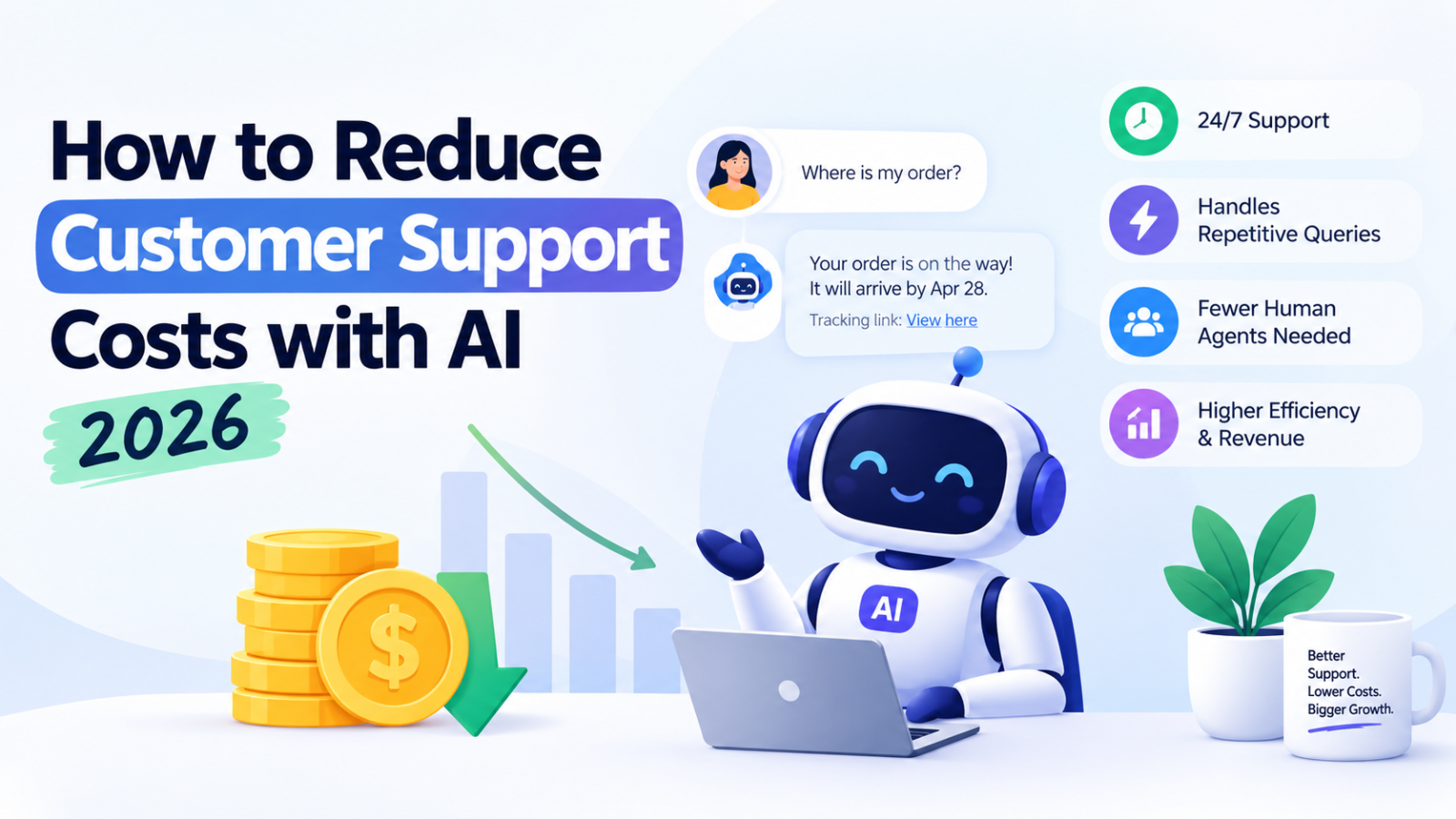
How to Reduce Customer Support Costs with AI 2026
Support costs eating your margins? Learn practical ways to cut customer support costs with AI chatbots — without losing service quality. Real steps, real numbers.
If you run a small business, you already know the math doesn't add up.
Every new hire in support costs you a salary, training time, and management overhead — and most of what they're doing all day is answering the same five questions over and over. "What are your hours?" "Do you ship internationally?" "Is this available in December?" Multiply that by hundreds of chats a week, and you're paying full-time wages for work that's largely repetitive.
The good news: you don't need to choose between good support and affordable support anymore. AI has gotten genuinely good at handling the repetitive 80% of customer queries, freeing your team to focus on the 20% that actually needs a human. Here's how to actually do it — not the vague "just use AI" advice, but a real breakdown of where the savings come from and how to implement it without frustrating your customers.
Why Customer Support Costs Spiral in the First Place
Before fixing the problem, it helps to see where the money actually goes:
Repetitive questions eat agent time. Studies on support ticket volume consistently show a large chunk of inbound queries are simple, repeatable questions — pricing, availability, shipping, hours, policies.
After-hours coverage means either overtime pay or missed leads. If your business isn't open 24/7, neither is your support — which means customers asking questions at 11 PM either wait until morning or leave.
Hiring and training is expensive and slow. A new support hire takes weeks to get fully productive, and turnover means doing it all over again.
Scaling support scales linearly with headcount — more customers should mean more revenue, but right now it also means more hires.
AI doesn't fix all of this. But it directly attacks the first two points, which is where most of the wasted spend actually sits.
1. Automate the Repetitive Questions First
This is the single highest-leverage move. Instead of trying to automate everything, identify the questions your team answers most often — pricing, availability, "how does this work," shipping timelines — and let an AI chatbot handle those instantly.
This is exactly what a tool like Glanceia is built for. You upload your existing documents — PDFs, FAQs, product sheets, pricing lists — and Glanceia trains itself on your data specifically, not generic internet answers. So when a customer asks "Is the Bali package available in December?" or "What's your refund policy?", they get an accurate, on-brand answer immediately, without a human ever touching the ticket.
The result: your team stops re-answering the same 10 questions all day, and starts spending their time on the conversations that actually need judgment — complex bookings, complaints, custom requests.
2. Cover the Hours You Can't Afford to Staff
Hiring a night-shift or weekend support agent is expensive, and for most small businesses, it's simply not viable. But customers don't stop asking questions when your office closes.
An AI chatbot doesn't need shifts. It's live 24/7, answering questions the moment they're asked — at 2 AM, on a Sunday, during a holiday. That's not just a cost saving; it's revenue you were probably losing anyway. A visitor who has a question at midnight and gets no answer usually doesn't come back to ask it again tomorrow. They just leave.
With Glanceia, this happens without hiring anyone. The chatbot goes live on your site with a single line of code and starts answering from your own data the same day.
3. Let AI Capture and Qualify Leads Before a Human Gets Involved
A big hidden cost in support isn't just answering questions — it's the back-and-forth of collecting basic info (name, email, what they're interested in) before a human agent can even start helping.
A well-set-up chatbot captures this automatically at the start of the conversation, so by the time a real person steps in — if they need to at all — they already have the context. Glanceia does this by default: it collects name, email, and intent during the chat, then routes high-value conversations straight to your inbox. Your team stops spending time on intake and starts spending it on actually closing or resolving.
4. Get Visibility Into What's Actually Costing You Time
You can't reduce costs on problems you can't see. Most businesses have no clear picture of which questions are driving the most support volume, or where customers are dropping off.
This is where analytics matter. A chatbot with a built-in dashboard shows you the most-asked questions, the topics customers care about most, and where conversations stall. That data lets you fix root causes — maybe your pricing page is unclear, maybe a policy needs to be more visible — instead of just absorbing the same repeat questions forever.
5. Keep Data Isolated and Accurate — Generic AI Answers Cost You Trust
One mistake businesses make when trying to cut costs with AI: using an off-the-shelf chatbot that gives generic, sometimes wrong answers. That doesn't save money — it creates a new support problem, because customers get frustrated with a bot that clearly doesn't know their order, their pricing, or their policies.
The fix is training the AI only on your own data, in an isolated environment, so answers are always specific to your business — never mixed with generic responses or, worse, another company's information. This is a core part of how Glanceia is built: every business gets its own private, isolated data environment, and the bot only ever answers from what you've actually uploaded.
Getting Started Without Overengineering It
You don't need a dev team or a multi-week rollout to start cutting support costs with AI. A practical first step looks like this:
Pull together your existing FAQs, pricing sheets, and policy docs.
Upload them to a chatbot builder trained specifically on your data — like Glanceia.
Customize the tone, welcome message, and branding so it feels native to your site.
Embed it with a single script tag — no coding required.
Check the analytics dashboard weekly to see what's actually being asked, and refine from there.
Glanceia is built to make this genuinely fast — most businesses are live within 10 minutes, and there's a free plan to start with, no credit card required.
The Bottom Line
Reducing customer support costs with AI isn't about replacing your team — it's about stopping the waste. The repetitive questions, the after-hours gaps, the manual lead intake — that's where the money leaks out, and it's exactly what an AI chatbot trained on your own data is good at closing.
If you're ready to see what that looks like for your business, Glanceia lets you set up an AI chatbot trained on your own data in minutes, free to start.
Have questions about setting this up for your business? Contact the Glanceia team — happy to help you figure out where AI can save you the most.