Chatbot vs Live Chat vs Email: Which Is Best for Customer Support?
Chatbot, live chat or email? Compare speed, cost, and customer experience for each support channel, and learn how to combine them for your business.
Ask ten business owners which support channel is best and you’ll get ten confident answers. One swears by email because it’s simple. Another says live chat is the only way to keep customers happy. A third has put a chatbot on the site and never looked back.
They’re all partly right, and that’s the problem with the question. Each channel does a different job well, and each one has a weak spot. The better question is: which one fits the way your customers ask for help, and the size of the team answering them?
Here’s an honest comparison, with no winner declared in advance.
The three channels in plain terms
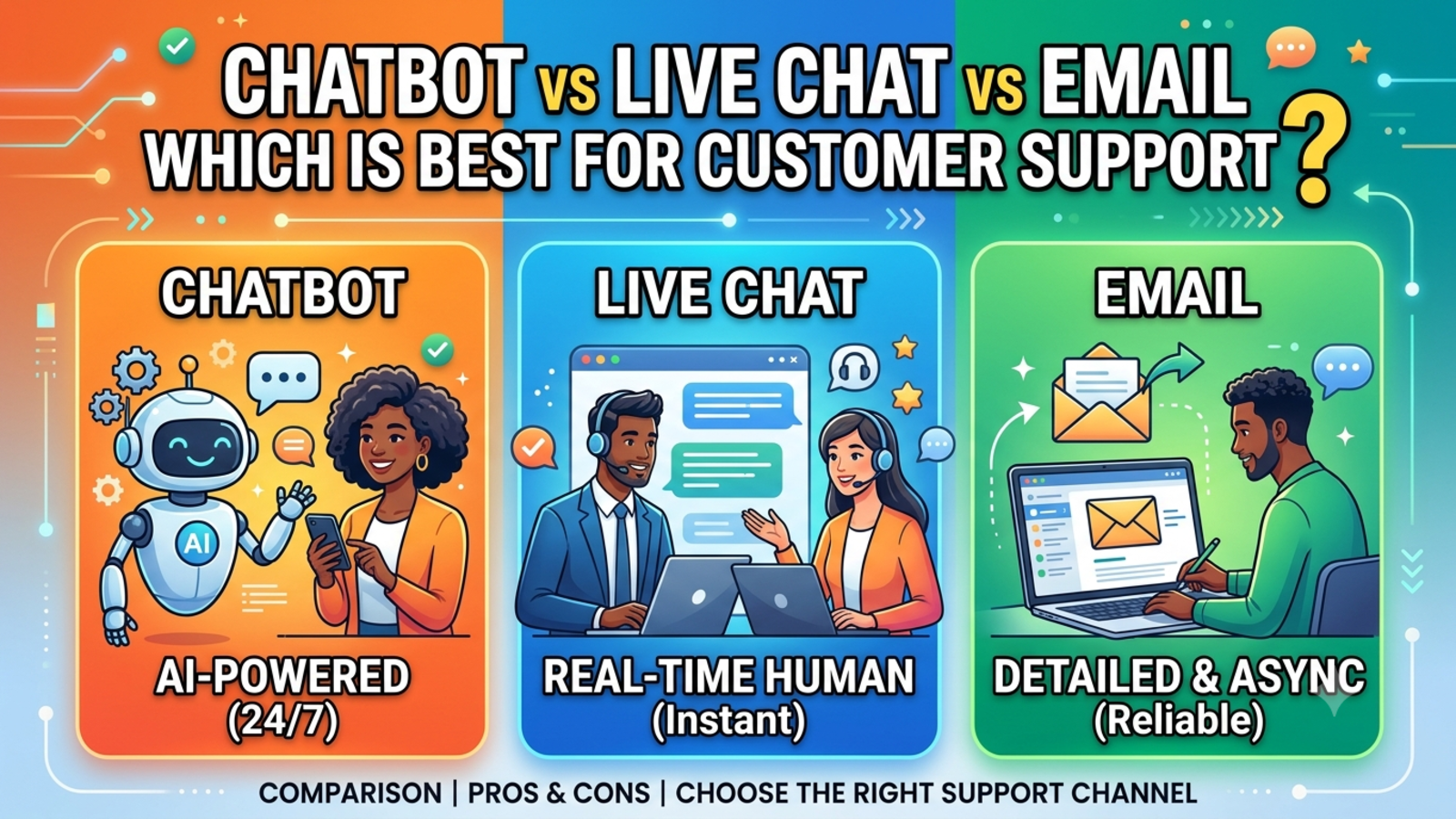
Email is the oldest and most familiar. A customer writes, you reply when you can, and the thread stays in both inboxes. It’s slow by nature, but it’s good for detail.
Live chat is a chat window on your site where a real person answers in real time. Customers get a human reply within minutes, as long as someone is online to give it.
A chatbot is an automated assistant in the same kind of chat window. It answers from the information you’ve given it, instantly, at any hour. It doesn’t need a person to be present for the first reply.
Email: slow, but thorough
Where it works well
Detailed or complicated problems that need explanation, attachments or screenshots
Customers who don’t need an answer right now
Formal records, invoices, confirmations and anything you may need to refer back to
Businesses with a very small team, since nobody has to be online at a set time
Where it falls short
Replies can take hours or days, and customers notice
Threads get messy, with long back-and-forth chains
Messages get lost in busy inboxes, especially if several people share one
It’s a poor fit for quick questions like “Are you open today?”
Best for: non-urgent, detailed or formal conversations.
Live chat: personal, but staffed
Where it works well
Customers who want an answer while they’re still on your site, mid-decision
Complex or emotional conversations where a human touch matters
Sales questions, where a quick, friendly reply can win the customer
Building trust, since people like talking to a real person
Where it falls short
Someone has to be online. When the team logs off, the chat window either disappears or goes quiet
Staffing it costs real money, and one agent can only handle a few chats at a time
Customers expect a fast response, and long waits feel worse than an email delay
Many of the questions are the same ones, so your people spend hours typing identical replies
Best for: high-value conversations during working hours.
Chatbot: instant, but limited
Where it works well
Repeated, factual questions: pricing, availability, hours, delivery, policies, documents required
Out-of-hours enquiries, since it replies at 2 a.m. as easily as 2 p.m.
Busy periods, because it doesn’t get overwhelmed during a sale or campaign
Collecting a visitor’s name, email or phone number before a person steps in
Working in many languages (Glanceia supports 95+)
Where it falls short
Upset or anxious customers, who want to feel heard by someone who can act
Decisions that need judgment, like refund exceptions
Unusual problems it hasn’t been given information about
It’s only as accurate as the material behind it. Outdated or vague content means outdated or vague answers
Best for: fast answers to common questions, at any hour.
So which one is best?
For most businesses, the honest answer is a mix. Think of the three channels as a relay team rather than rivals.
The chatbot takes the first conversation. It answers the simple questions instantly, around the clock, and collects the visitor’s details if the question needs a person.
Live chat or a phone call takes the conversations that need a human. Complaints, high-value enquiries and complicated cases move to a real person, with the bot’s notes attached so nobody has to repeat themselves.
Email handles everything that needs detail or a paper trail. Follow-ups, quotes, confirmations and formal records belong here.
The customer never has to think about any of this. They just get a quick answer when it’s simple and a real person when it’s not.
How to choose based on your situation
If you’re a one- or two-person business
Start with email and a chatbot. Email covers detailed conversations, and the bot covers the questions you can’t answer while you’re busy or asleep. Live chat can wait, because you probably can’t staff it consistently.
If you get lots of repeated questions
Start with a chatbot. If most of your inbox is the same ten questions, a bot trained on your own FAQs and documents will remove a big chunk of the workload.
If your product is complex or high-value
Prioritise live chat and email, backed by a good knowledge base. Add a chatbot for the basics, but keep people front and centre for the serious conversations.
If customers reach you at odd hours or from other time zones
A chatbot is the most practical way to avoid long silences. Pair it with email or a callback for anything that needs a person.
If you’re growing fast
Use all three, connected together. The bot absorbs volume, live chat handles the important conversations, and email keeps records tidy.
A quick test to find your answer
Take your last 50 customer messages and sort them into three piles:
Quick and repeated (same question, same answer)
Urgent or personal (needs a human, right now)
Detailed or formal (needs time, documents or a record)
The biggest pile points to your priority. Mostly pile one? Chatbot. Mostly pile two? Live chat or phone. Mostly pile three? Email and a good help centre.
Most businesses end up with a mix, which is a sign that more than one channel is probably worth having.
Common mistakes to avoid
Offering live chat without the staff to cover it. A chat window that goes unanswered looks worse than not having one.
Replacing humans with a bot. Customers forgive a bot. They don’t forgive being unable to reach a person. Always offer a way to talk to someone.
Letting email pile up. If replies take days, say so up front, or use an auto-reply that sets the right expectation.
Skipping the information behind the bot. A chatbot without accurate content will guess, and wrong answers cost trust. With Glanceia you train it on your own PDFs, documents and FAQs so answers stay specific to your business.
Not connecting the channels. If a customer has to repeat their story when they switch from bot to person, the handoff failed. Make sure details are captured and passed along. Glanceia can collect names, emails and phone numbers during a chat and route lead data to your inbox.
Never reviewing the conversations. Read your chat logs and emails weekly. They show where customers get stuck and which questions the bot should learn next. Glanceia’s analytics surface top questions and drop-off points to make that easier.
What it costs to run each one
Costs vary by tool and team size, so treat these as general patterns:
Email is cheap to start, but costs time as volume grows
Live chat costs the most, because you’re paying for people to be online
Chatbots tend to have a low running cost once set up, with the main investment being time spent on good content
If budget is tight, start with the cheapest option that solves your biggest problem, then add from there. Glanceia has a free plan with no credit card required, and the Pro plan is listed at $9 a month on the pricing page.
The bottom line
There’s no single best channel. Email is best for detail, live chat for human connection, and a chatbot for speed and coverage.
The businesses that do support well don’t pick one. They decide which channel handles which kind of question, make sure the handoffs are smooth, and keep improving the setup as they learn what customers actually ask. Start with the channel that fixes your biggest pain, then build around it.
FAQ
Which is better, a chatbot or live chat?
Neither is better in every case. A chatbot is faster and works around the clock for common questions. Live chat is better for personal, complex or sensitive conversations. Many businesses use both.
Is email support still worth offering?
Yes. It’s well suited to detailed problems, formal records and non-urgent questions. It works best alongside a faster channel for simple queries.
Can a chatbot replace live chat?
For simple, repeated questions, often yes. For complaints, exceptions and high-value conversations, you’ll still want a real person available.
Which support channel is cheapest?
Email is usually the cheapest to start, and chatbots are typically cheap to run once set up. Live chat usually costs the most because it needs staff online.
Can I use all three channels together?
Yes, and it’s often the best setup. Let the chatbot handle first contact, live chat or phone handle important conversations, and email handle detailed follow-ups and records.
How do I stop customers repeating themselves when switching channels?
Capture their details and the issue before the handoff, and make sure your team can see the conversation. Glanceia collects contact details in chat and sends lead data to your inbox.
What’s the easiest channel to set up?
Email is simplest. A chatbot is also quick: with Glanceia you upload your content, customise the look and add one line of code to your site.
How do I know which channel my customers prefer?
Look at where your messages already come from, ask customers directly, and check your chat analytics for the most common questions and times of day.
Want to add a chatbot to your support mix?
If you’d like fast, always-on answers without hiring more people, try a chatbot trained on your own content. Glanceia is free to start. See the docs for setup or get in touch to talk through your use case.