What Is Natural Language Processing, and Why Does Your Chatbot Need It?
Natural language processing is what lets a chatbot understand real questions, typos and all. Learn what NLP is, how it works, and why it matters for your business.
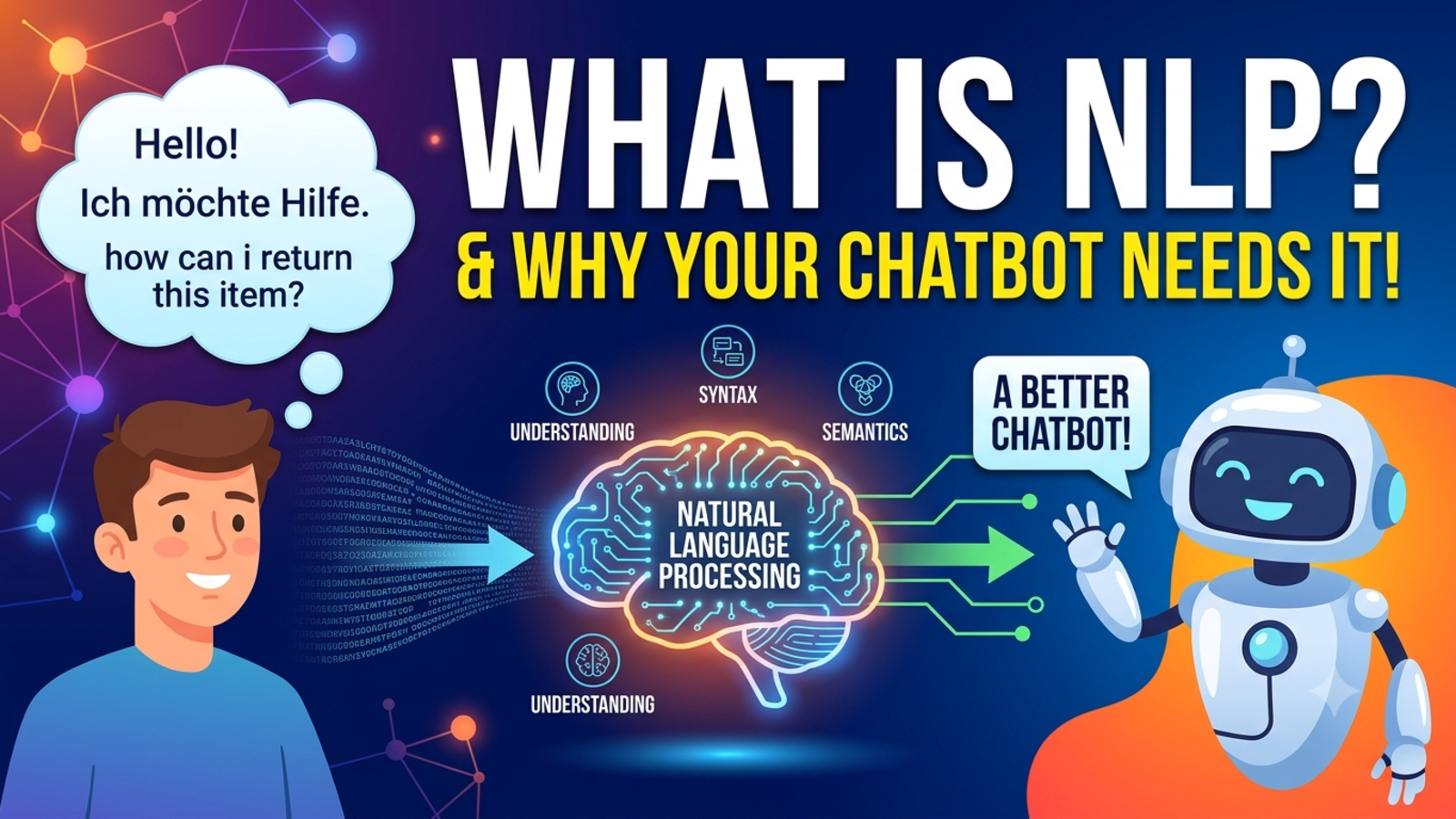
Type “wheres my order??” into an old-style chatbot and it often stares back blankly. Type the same thing into a modern one and it works out what you mean, asks for your order number, and gets on with it.
The difference between those two experiences is natural language processing, usually shortened to NLP. You don’t need a technical background to understand it, and if you run a business with a website chatbot, it’s worth knowing what it does for you.
What is natural language processing?
Natural language processing is the part of computing that helps software understand human language the way people actually use it. That means full sentences, half sentences, slang, typos, mixed languages and questions phrased in a hundred different ways.
Humans do this without thinking. You know that “Can I get my money back?”, “refund policy?” and “I want to return this” are all the same question. A computer doesn’t know that unless it’s been built to figure it out.
NLP is that figuring-out. It’s what turns messy human text into something a system can work with, so it can find the right answer and reply in a natural way.
What chatbots did before NLP
Early chatbots worked on rules. You’d set up a list of keywords, and if the customer’s message contained one, the bot sent a matching reply. Or it showed a menu of buttons and made you pick.
That works fine until a real person shows up. A few things go wrong:
Customers use different words. If your rule is “refund” and they write “money back,” nothing happens.
Typos break it. “Deliverry” doesn’t match “delivery.”
Context gets lost. The bot can’t tell that “How much is it?” refers to the product you were just discussing.
Dead ends. When a question doesn’t match any rule, the bot says “Sorry, I didn’t understand that” and the customer leaves.
That’s the experience that gave chatbots a bad name.
How NLP works, in plain English
Under the hood it’s complicated, but the basic idea is simple. When a customer types a message, a chatbot with NLP does roughly this:
1. Reads the message. It breaks the text into pieces it can work with and copes with spelling mistakes, short forms and odd phrasing.
2. Works out the intent. What does this person actually want? Are they asking about price, availability, a refund or something else?
3. Picks out the details. Dates, places, product names, numbers, anything that matters for the answer. If someone writes “5 days in Bali in December,” the bot notices the destination, the length and the month.
4. Finds the right information. It looks for the best match in the content it’s been given, such as your FAQs, documents and price lists.
5. Writes a reply that sounds natural. Rather than pasting a stiff block of text, it answers in normal language.
All of that happens in a second or two.
Why your chatbot needs it
Customers don’t type the way you expect
Nobody writes in neat, perfect sentences. People type quickly, on phones, in a hurry, sometimes in more than one language. NLP is what lets your bot cope with that without sending people to a menu.
It cuts down on dead ends
A bot that understands varied wording fails less often. Fewer “I didn’t understand” replies means fewer frustrated visitors leaving without an answer.
It makes conversations feel less robotic
Customers are more patient with a bot that understands them and replies in plain language. A bot that doesn’t, feels like talking to a wall.
It helps you work across languages
Many businesses get enquiries in more than one language. Glanceia supports over 95 languages, which means a visitor can ask in the language they’re comfortable with instead of struggling in English.
It saves your team time
When the bot handles more questions correctly, fewer need a human. Your team deals with the cases that need judgement, not the same easy question rephrased for the fortieth time.
It turns questions into useful information
Understanding intent doesn’t just help the bot reply. It shows you what customers are asking about, which is valuable for your website, your products and your marketing. Glanceia’s analytics surface top questions and where visitors drop off.
NLP is only half of the story
Here’s something worth being honest about. NLP helps your chatbot understand the question. It doesn’t automatically make the answer correct.
A bot can understand “Is Bali available in December?” perfectly and still give a wrong or vague answer if the information behind it is outdated or missing. Understanding and knowing are two separate things.
That’s why the content you give your chatbot matters just as much as the technology. With Glanceia, you train the bot on your own material, such as PDFs, Word documents, CSVs and FAQs, so answers stay specific to your business rather than generic internet information. Keep that content current and clear, and the bot will have something solid to work from.
How to tell if a chatbot has good NLP
You don’t need to read technical documentation. Just test it like a customer would. Try these:
Ask the same thing three different ways. “What are your hours?”, “when do you open”, “are you open on Sunday?” The answers should be consistent.
Make a typo on purpose. Write “delivry time” and see if it still understands.
Use short, lazy phrasing. “price?” or “refund policy” should still work.
Ask a follow-up. After asking about a product, type “how much is it?” and see if it remembers what you were talking about.
Ask something it shouldn’t know. A good bot admits it doesn’t know and offers to get a person, rather than making something up.
Try another language. If your customers use one, test it.
If it handles most of these well, the language side is in good shape.
Common myths about NLP chatbots
“It means the bot understands everything.” No. It means the bot is better at understanding varied wording. It can still misunderstand, which is why you should test it and review conversations.
“It replaces the need for good content.” No. The bot is only as accurate as the information behind it.
“It’s too technical for a small business.” Not any more. With Glanceia, you upload your content, customise the look and add one line of code to your website. There’s no coding or AI training needed.
“It can replace your whole support team.” Not realistically. It handles repeated questions well, but complaints, exceptions and complex problems still need people.
“Once it’s set up, it’s finished.” Businesses change, and so do the questions customers ask. Review your chat history regularly and keep improving the content.
Getting the most out of NLP in your chatbot
Write answers the way customers talk. Plain, direct language helps the bot connect your answer to the question.
Include variations. If customers say “refund,” “return” and “money back,” mention those words in your answers.
Keep one topic per entry. Short, focused answers are easier for the bot to match than long, mixed-up ones.
Tell it what to do when it’s stuck. Decide which questions should go to a person, and make sure the bot collects a name and contact details when it hands over.
Review what it got wrong. Weekly, look at where the bot struggled and add or fix content.
The bottom line
Natural language processing is what lets a chatbot understand people as they really write: messy, quick and varied. Without it, you get a bot that only works if the customer happens to use your exact words. With it, you get something far closer to a helpful assistant.
Just remember that understanding the question is one half of the job. The other half is giving the bot clear, accurate, up-to-date information to answer from. Get both right and your chatbot becomes something customers are glad to use.
FAQ
What is natural language processing in simple terms?
It’s the technology that helps software understand everyday human language, including different phrasings, typos and slang, so it can respond sensibly.
What does NLP do in a chatbot?
It helps the bot work out what a customer wants, pick out important details, find the right information and reply in natural language.
Is NLP the same as AI?
NLP is one area within AI. It specifically deals with understanding and working with human language.
Does my chatbot need NLP?
If you want it to handle real customer questions, yes. Without it, a bot only works when customers use the exact words you planned for.
Can an NLP chatbot make mistakes?
Yes. It can still misunderstand or give a poor answer, especially if the content behind it is incomplete or outdated. Regular testing and review help.
Does NLP help with other languages?
It can. Glanceia works in over 95 languages, so visitors can ask in the language they prefer.
Do I need technical skills to use an NLP chatbot?
No. With Glanceia you upload your own content, set the look and first message, and add one line of code to your site. There’s a free plan with no credit card required.
How do I test whether my chatbot understands customers?
Ask the same question in different ways, include typos, try short phrases, ask follow-ups and test a question it shouldn’t know the answer to.
Want a chatbot that understands your customers?
Glanceia is an AI chat builder that learns from your own content and answers visitor questions around the clock. It’s free to start with no credit card. See the pricing page or the docs to get going.