How to Use a Chatbot to Automate Your Sales Follow-Up
Learn how to use a website chatbot to capture leads, qualify them, and hand them to your sales team fast, so fewer enquiries go cold.
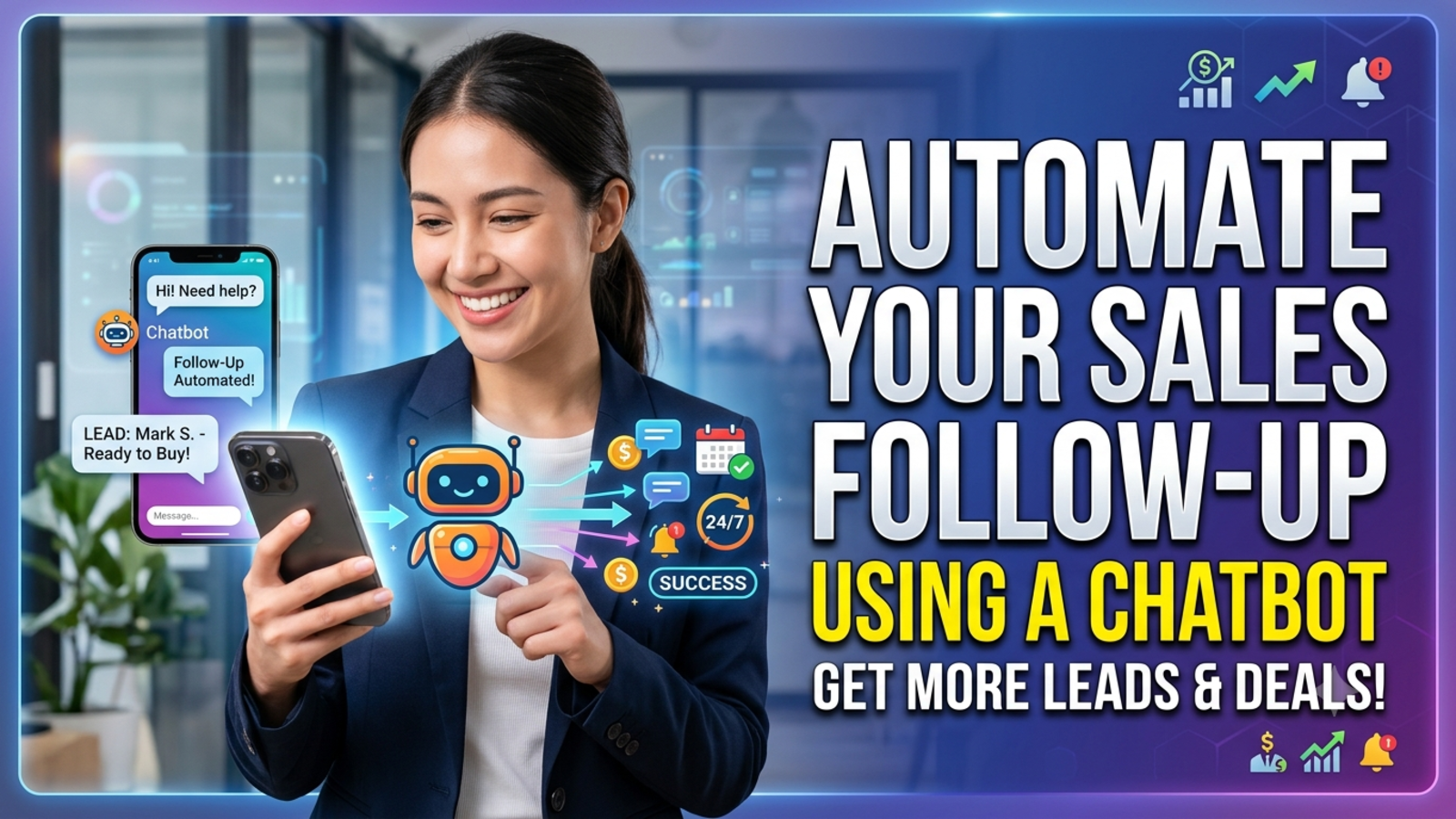
Most sales don’t get lost because the customer said no. They get lost because nobody got back in time.
A visitor lands on your site at 9 p.m., asks about pricing, gets no reply, and books with whoever answers first. Or they do leave their details, and the message sits in an inbox for two days while your team deals with other things. By the time someone follows up, the customer has moved on.
A chatbot can’t close a sale for you, and it shouldn’t try. What it can do is fix the leaky part of the process: the gap between “someone showed interest” and “a salesperson picked it up.” Here’s how to use it properly.
Where follow-up usually breaks
Before adding any tool, it helps to see where your own process leaks. These are the usual culprits:
Slow first response. The customer’s interest peaks right when they ask. Every hour of silence cools it.
Missed enquiries after hours. Evenings, weekends and other time zones are when plenty of people browse.
Details lost in the handover. The salesperson calls and asks, “So what were you looking for again?”
No clear owner. Everyone assumes someone else replied.
Inconsistent follow-up. Some leads get three touches, some get none, depending on who was busy.
No record of what was asked. You don’t know which questions come up before people buy, or where they drop off.
A chatbot helps with most of these, because it’s present at the moment of interest and never forgets to respond.
What a chatbot can and can’t do for follow-up
Being clear about this saves you disappointment later.
What it does well
Replies to visitors instantly, at any hour
Answers the common pre-sale questions (pricing, availability, what’s included)
Collects a name, email and phone number during the conversation
Notes what the visitor was interested in
Sends that lead and conversation to your inbox so your team can pick it up
Shows you which questions come up most
What it doesn’t do on its own
Negotiate, handle objections or close a high-value deal
Replace a personal call or message from your team
Fix a slow team. If leads reach your inbox and nobody replies, the bot only moves the bottleneck
Think of the chatbot as the front desk that greets, answers the easy questions, takes the details and passes the lead to the right person with notes. The follow-through is still human.
Step 1: Decide what a good lead looks like
Not every chat deserves a sales call. Before you build anything, write down what makes someone worth following up:
Which products, packages or services are they asking about?
Do they mention a date, a budget or a group size?
Are they asking about price or availability, which signals they’re close to deciding?
Have they reached a booking or payment page?
For a travel agency, “5 days in Bali in December for four people” is a warm lead. “What countries do you cover?” is more casual. Knowing the difference helps you decide what the bot should ask and when it should hand over.
Step 2: Open with a message that starts a real conversation
Your first message decides whether the visitor talks to the bot at all. “How can I help you?” is easy to ignore.
Match it to the page:
Pricing page: “Want help choosing the right plan?”
Package or product page: “Need help checking availability for your dates?”
Contact page: “Prefer a quick answer? Ask here and I’ll point you in the right direction.”
Booking page: “Any questions before you book? I’m here.”
Glanceia lets you set a custom first message and choose between an AI-generated reply or one you write yourself. On your highest-value pages, write it yourself. It takes five minutes and pays back quickly.
Step 3: Train the bot on your real sales information
A bot that gives vague or wrong answers can lose a sale faster than no bot at all. Give it what a good salesperson would know:
Price lists, packages and what’s included in each
Availability notes and seasonal differences
Policies on payments, cancellations and refunds
Common objections and honest answers (“Why is this more expensive?”)
How your booking or buying process works
With Glanceia you upload your own PDFs, Word documents, CSVs and FAQs, so the bot answers from your business rather than generic internet information. Keep it current. A wrong price quoted at 2 a.m. is worse than silence.
Step 4: Answer first, then ask for details
This is the biggest conversion lever in the whole process. If the bot opens with “Enter your name and email to continue,” many visitors close the window. People share details once they’ve received something useful.
The better order:
Answer the question properly
Offer a next step
Then ask for contact details, with a reason
Here’s how that sounds:
Visitor: Do you have a 5-day Bali package for December?
Bot: Yes, we have two options for that month, starting from [price]. Want one of our team to send you the full itinerary and confirm availability for your dates? I’ll just need your name and phone number.
It feels like a helpful offer rather than a toll booth.
If your business genuinely needs details up front, Glanceia can collect user information at the start of the conversation. Just keep the ask small and relevant.
Step 5: Ask only for what your team will use
Every extra question loses people. Match your questions to what actually helps the follow-up:
Almost always: name, plus email or phone
Often useful: destination or product of interest, rough dates, number of people
Only if it changes your response: budget range, timeline
Skip: anything you won’t act on
Glanceia can capture names, emails and phone numbers during chat and route the lead data to your inbox. Decide which one your team prefers to use first. If your customers like WhatsApp or phone calls, ask for a number. If your sales process runs on email, ask for that.
Step 6: Make the handoff fast and clear
This is where automation turns into money, and where it most often falls apart.
Decide in advance:
Who owns new leads? One named person or a clear rotation. “The team” isn’t an owner.
How fast will they respond? Pick a promise you can keep, such as “within two hours during working hours.”
What does the visitor see? Tell them what happens next: “Someone from our team will call you today between 10 and 6.”
What does your team see? The conversation, what the visitor asked, and the contact details, so the first call starts in the middle, not at the beginning.
Then keep the promise. A fast human reply after a good bot chat is where most sales get won.
Step 7: Use alerts for high-intent moments
Some visitors are more ready than others. A person reading a blog post is different from someone who has just landed on your booking or payment page.
Glanceia can send real-time alerts when users reach key pages such as booking or payment. That gives your team a chance to notice when someone is close to deciding, and reach out while they’re still engaged. For businesses where timing matters, this is one of the most practical features to turn on.
Step 8: Connect it to the tools you already use
Follow-up works best when leads land where your team already works. Glanceia’s site lists integrations with tools like HubSpot, Mailchimp, Zendesk, WordPress, Shopify, Squarespace and Wix. If you already use a CRM or an email platform, check what the integration can do for your setup, so leads aren’t copied by hand.
If you’re a small team without a CRM, a well-organised inbox and a simple spreadsheet can work fine at the start. Don’t buy a heavy system before you have the volume to need one.
Step 9: Write the follow-up message your team will send
The chatbot starts the conversation, but your team usually continues it. A short, personal message beats a generic one. Refer to what the visitor asked about:
“Hi Priya, this is Rahul from [Company]. You were asking about our 5-day Bali package for December. I’ve checked availability for your dates and wanted to share the options. Do you have a few minutes to talk today?”
That works because it:
Uses their name
Mentions what they asked
Moves things forward
Doesn’t feel copy-pasted
Keep a few templates for common situations (price enquiry, availability, general interest) and personalise each before sending.
Step 10: Follow up more than once, with care
Many sales close on the second or third touch, not the first. A simple rhythm helps:
Within hours: first reply, personal and specific
A day or two later: a short follow-up with something useful, such as an itinerary, a price breakdown or an answer to a likely question
A few days later: a light check-in
After that: stop, or move them to an occasional update if they agreed to hear from you
Don’t overdo it. Three well-timed messages beat ten pushy ones. And always respect a “no thanks.”
Step 11: Measure what’s working
Review your results weekly or monthly. The numbers that matter:
Chats started and how many became leads
Lead-to-conversation rate, meaning how many leads you actually spoke to
Time to first human response, which strongly affects conversions
Top questions asked, which show what buyers care about
Drop-off points, where visitors leave
Sales or bookings from chat leads, the number that justifies the effort
Glanceia’s analytics show top questions, popular topics and drop-off points, which helps you decide what to improve. Pair that with your own sales records to see which leads actually turned into customers.
A realistic example
Picture a small travel agency with three people on the team.
Before: Enquiries arrive through the contact form, WhatsApp and email. Evening messages get answered the next morning. When the team calls, they often start with, “So what were you interested in?” Some leads get followed up for a week, others once.
After: The chatbot answers common questions about packages and pricing at any hour. Visitors who want more leave their name and phone number, and the team starts each day with a short list of warm leads, each with notes on what they asked. Alerts flag people reaching the booking page. The team calls within a couple of hours with context in hand, and follows up twice more with a short template.
They didn’t get new tools that sell for them. They stopped losing the people who were already interested.
Mistakes to avoid
Asking for details before offering any value.
Letting leads sit in an inbox. Automation that ends in silence is worse than none.
Making promises the team can’t keep. Don’t say “within an hour” if it’s really “tomorrow.”
Collecting information nobody uses.
Sounding robotic. Write the welcome message and answers as you’d speak to a customer.
Pretending the bot is a person. Be upfront that it’s an AI assistant.
Over-following up. Persistence is fine. Pestering is not.
Outdated pricing or availability in the bot’s content.
Never reviewing the chats. They tell you what buyers worry about before they commit.
A simple setup you can copy this week
List your top ten pre-sale questions
Write clear, specific answers and upload them with your price lists and policies
Set a custom first message on your key pages
Let the bot answer first, then ask for name and phone or email
Route leads to one named person’s inbox
Turn on alerts for booking or payment pages
Reply within a set time, using a personal template
Follow up twice more, spaced out
Review the chats and results weekly
Run it for two weeks, then adjust based on what you see.
FAQ
Can a chatbot automate sales follow-up?
It can handle the first part: answering questions instantly, capturing contact details and sending the lead to your team. The personal follow-up and closing still work best with a human.
What details should a sales chatbot collect?
Start with name and either email or phone. Add what they’re interested in and roughly when, if it helps your team prepare. Skip anything you won’t use.
When should the chatbot ask for contact details?
After it has answered the visitor’s question. People share details far more willingly once they’ve received something useful.
How fast should I follow up with a lead from the chatbot?
As quickly as you can reliably manage. Within a few hours during working hours is a good target, and the faster the better. Make sure what you tell the visitor matches what your team can deliver.
Will a chatbot replace my sales team?
No. It takes over repetitive first conversations so your team can spend their time on calls and closings.
Does Glanceia integrate with my CRM or email tool?
Glanceia’s site lists integrations with tools including HubSpot, Mailchimp, Zendesk, WordPress, Shopify, Squarespace and Wix. Check the details for your specific setup in the docs or ask the team through the contact page.
Can I get alerts when someone reaches my booking page?
Yes. Glanceia offers real-time alerts when users reach key pages such as booking or payment.
Do I need a developer to set this up?
No. You upload your content, customise the bot’s look and first message, and add one line of code to your website.
How much does it cost?
Glanceia has a free plan with no credit card required. The Pro plan is listed at $9 a month on the pricing page.
Stop losing the leads you already have
If enquiries are arriving when nobody’s around to answer them, a chatbot trained on your own content can greet visitors, capture their details and hand warm leads to your team. Glanceia is free to start. See the docs for setup or get in touch if you’d like to talk through your sales process.