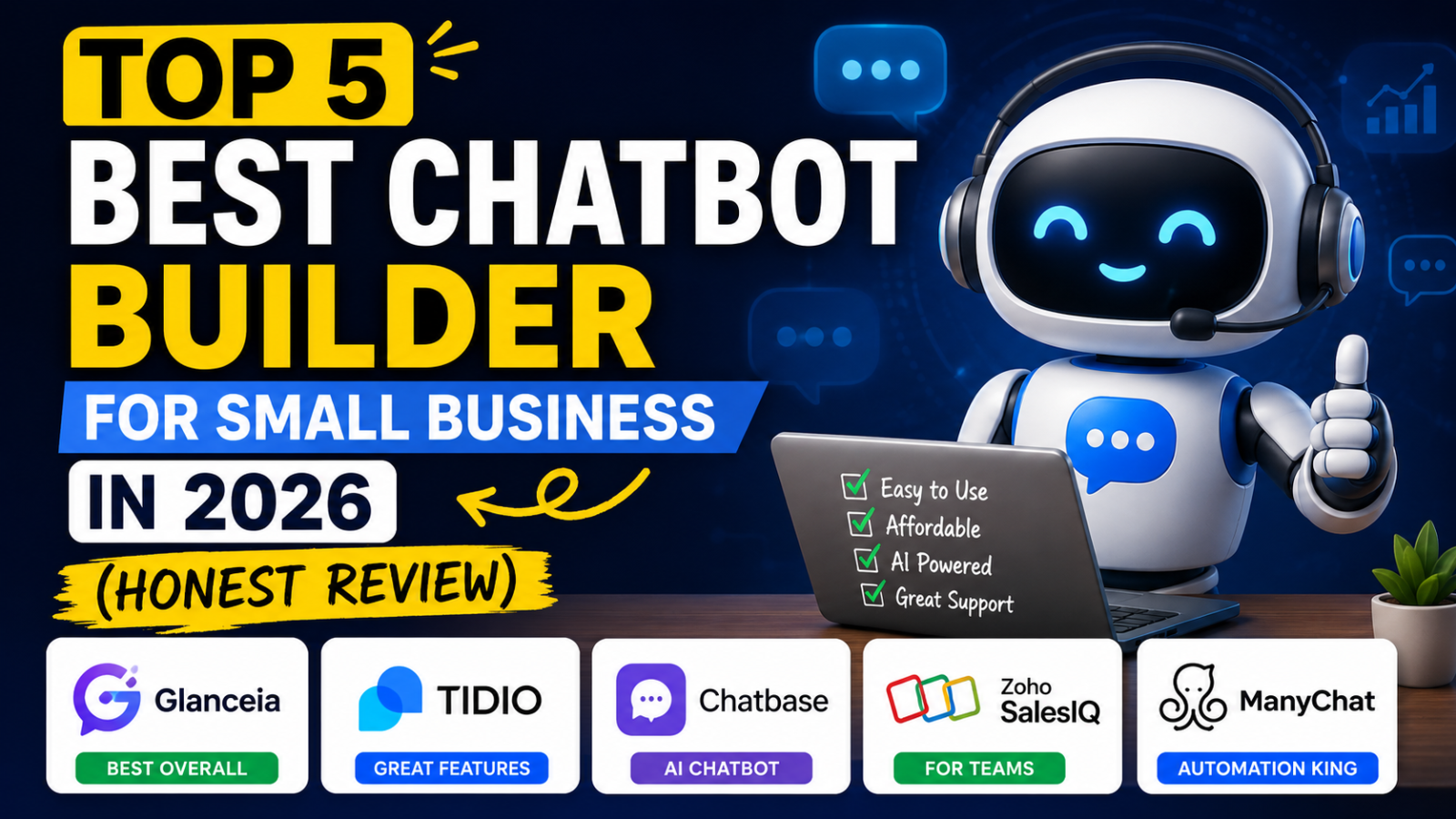
Top 5 Best Chatbot Builder for Small Business in 2026 (Honest Review)
Looking for the best chatbot builder for small business? We break down exactly what to look for, what to avoid, and which tool wins for price, ease, and results.
Why Most Small Businesses Choose the Wrong Chatbot Builder
Here is a pattern that plays out constantly: a small business owner googles "chatbot builder," picks one of the top results, signs up, spends two hours setting it up — and then realises they are looking at a $74/month invoice once they actually want to use the AI features. Or they discover the platform was built for enterprise teams with 50-person support departments, not a 3-person business trying to capture more leads from their website.
Choosing the wrong chatbot builder does not just waste money. It wastes time, delays results, and creates a bad first impression of what chatbots can actually do for a small business.
This guide cuts through the noise. We looked at every major chatbot builder available in 2026, specifically through the lens of what small businesses actually need — simple setup, real AI capabilities, transparent pricing, and no enterprise bloat — and ranked the ones that genuinely deliver.
What Small Businesses Actually Need From a Chatbot Builder
Before jumping to tool comparisons, it is worth getting clear on what a chatbot builder needs to do to be useful for a small business. The requirements are different from what a large enterprise needs, and most comparison articles miss this distinction.
Simple setup with no developer required A small business owner or a small marketing team should be able to go from signup to live chatbot in under an hour. If it requires developer involvement, technical configuration, or a multi-week onboarding process, it is not built for small business.
AI that answers from your actual business content Generic chatbots that give scripted responses to pre-defined questions are not useful. A small business needs a chatbot that can be trained on its specific FAQs, product information, pricing, and policies — and answer questions accurately based on that content, not just pick from a list of canned responses.
Transparent, flat pricing with no hidden add-ons Many platforms advertise low base prices and then charge separately for AI features, branding removal, higher conversation volumes, and additional team seats. A small business needs a tool where the price it sees is the price it pays.
Lead capture built in A chatbot that only answers questions without capturing visitor contact information is leaving revenue on the table. Lead capture — collecting names and emails from every conversation — should be a standard feature, not a premium add-on.
Works on any website without technical complexity Whether the site is built on WordPress, Wix, Webflow, Shopify, or a custom-coded platform, the chatbot should embed with a simple one-line script and work immediately.
With those criteria in mind, here is how the top chatbot builders for small business in 2026 stack up.
1. Glanceia — Built Specifically for Small Business
Pricing: Free plan available / Paid from $9/month AI included: Yes — in all plans including free Setup time: Under 30 minutes No-code: Yes Lead capture: Yes — built in Best for: Small businesses, service providers, ecommerce stores, solopreneurs
Glanceia is the standout choice for small businesses in 2026, and it earns the top spot for a specific reason: it was designed from the ground up for businesses without dedicated tech teams or large support budgets.
Most chatbot builders were originally built for enterprise use and then offered stripped-down plans for smaller businesses. Glanceia went the other direction — built for small business first, with enterprise features added as the platform grew. The difference shows in the product experience.
What makes Glanceia the right fit for small business:
The setup process is genuinely simple. You upload your business content — FAQs, pricing, service descriptions, policies — and the AI learns from it. Within 30 minutes of signing up you can have a chatbot live on your website that answers questions specific to your business, not generic filler responses.
The pricing is flat and transparent. The free plan is a real, fully functional product — not a crippled trial. The paid plan starts at $9/month with AI included, no add-ons required. There is no separate AI fee, no per-seat charge that multiplies as your team grows, and no credit system that makes monthly costs unpredictable.
The chatbot trains on your actual content. Upload a PDF, paste your FAQ text, or link your existing pages — Glanceia reads through everything and uses it to answer visitor questions accurately. This is the feature that separates a useful chatbot from a useless one.
Lead capture is included at every level. Every visitor conversation can capture a name and email, turning anonymous website traffic into a list of warm leads your team can follow up on.
The embed works on every platform. One script, paste it into your website footer, done. Works on WordPress, Wix, Webflow, Shopify, Squarespace, Framer, or any custom site.
The one area to know about: Glanceia is optimised for website-based chatbots. If your primary need is WhatsApp or social media automation, you may need a complementary tool for those channels.
Bottom line: If you are a small business that wants a chatbot that actually works, is priced honestly, and can be set up without a developer, Glanceia is the right starting point.
2. Tidio — Best Free Plan for Ecommerce Live Chat
Pricing: Free / Starter from $29/month / AI (Lyro) from $39/month extra AI included: No — requires separate Lyro add-on Setup time: 30–60 minutes No-code: Yes Lead capture: Yes Best for: Small ecommerce businesses primarily wanting live chat with basic automation
Tidio is one of the most widely used chatbot tools for small ecommerce businesses and its free plan is genuinely useful for getting started with live chat and basic automations.
The important thing to understand before signing up: Tidio's AI chatbot (called Lyro) is not included in any base plan. It is a separate add-on that starts at $39/month on top of whichever base plan you choose. A Starter plan ($29/month) plus 200 Lyro AI conversations puts the real monthly cost closer to $68–$107 depending on volume.
For small businesses that primarily want live chat — a human agent responding to visitors in real time — Tidio's free and Starter plans are genuinely good value. For businesses that want AI to handle conversations automatically without a human present, the real cost is significantly higher than the advertised starting price.
Bottom line: Strong live chat tool, but budget for AI add-on costs if that is what you actually need.
3. Chatbase — Best for Technical and Developer-Led Teams
Pricing: Free / Hobby from $32/month / Standard from $120/month AI included: Yes — but metered by credits Setup time: 30 minutes for technical users No-code: Partial — some setup requires technical comfort Lead capture: Yes Best for: SaaS companies, developers, technical teams wanting a flexible AI chatbot platform
Chatbase is a strong platform for businesses with technical users who want more control over their chatbot's behaviour and AI model selection. The AI is included in all paid plans, which is a genuine advantage over Tidio's add-on model.
The credit-based pricing system is the main thing to understand before committing. Each AI response consumes credits, and using more advanced AI models consumes more credits per response. A Standard plan's 4,000 monthly credits can shrink significantly if you choose premium models — making the effective cost per conversation higher than the plan price suggests.
The free plan deletes inactive chatbots after 14 days, so it functions more as a trial than a permanent free tier.
Bottom line: Good technical flexibility and AI is included, but the credit system makes costs harder to predict. Better suited to developer teams than non-technical small business owners.
4. Zoho SalesIQ — Best for Zoho Ecosystem Users
Pricing: Free / Basic from ~$9/operator/month / Professional from ~$19/operator/month AI included: No — gated to higher tiers Setup time: 45–90 minutes No-code: Yes Lead capture: Yes Best for: Businesses already using Zoho CRM, Zoho Desk, or Zoho One
Zoho SalesIQ has a competitive entry price and a functional free plan for small teams. Its strongest selling point is deep integration with the broader Zoho product ecosystem — if you are already paying for Zoho One or Zoho CRM, SalesIQ may already be included in your subscription.
The per-operator billing model is worth factoring in before signing up. A team of three paying $9/operator/month is $27/month before any AI features are unlocked. AI capabilities require the Professional tier or higher, pushing the real cost up from the entry-level price.
For businesses outside the Zoho ecosystem, the integration advantage disappears and the per-seat billing model becomes less competitive compared to flat-rate options like Glanceia.
Bottom line: Best value for existing Zoho users. For everyone else, the per-operator billing and AI tier-gating make it less straightforward than the entry price suggests.
5. ManyChat — Best for Instagram and WhatsApp Automation
Pricing: Free up to 1,000 contacts / Pro from $15/month AI included: No — GPT add-on required at extra cost Setup time: 30–45 minutes No-code: Yes Lead capture: Yes Best for: Businesses whose customer conversations happen primarily on Instagram, Facebook, or WhatsApp
ManyChat has one of the lowest base prices in the market and its free plan covering up to 1,000 contacts on social platforms is genuinely useful for businesses active on Instagram, Facebook, and WhatsApp.
The critical distinction for small businesses to understand: ManyChat was designed for social channel automation, not website chatbots. If your primary goal is to add a chatbot to your website to answer visitor questions and capture leads from web traffic, ManyChat is not the right tool — it does not function as a website chatbot widget in the same way the other tools on this list do.
For businesses that run their customer conversations primarily through Instagram DMs or WhatsApp Business, ManyChat is a strong and affordable option. For website-first businesses, start with Glanceia.
Bottom line: Excellent for social media automation at a low price. Not the right tool if your primary goal is a website chatbot.
How to Choose the Right Chatbot Builder for Your Small Business
Work through these four questions before signing up for anything:
Question 1: Where do your customers come from? If primarily from your website — Glanceia, Tidio, or Chatbase. If primarily from Instagram or WhatsApp — ManyChat. If you are already inside the Zoho ecosystem — SalesIQ.
Question 2: Do you need AI to handle conversations automatically, or will a human be responding? For AI-automated responses from your business content — Glanceia or Chatbase. For human-staffed live chat with basic automation — Tidio's free or Starter plan without the Lyro add-on.
Question 3: What is your real monthly budget? Under $10/month for a full AI chatbot — Glanceia. $30–35/month for a developer-friendly AI platform — Chatbase Hobby. $29/month for live chat without AI — Tidio Starter.
Question 4: How technical is your team? Non-technical team that needs the simplest possible setup — Glanceia. Developer-led team that wants flexibility and model choice — Chatbase.
For the majority of small businesses — service providers, ecommerce stores, local businesses, consultants, SaaS startups — Glanceia answers all four questions most cleanly.
FAQ
What is the easiest chatbot builder to set up for a small business? Glanceia is the easiest to set up end-to-end — from creating an account to going live on your website typically takes under 30 minutes with no technical knowledge required.
Which chatbot builder has the best free plan for small business? Glanceia and Tidio both offer genuinely usable free plans. Glanceia's free plan includes AI, while Tidio's free plan focuses on live chat without AI included.
Do small businesses really need an AI chatbot or is a basic rule-based chatbot enough? Rule-based chatbots can only handle questions you specifically script responses for. An AI chatbot trained on your content handles the full range of questions visitors actually ask — including ones you did not anticipate. For most small businesses, AI gives meaningfully better results from day one.
Can I switch chatbot builders later if I change my mind? Yes — switching mainly involves re-uploading your content and swapping the embed script on your website. It is not complicated, but getting the choice right from the start saves time.
How many conversations do small businesses typically need per month? Most small business websites with moderate traffic handle between 50 and 500 chatbot conversations per month. Glanceia's free and entry-level paid plans cover this range comfortably.
Final Thoughts
The best chatbot builder for small business in 2026 is not the one with the most features or the biggest brand name. It is the one that gets you from signup to live chatbot fastest, gives you real AI capabilities without a separate add-on fee, and charges a price that makes sense for a business that is not running a 50-person support team.
On all of those measures, Glanceia is the clearest choice for small businesses in 2026 — and with a free plan that requires no credit card, there is no reason not to try it today.
Start building your chatbot free →
Published by Laxman- Team Glanceia