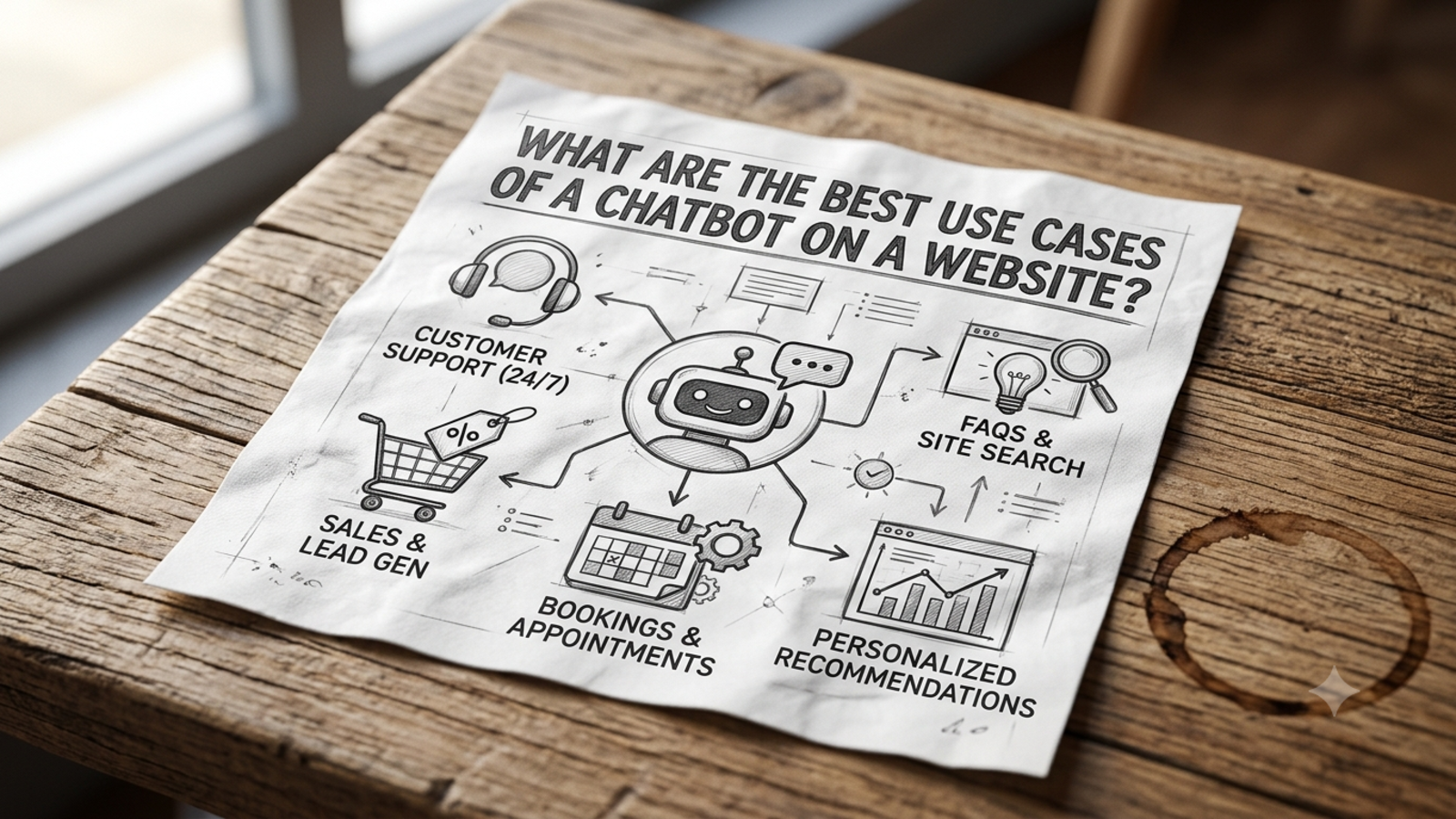
What Are the Best Use Cases of a Chatbot on a Website?
Not sure what a website chatbot should actually do? Here are the most useful chatbot use cases for small businesses, from lead capture to 24/7 support.
Plenty of businesses add a chatbot to their site because it feels like they should. A small chat bubble appears in the corner, says “Hi, how can I help?”, and then does very little.
The tool isn’t the problem. The problem is that nobody decided what job it should do. A chatbot that tries to do everything usually does nothing well, while one with a clear purpose quietly earns its place.
So here are the use cases that tend to work best on a website, how each one looks in practice, and how to choose where to start.
1. Answering common questions instantly
This is the classic use case, and still the most useful. Every business has a handful of questions that come up again and again:
What are your prices?
Do you deliver to my city?
What’s included in this package?
What are your opening hours?
What’s your refund policy?
A chatbot answers these in seconds, at any hour, without anyone on your team typing the same reply for the fortieth time.
How to do it well: Train the bot on your own material. Glanceia learns from the PDFs, Word documents, CSVs and FAQs you upload, so answers match what you actually offer instead of generic internet advice. Keep the content current, because a bot is only as accurate as what it’s been given.
Good for: almost every business, especially those with repetitive enquiries.
2. Giving support outside working hours
Customers don’t browse on your schedule. Plenty of them visit in the evening, on weekends or from another time zone, and a question that goes unanswered until morning often becomes a lost customer.
A chatbot doesn’t sleep. It can answer the basics at 2 a.m. just as well as at 2 p.m., and it can note anything that needs a person so your team can pick it up when they’re back.
How to do it well: Be honest about what happens next. If the bot can’t help, it should say so, collect the visitor’s contact details and tell them when to expect a reply.
Good for: travel agencies, e-commerce stores, service businesses, anyone with customers in other time zones.
3. Capturing leads
Most website visitors leave without ever contacting you. A chatbot gives them an easy, low-pressure way to start a conversation, and gives you a way to know who they are.
Glanceia can collect names, emails and phone numbers during a chat and send lead data and high-value conversations to your inbox. When you open your email, you see what the visitor asked and how to reach them.
How to do it well: Answer first, then ask for details. Visitors share their email far more willingly after they’ve received something useful.
Visitor: Do you have a 5-day Bali package for December?
Bot: Yes, we have two options for that month. Want someone from our team to send you the full itinerary? I’ll just need your name and email.
Good for: businesses that sell through enquiries, such as travel, consultancies, agencies, clinics and freelancers.
4. Qualifying visitors before your team gets involved
Not every enquiry is equally serious. A few light questions can help you tell the difference between someone casually browsing and someone ready to buy.
For example, the bot can ask what kind of project or product they’re interested in, roughly when they need it and how many people it’s for. Your team then starts with context and can spend time where it matters.
How to do it well: Keep it short and relevant. Ask only for details your team will actually use, and spread the questions through the conversation instead of firing them all at once.
Good for: businesses where each lead takes real time to follow up, like agencies, consultants and B2B services.
5. Guiding visitors to the right page or product
Websites can be confusing. Visitors who can’t find what they need leave, even if you have exactly what they’re looking for.
A chatbot works like a helpful shop assistant: “Looking for pricing? Here’s the page.” or “Which of these packages suits you? Tell me what you need.” It shortens the path between a question and the right answer.
How to do it well: Use page-specific welcome messages. Glanceia lets you set a custom first message, so a pricing page can open with “Want help choosing the right plan?” while a package page asks “Need help checking availability for your dates?”
Good for: sites with many products, packages or pages.
6. Supporting bookings and enquiries
If your business runs on bookings, appointments or quotes, a chatbot can answer the questions that stand between a visitor and a booking: availability, what’s included, how to confirm.
Glanceia can also send real-time alerts when users reach key pages such as booking or payment. That lets your team notice when someone is close to deciding and follow up while they’re still engaged.
How to do it well: Don’t make the bot responsible for everything. Let it answer questions and collect details, and let your team confirm the booking.
Good for: hotels, tour operators, clinics, salons, event businesses and service providers.
7. Reducing the load on your support team
For small teams, repetitive questions eat time that should go to complicated work. A chatbot takes the first layer, which lets your people spend their day on the conversations that need judgement, such as complaints, exceptions and high-value clients.
You usually won’t need to hire as fast as your volume grows, because the bot absorbs the easy questions.
How to do it well: Decide in advance what goes to a human: complaints, refund exceptions, custom quotes and anything sensitive. Never trap a customer. Always make it easy to reach a person.
Good for: growing businesses, small teams and anyone seeing their inbox fill up.
8. Serving customers in their own language
If your visitors come from different countries or language backgrounds, a chatbot can make your site feel more welcoming. Glanceia works in over 95 languages, so a visitor can ask in the language they’re comfortable with instead of struggling in English.
How to do it well: Test the bot in the languages your customers actually use, and check that the answers read naturally.
Good for: tourism, immigration and education consultancies, international e-commerce and anyone with a global audience.
9. Learning what your customers actually want
Every chat is a small piece of research. The questions visitors ask tell you what they care about, what confuses them and where they give up.
Glanceia’s analytics show top questions, popular topics and drop-off points. That’s useful well beyond support. If dozens of people ask whether a product is included in a package, your product page probably doesn’t say so clearly. If many visitors ask about one destination, that’s something to promote.
How to do it well: Spend 20 minutes a week reading the chats. Add missing answers to the bot and fix the website pages that generate repeat questions.
Good for: every business that wants to improve its website and offers.
10. Handling spikes in traffic
Sales, festivals, launches and campaigns send a wave of visitors, and with them a wave of questions. A team can’t scale up for a few days, but a chatbot can.
How to do it well: Update the bot’s content before the busy period with new offers, dates and policies, and make sure someone is watching the inbox for handoffs.
Good for: online stores, event businesses, seasonal businesses and anyone running promotions.
What a good setup looks like
Whatever you choose, the basics are the same:
Clear content. Write down your top 20 questions and give each a specific answer.
A custom first message that suits the page.
A clear handoff. Decide when the bot should step back and who picks up the conversation.
Honesty. Tell visitors it’s an AI assistant and how to reach a person.
A weekly review. Read what the bot struggled with and improve its content.
With Glanceia, setup takes three steps: connect your data, customise the look and tone, and add one line of code to your site. There’s no coding required, and you can work with platforms like WordPress, Shopify, Wix and Squarespace.
Mistakes to avoid
Launching with no clear purpose. Pick one main job for the bot.
Asking for contact details too early. Give value first.
Hiding the human option. This is the biggest source of frustration.
Letting it guess. If it doesn’t know, it should say so and hand over.
Outdated content. Wrong prices or policies damage trust fast.
Pretending it’s a person. Be upfront.
Setting it up once and forgetting it. Your business changes, so the bot’s content should too.
FAQ
What is the best use of a chatbot on a website?
For most businesses, it’s answering common questions instantly and capturing leads. Which one matters most depends on your biggest problem, whether that’s a full inbox or visitors leaving without contacting you.
Can a chatbot generate leads?
Yes. Glanceia can collect names, emails and phone numbers in chat and send lead data to your inbox.
Will a chatbot replace my customer support team?
No. It handles repeated, factual questions so your team can focus on complaints, exceptions and complex cases.
What kinds of businesses benefit most from a website chatbot?
Businesses with repetitive questions, enquiries outside working hours or leads that need quick follow-up, such as travel agencies, e-commerce stores, clinics, consultancies, agencies and freelancers.
Do I need a developer to add a chatbot to my website?
No. With Glanceia you upload your content, customise the look and first message, and add one line of code.
Can a chatbot work in other languages?
Yes. Glanceia supports over 95 languages.
How do I know if my chatbot is working?
Look at how many chats turn into leads, which questions come up most and where visitors drop off. Glanceia’s analytics show top questions and drop-off points.
How much does a website chatbot cost?
It varies by tool. Glanceia has a free plan with no credit card required. See the pricing page for current details.
Start with one job and do it well
The best chatbots aren’t the ones that do everything. They’re the ones that do one useful thing reliably, then grow from there. Pick your biggest pain, give the bot clear information and a clean handoff, and watch what your visitors actually ask.
Glanceia is free to start with no credit card required. See the docs for setup or contact the team to talk through your use case.