What ChatGPT Cannot Do That a Business Chatbot Can
ChatGPT is brilliant for general tasks, but it isn’t built to serve your customers. Here’s what a business chatbot does differently, and when you need one.
If you’ve used ChatGPT, you’ve probably had the same thought most business owners have: “This is so good. Why can’t I just put this on my website?”
It’s a fair question, and the honest answer isn’t “ChatGPT is bad.” It’s very good at what it was built for. The catch is that what it was built for and what your customers need are two different jobs.
Here’s a clear look at where ChatGPT stops being the right tool, and what a business chatbot does that a general assistant doesn’t.
First, what ChatGPT is great at
It’s worth giving credit where it’s due. ChatGPT is excellent at:
Drafting emails, blog posts and social captions
Brainstorming ideas and outlines
Explaining complicated topics in plain language
Summarising documents and cleaning up messy notes
Helping you write, edit and think
If you’re a business owner, it’s a handy assistant for you. The trouble starts when you try to turn it into the front desk for your customers.
The core difference
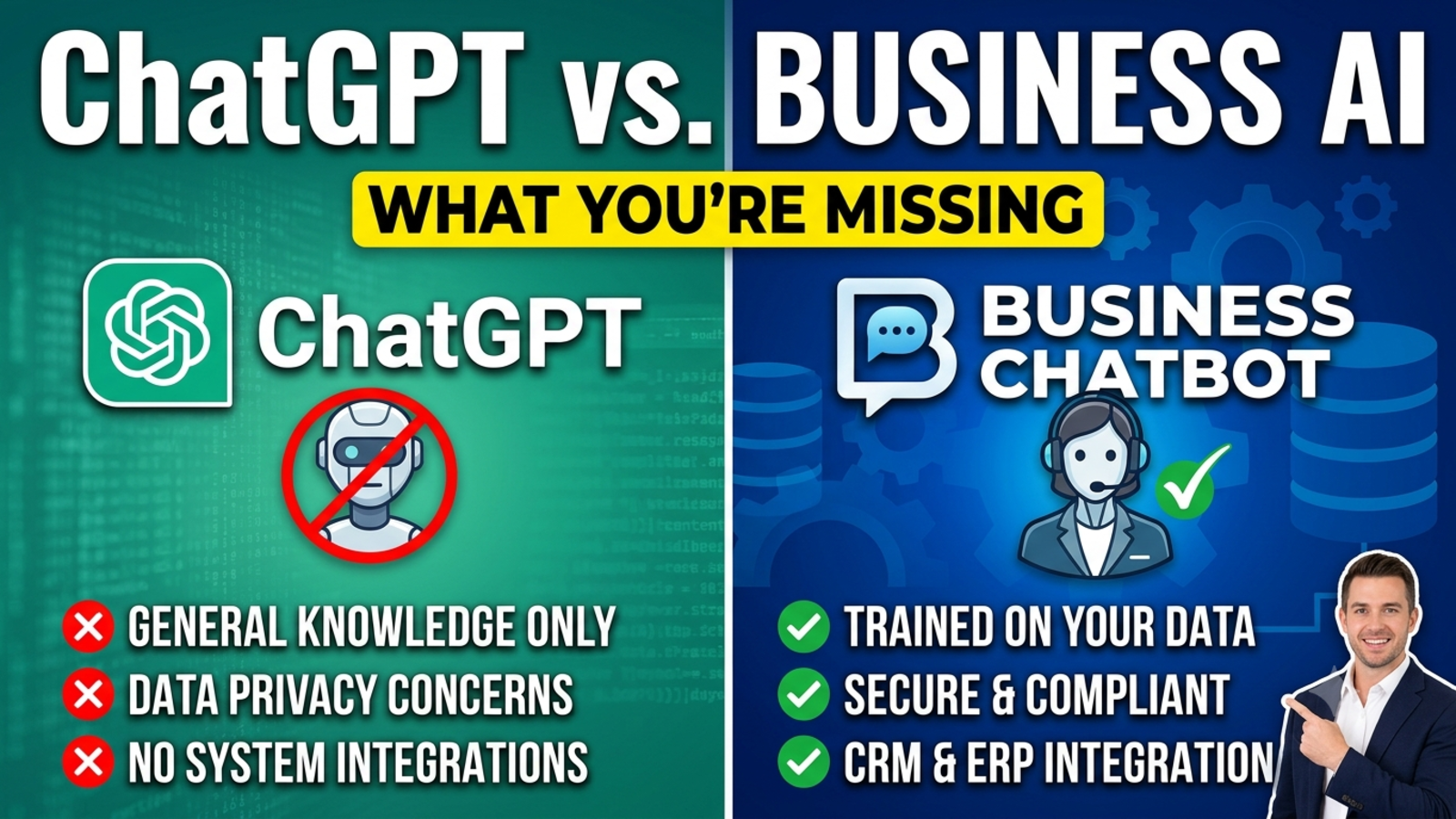
ChatGPT is a general-purpose assistant designed for individuals who sign in and talk to it inside its own app. A business chatbot is a customer-facing tool that lives on your website, speaks for your company, and works for visitors who’ve never heard of it.
That one difference explains almost everything below.
1. It can’t live on your website and greet your visitors
A customer landing on your pricing page at 10 p.m. isn’t going to open another tab, sign in to an AI account and go looking for your assistant. They want an answer where they already are.
A business chatbot sits right on your site. With Glanceia, you paste one line of code, and the chat window appears for every visitor, with no accounts or logins involved. It also works with site builders like WordPress, Wix, Shopify and Squarespace.
It is possible to build a custom AI assistant on top of OpenAI’s technology and put it on your site, but that typically means developer work: writing code, hosting it and maintaining it. A ready-made business chatbot does that part for you.
2. It doesn’t answer only from your business information
Ask a general AI about your delivery times and it may give you a confident, well-written, completely made-up answer. It doesn’t know your prices, your packages or your refund policy unless someone supplies them, and even then it can mix in general knowledge.
A business chatbot is built around your material. Glanceia trains on what you upload (PDFs, Word documents, CSVs, FAQs) so answers stay specific to what you actually offer. That matters a great deal when the question is “How much does this cost?” and a wrong answer means an angry customer.
3. It can’t capture leads and send them to you
This is the one that surprises people. A general chatbot can have a lovely conversation with someone and then... nothing. No name, no email, no phone number, no record of who was interested.
A business chatbot is designed to turn conversations into business. Glanceia can collect names, emails and phone numbers during a chat and route lead data and high-value conversations to your inbox. When you open your email in the morning, you see who asked what and how to reach them.
4. It doesn’t know what page the visitor is on or what they’re about to do
A visitor reading your blog and a visitor on your payment page are in very different places. A good business chatbot can tell the difference and respond to it.
Glanceia can set a custom first message for different pages, such as “Need help checking availability for your dates?” on a package page, and send real-time alerts when users reach key pages like booking or payment. That gives your team a chance to step in while the customer is still deciding.
5. It doesn’t look or sound like your brand
A general assistant has its own personality and its own look. Customers talking to it don’t feel like they’re talking to you.
A business chatbot is shaped to fit your company. In Glanceia, you can adjust colours, the avatar and launcher style, the position and size of the chat window, and the persona and tone of voice. The result feels like part of your website rather than a borrowed tool.
6. It doesn’t show you what your customers are asking
Every customer conversation is information: what people want, what confuses them, where they give up. A general chat app gives you none of that, because the conversations aren’t yours.
With a business chatbot, you get a window into your own customers. Glanceia’s analytics show top questions, popular topics and where visitors drop off. That’s useful far beyond support. It tells you what to fix on your website, what to explain better and what to offer next.
7. It doesn’t keep your business data separate from everyone else’s
If you’re feeding a chatbot your pricing, packages and policies, you want to know where that information goes and who else might see it.
Glanceia says on its site that each company gets a fully isolated data environment, and that your data is only used for your own chatbot. Whatever tool you choose, ask this question before you upload anything sensitive, and read the privacy policy.
8. It isn’t designed to hand over to a human
A good support experience knows when to step back. When a customer is upset, or asks for something the bot can’t answer, the right move is to collect their details and bring in a person.
A business chatbot is built with that handoff in mind: the bot gathers a name and contact information, tells the customer what happens next, and passes the conversation to your team. A general assistant doesn’t know your team exists.
9. It doesn’t set up in minutes without a developer
For most small businesses, this is the deciding factor. You want something you can launch this week, not a project.
Glanceia’s setup is three steps: connect your data, customise the look and tone, and add one line of code. There’s no coding or AI training involved, and a free plan with no credit card required means you can try it before deciding.
10. It doesn’t work around the clock for the public
You can use ChatGPT anytime, but only as yourself, for your own tasks. Your customers can’t use it as your support team.
A business chatbot answers every visitor, at every hour, in over 95 languages (in Glanceia’s case). That means the person messaging you from another time zone at 3 a.m. gets a useful reply instead of silence.
Side-by-side
ChatGPT (general assistant)Business chatbot (like Glanceia)Built forIndividuals, general tasksYour customers and your websiteLives on your websiteNot out of the boxYes, one line of codeAnswers from your own contentOnly if you supply it, and it may add general knowledgeTrained on your uploaded contentCaptures leadsNoYes, name, email, phoneSends leads to your inboxNoYesPage-based welcome messages and alertsNoYesMatches your brandLimitedColours, avatar, toneShows customer analyticsNoTop questions, drop-off pointsWorks for visitors without accountsNoYesBest forWriting, thinking, researchSupport, leads, bookings
When ChatGPT is still the right choice
Use it, happily, for:
Writing your marketing copy, emails and product descriptions
Drafting your FAQ answers before you upload them to your chatbot
Summarising customer feedback you’ve collected
Brainstorming campaign ideas and website text
Learning something new or sorting out your thoughts
In fact, the two work well together. Use ChatGPT to help write clear answers, then give those answers to a business chatbot to deliver them to customers.
When you need a business chatbot
It’s time to look at one if:
Customers keep asking the same questions
Enquiries arrive when nobody’s around to answer them
You’re losing leads because nobody replied in time
You want to know what visitors ask before they buy
Your team spends hours a day typing answers that already exist on your site
You need the answers to be your answers, every time
What to ask before choosing any chatbot
Whichever tool you consider, test it with a few simple questions:
Does it answer only from my content? Ask it something you know isn’t in your documents and see whether it admits it doesn’t know.
Can I put it on my site without a developer?
Does it capture contact details and send them to me?
Can I hand over to a human?
What happens to my data?
Can I see what customers are asking?
What does it cost as volume grows?
Common mistakes to avoid
Assuming a general AI knows your business. It doesn’t, unless you tell it, and it can still guess.
Letting it guess on prices, policies or availability. Wrong answers cost trust.
Hiding the human option. Customers forgive a bot. They don’t forgive being stuck.
Pretending it’s a person. Be upfront that it’s an AI assistant.
Uploading outdated content. The bot is only as accurate as the information behind it.
Setting it up and never reviewing it. Read your chat history weekly and keep improving the answers.
The bottom line
ChatGPT is a brilliant general assistant, and it can make you faster at plenty of things. But it isn’t designed to stand at your digital front door, speak only for your business, capture your leads and hand tricky cases to your team.
That’s the job of a business chatbot. Use each for what it’s good at, and you get the best of both: a smarter you, and a website that answers customers while you sleep.
FAQ
Can I just use ChatGPT as my website chatbot?
Not directly. The ChatGPT app is meant for people using it inside its own interface. Putting an AI assistant on your site generally requires developer work using OpenAI’s tools, or a ready-made business chatbot platform.
What is the difference between ChatGPT and a business chatbot?
ChatGPT is a general-purpose assistant for individuals. A business chatbot lives on your website, answers from your own content, captures leads and works for your visitors around the clock.
Does a business chatbot use the same kind of AI as ChatGPT?
Many business chatbots use similar AI technology underneath, but they add the parts a business needs: training on your content, website embedding, lead capture, branding and analytics. Glanceia’s site doesn’t detail which technology it uses.
Is ChatGPT accurate enough for customer support?
General AI can give confident but incorrect answers when it doesn’t have your information. For customer support, you want a bot trained on your own content, with a clear handoff to a person.
Can a chatbot capture leads?
Yes. Glanceia can collect names, emails and phone numbers during a chat and send lead data to your inbox.
Do I need a developer to add a chatbot to my website?
Not with Glanceia. You upload your content, customise the look, and add one line of code.
Can I use ChatGPT and a business chatbot together?
Yes, and it’s a good combination. Use ChatGPT to help write clear FAQ answers and marketing content, then train your business chatbot on those answers.
How much does a business chatbot cost?
It varies by tool. Glanceia has a free plan with no credit card required. See the pricing page for current plan details.
Is my data safe in a business chatbot?
It depends on the provider. Glanceia states that each company gets a fully isolated data environment. Always read the privacy policy and ask how your data is used before uploading anything sensitive.
Give your website a front desk that knows your business
If you want something that answers customers from your information, captures leads and works while you’re offline, Glanceia is free to start. See the docs for setup or contact the team to talk through your use case.