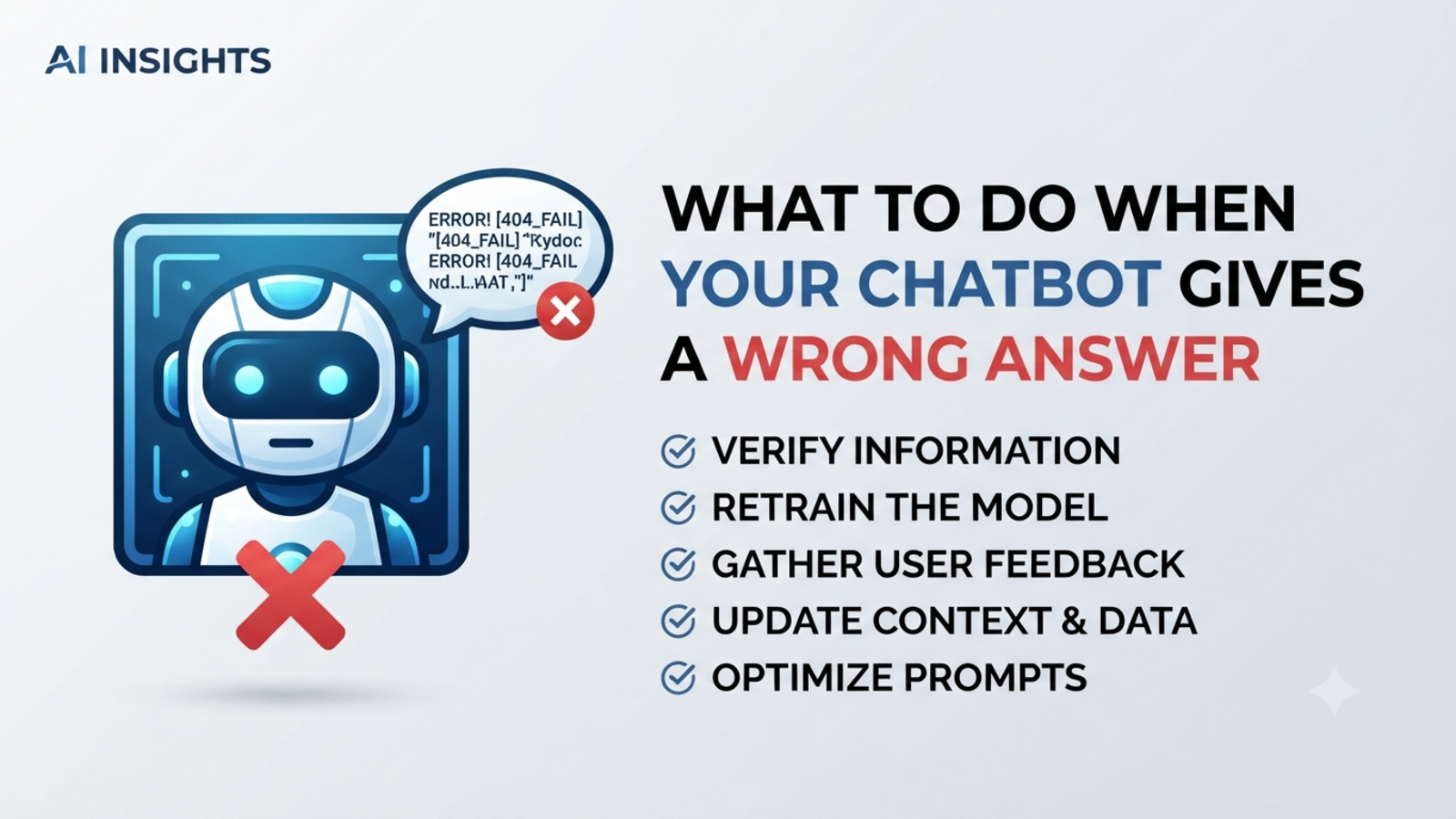
What to Do When Your Chatbot Gives a Wrong Answer
Is your website chatbot giving incorrect answers? Learn why AI chatbots make mistakes, how to fix them, and how to improve chatbot accuracy with the right knowledge and human support.
Introduction
Imagine a customer visiting your website to ask a simple question about your business. They want to know your service pricing, delivery policy, or whether a particular product is available.
Instead of contacting your support team, they open your website chatbot and ask for help.
The chatbot responds immediately, but there is one problem: the answer is completely wrong.
It might provide an outdated price, describe a service you do not offer, or confidently share information that has nothing to do with your business.
For the customer, this can be frustrating. For your business, it can mean losing trust and potentially losing a sale.
This is one of the biggest concerns businesses have when using AI-powered chatbots. Although modern AI chatbots can answer questions, assist customers, and handle repetitive enquiries, they are not perfect.
Sometimes they misunderstand a question. Sometimes they rely on incomplete information. And sometimes they generate an answer that sounds convincing but is factually incorrect. This behaviour is commonly called an AI hallucination.
Does this mean businesses should stop using chatbots?
Not at all.
The better approach is to understand why these mistakes happen, identify their actual cause, and build a process to prevent them from happening again.
In this guide, we will explain what to do when your chatbot gives a wrong answer and how you can make it more reliable for your website visitors.
1. First, Understand Why Your Chatbot Gave the Wrong Answer
Before changing chatbot settings or uploading more information, try to understand why the incorrect response happened.
Not every chatbot mistake has the same cause.
For example, a chatbot might give an incorrect answer because it does not have the required information. Another might misunderstand the customer's question or generate an unsupported response.
Here are some common reasons.
A. Your Chatbot Does Not Have Enough Business Information
One of the most common reasons for incorrect answers is an incomplete knowledge base.
Imagine you run an online clothing store and have added your product catalogue to your chatbot. However, you have not provided your return policy.
A customer asks:
"Can I return a product after seven days?"
The chatbot does not have the exact policy available. Depending on its configuration, it might generate a general response based on patterns it has learned rather than your actual business rules.
That response may sound reasonable but could be completely different from your company's return policy.
How to prevent it:
Provide your chatbot with accurate and relevant business information.
Include details such as:
Products and services.
Pricing and available plans.
Return and refund policies.
Shipping and delivery information.
Business hours.
Frequently asked questions.
Contact and support information.
The more relevant information your chatbot can access, the better equipped it is to answer business-specific questions.
B. Your Information Is Outdated
Another common problem occurs when the chatbot uses old business information.
For example, imagine your company recently increased the price of a subscription from $19 to $29 per month.
You update the pricing page on your website but forget to update the chatbot's knowledge source.
A visitor asks about subscription pricing, and the chatbot responds with the old price.
This is not necessarily a problem with the AI model. The information available to it is simply outdated.
How to prevent it:
Whenever important business information changes, review the information used by your chatbot.
Pay particular attention to:
Product prices.
Service packages.
Discounts and promotions.
Business policies.
Delivery timelines.
Product availability.
Operating hours.
Make sure your website and chatbot are working with consistent, up-to-date information.
C. The Customer's Question Is Ambiguous
Sometimes the chatbot makes a mistake because the customer's question is unclear.
Consider this example:
Customer: "How much does it cost?"
The chatbot has several products and service packages available. Without knowing which one the customer means, it may provide an answer about the wrong product.
A better response would be:
"Are you asking about our Basic, Professional, or Enterprise plan?"
Asking a follow-up question is often more useful than guessing.
How to prevent it:
Configure your chatbot to ask for clarification when a question could have multiple meanings.
A reliable chatbot should recognize when it needs more context instead of immediately generating an answer.
D. AI Hallucinations
AI hallucinations are another reason chatbots sometimes provide incorrect information.
A hallucination happens when an AI model generates information that sounds convincing but is not supported by reliable facts.
For example, a customer asks whether your company provides same-day delivery. Your business does not offer this service, but the chatbot responds:
"Yes, we provide same-day delivery across all major cities."
The chatbot has generated a confident answer without having the necessary factual support.
According to the National Institute of Standards and Technology (NIST), generative AI systems can produce inaccurate or false information, sometimes presenting it confidently.
This is why businesses should not assume every AI-generated response is automatically correct.
How to prevent it:
Give your chatbot clear instructions about how to respond when information is missing.
For example:
"If the answer is not available in the provided business information, do not guess. Politely explain that you do not have enough information and offer to connect the customer with our support team."
This simple instruction can help reduce unsupported answers.
2. What to Do Immediately When Your Chatbot Gives a Wrong Answer
Finding an incorrect response in your chatbot conversation history can be concerning, especially when it involves pricing, customer commitments, or company policies.
However, simply turning off your chatbot is not always necessary.
Follow these steps to handle the situation properly.
Step 1: Review the Complete Conversation
Start by opening the conversation and reading the complete interaction.
Do not focus only on the incorrect response.
Look at what the customer asked before receiving that answer.
For example:
Customer: "Do you offer refunds on annual subscriptions?"
Chatbot: "Yes, annual subscriptions are refundable at any time."
If your company only offers refunds within 14 days, the chatbot has provided misleading information.
Now consider the customer's original question and the information available to the chatbot.
Ask yourself:
Was the customer's question clear?
Did the chatbot have the correct refund policy?
Was there conflicting information in the knowledge base?
Did the chatbot misunderstand the question?
Did it generate information that was never provided?
Understanding the complete conversation will help you identify the actual problem.
Step 2: Correct the Information in Your Knowledge Base
Once you identify the mistake, check the information your chatbot is using.
Suppose your chatbot incorrectly explains your cancellation policy.
Review your actual policy and make sure the correct details are available in its knowledge base.
For example:
Incorrect information:
"Customers can cancel their subscription and receive a full refund at any time."
Correct information:
"Customers can cancel their subscription at any time. Refund eligibility depends on the applicable refund policy."
Make sure the correct information is clear, specific, and easy for the chatbot to interpret.
Also remove outdated or contradictory information where necessary.
Simply adding another document without checking existing content may create more confusion.
Step 3: Improve Your Chatbot's Instructions
Sometimes the problem is not missing information but how the chatbot is instructed to respond.
For example, a chatbot might be configured to answer every customer question confidently.
This can encourage it to generate a response even when it does not have enough information.
Instead, provide clear instructions about what it should and should not do.
Here is an example of a useful instruction:
Suggested chatbot instruction:
"You are a customer support assistant for our business. Answer questions using only the verified business information available to you. Never invent prices, policies, services, guarantees, or product details. If you cannot find a reliable answer, clearly tell the customer that you are unsure and offer to connect them with a human support representative. Ask follow-up questions when the customer's request is unclear."
These instructions help establish boundaries and encourage more responsible responses.
Step 4: Test the Chatbot Again
After correcting the knowledge base and instructions, test the chatbot before relying on the updated responses.
Use the same question that originally caused the problem.
For example:
What is your refund policy?
Do you offer same-day delivery?
What are your current subscription prices?
Can I cancel my order?
Are weekend appointments available?
Check whether the chatbot now provides accurate information.
Do not test only the exact question that caused the mistake. Try different ways of asking the same question.
For example:
"Can I get a refund?"
"How do I request a refund?"
"What happens if I cancel my subscription?"
A chatbot should handle different phrasings of the same question without inventing different policies.
3. How to Reduce Incorrect Chatbot Answers in the Future
Fixing one incorrect response is useful, but preventing similar mistakes is even more important.
Here are some practical ways to improve chatbot reliability over time.
A. Build a Detailed and Organized Knowledge Base
Your chatbot is only as useful as the business information available to it.
If you want it to answer questions about your company accurately, give it enough relevant information to understand your products, services, and policies.
Instead of uploading one large document containing everything, organize your information into clear sections.
For example, an online store could organize its knowledge into:
Products: Product descriptions, specifications, available sizes, and features.
Pricing: Current prices, subscription plans, and additional charges.
Shipping: Delivery areas, estimated timelines, and shipping costs.
Returns: Refund eligibility, exchange rules, and cancellation policies.
Customer Support: Contact details, business hours, and common customer questions.
This makes it easier to maintain the information and identify missing details.
B. Use Official Information as Your Source
Your chatbot should rely on information that your business can verify.
Avoid providing outdated documents, copied content from unrelated websites, or conflicting information.
For example, your official refund policy should be the primary reference for refund-related questions.
Similarly, your latest pricing information should be consistent across your website, uploaded documents, and other chatbot knowledge sources.
The objective is to establish one reliable version of the truth.
C. Teach Your Chatbot When Not to Answer
A good chatbot does not need to answer every question.
Sometimes the most helpful response is to admit that it does not have enough information.
For example:
"I don't have the exact information about this request right now. Let me connect you with our support team so they can help."
This is much better than providing a confident but incorrect answer.
Configure your chatbot to recognize questions outside its knowledge and avoid making unsupported commitments.
D. Review Customer Conversations Regularly
A chatbot should not be installed and forgotten.
Reviewing conversations can help you identify recurring problems and improve the quality of its answers.
Pay attention to:
Questions the chatbot could not answer.
Incorrect product or service information.
Repeated misunderstandings.
Questions customers frequently ask.
Conversations that require human support.
If multiple customers ask the same unanswered question, consider adding that information to your knowledge base.
Over time, this process can make your chatbot more useful for your visitors.
E. Provide a Human Support Option
Automation is helpful, but there are situations where a human should take over.
For example, a customer might have a billing dispute, a complicated order issue, or a question that requires an exception to company policy.
These situations should not depend entirely on an AI-generated response.
Give customers a clear way to contact your team when the chatbot cannot resolve their concern.
Human support is particularly important when a wrong answer could create financial, legal, privacy, or other serious consequences.
4. When Should You Transfer a Chatbot Conversation to a Human?
One mistake businesses make is trying to automate every customer interaction.
While chatbots can handle repetitive questions, not every conversation should be automated.
Here are some situations where human support is a better option.
SituationRecommended ActionCustomer asks about a standard business FAQLet the chatbot answerCustomer asks about a complicated refundTransfer to human supportChatbot cannot find the correct informationOffer human assistanceCustomer reports a billing problemEscalate to the support teamCustomer is unhappy with a previous responseLet a human review the conversationCustomer requests an exception to company policyTransfer to an authorized team memberCustomer asks a high-risk or sensitive questionAvoid guessing and direct them to appropriate human support
A human support option does not mean your chatbot has failed.
It means your business understands where automation is useful and where human judgment matters.
The best customer support systems combine both.
5. How Glanceia Helps You Manage Your Website Chatbot Better
Adding an AI chatbot to your website should make customer support easier, not create another problem for your business.
This is why having control over your chatbot's knowledge, conversations, and customer interactions matters.
Glanceia is an AI-powered website chatbot designed to help businesses automate customer support while maintaining control over how they communicate with visitors.
Instead of relying only on generic AI responses, you can provide your chatbot with business-specific information.
Here is how Glanceia helps:
1. Train Your Chatbot With Your Own Business Information
Every business is different.
A travel agency needs to answer questions about destinations, packages, and bookings. An online store needs to explain products, shipping, and returns. A software company needs to provide information about features, pricing, and setup.
With Glanceia, you can build your chatbot's knowledge using your website content, FAQs, documents, and PDFs.
This gives the chatbot relevant business information to use when responding to visitors.
2. Manage Customer Conversations
You can review chatbot conversations to understand what customers are asking and identify situations where the chatbot may need better information.
This helps you discover unanswered questions and improve your knowledge base over time.
3. Switch Between AI and Human Support
Some customer enquiries require personal attention.
Glanceia supports an AI and human support workflow, allowing businesses to switch from automated assistance to human replies when necessary.
This is particularly useful when a visitor needs help with a complicated question or when the AI cannot provide a reliable answer.
4. Capture Potential Customer Leads
A customer asking questions about your services could also be a potential buyer.
Glanceia supports lead capture, allowing businesses to collect details such as names, email addresses, and phone numbers during customer interactions.
This helps your team follow up with interested visitors.
5. Support Visitors Beyond Business Hours
Your business website can receive visitors at any time.
With an AI chatbot, customers can ask common questions even when your support team is unavailable.
The chatbot can provide information based on its available business knowledge and help visitors understand what to do next.
6. Simple Integration Without Complicated Development
You do not need to build an AI chatbot from scratch.
Glanceia provides a simple installation process using an embed script that can be added to your website.
Once configured, your chatbot can become part of your existing website experience.
Want to build a chatbot that understands your business?
Explore Glanceia and create your website chatbot for free.
6. A Simple Checklist to Keep Your Chatbot Accurate
Improving chatbot accuracy is an ongoing process. The following checklist can help you maintain a more reliable customer support experience.
Keep product and service information updated.
Review pricing and policies regularly.
Remove outdated or conflicting documents.
Give your chatbot clear response instructions.
Tell it not to guess when information is missing.
Test common customer questions.
Review real chatbot conversations.
Identify frequently unanswered questions.
Provide an option for human support.
Check important responses before relying on them for business decisions.
You do not need to make all these changes at once. Start with the areas where your chatbot makes the most frequent or most serious mistakes.
Consistency is more valuable than making a large number of changes without testing them.
Frequently Asked Questions (FAQs)
1. Why does my AI chatbot give incorrect answers?
An AI chatbot may provide incorrect answers because of missing business information, outdated knowledge, unclear customer questions, conflicting instructions, or AI hallucinations. Reviewing the conversation and checking the information available to the chatbot can help identify the cause.
2. How can I stop my chatbot from making things up?
Provide accurate business information, use clear chatbot instructions, and tell the AI not to guess when it cannot find an answer. Allow it to ask follow-up questions or transfer the conversation to human support when necessary. These steps can reduce unsupported answers, although no generative AI system should be assumed to be completely error-free.
3. Does uploading more documents make a chatbot more accurate?
Not necessarily. Uploading relevant, accurate, and well-organized information can improve the chatbot's ability to answer business-specific questions. However, adding duplicate, outdated, or conflicting documents may make responses less consistent. Information quality matters more than simply increasing the number of documents.
4. Should I turn off my chatbot if it gives a wrong answer?
Not every incorrect response requires turning off the chatbot. First, determine whether the mistake is isolated or recurring. Correct the relevant information, improve its instructions, and test the response again. Temporarily disabling the chatbot or restricting certain answers may be appropriate when the issue creates a significant risk.
5. Can a chatbot learn from customer conversations?
Some chatbot platforms provide tools for reviewing conversations and improving the knowledge base. However, you should not assume that every chatbot automatically learns from every interaction. In many cases, businesses need to review recurring questions and manually update the information or instructions.
6. When should a chatbot transfer a customer to a human?
A chatbot should offer human support when it cannot find reliable information, misunderstands a complicated request, encounters a billing dispute, or receives a question requiring human judgment. This is especially important for sensitive or high-impact enquiries.
7. How can I improve my website chatbot's accuracy?
Start by providing accurate business information, keeping it updated, creating clear response instructions, testing common questions, and reviewing chatbot conversations. A platform such as Glanceia can help businesses manage their chatbot knowledge and combine AI assistance with human support.
Final Thoughts
An incorrect chatbot response can frustrate customers, damage trust, and create unnecessary work for your support team.
But it does not mean AI chatbots are unsuitable for business websites.
The key is to stop treating a chatbot as a tool that should automatically know everything.
Give it reliable information. Make its instructions clear. Review its conversations. Test its answers. And most importantly, provide a human support option when a question requires more than automation.
A good chatbot is not one that answers every question. It is one that provides useful information when it can and knows when it needs help.
Ready to make customer support easier for your business? Create your AI-powered website chatbot with Glanceia and give your visitors a smarter way to get answers.